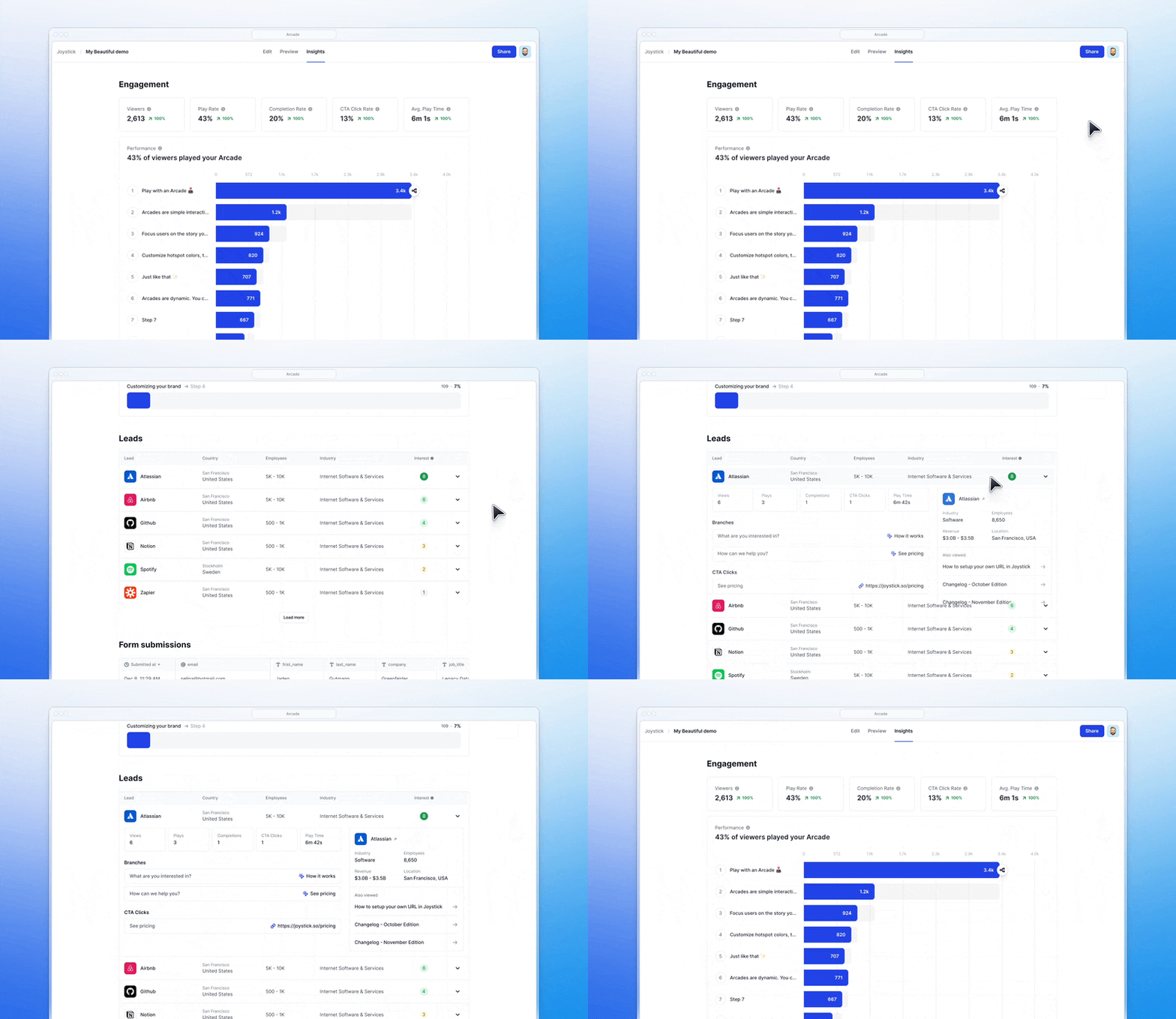
Demo automation platforms help GTM teams create interactive demos, personalized product tours, sandbox environments, and AI-powered demo experiences at scale.
However, not every platform achieves the same goals. Some focus on lightweight interactive walkthroughs, while others specialize in enterprise sandbox environments, live demo infrastructure, or AI-powered personalization.
In this guide, we break down the best demo automation platforms in 2026, including Arcade, Navattic, Storylane, Consensus, Saleo, Supademo, Reprise, and TestBox, to help you find the right fit for your team.
What is demo automation?
Demo automation is the process of automating aspects of the creation, editing, and distribution of:
Interactive demos (also called product tours)
Video walkthroughs
Sandbox environments
You can use demo automation software to speed up the demo creation process, personalize product experiences with AI and dynamic fields, and improve engagement through integrations with the rest of your GTM tech stack.
Many teams also use demo automation platforms to create more scalable workflows for interactive demos, sandbox environments, onboarding experiences, and buyer enablement content.
Demo automation examples
Automatically turning a page’s HTML into editable components 👇
Automatically creating visual effects like zooming or hotspots 👇
Firing automated retargeting campaigns to demo viewers (through integrations with GTM tools like HubSpot) 👇
Adding dynamic backgrounds 👇
Why should you automate demos?
Demo automation helps GTM teams create product experiences faster, personalize them at scale, and make demos easier to distribute across marketing, sales, onboarding, and customer education workflows.
Here are some of the main reasons GTM teams invest in demo automation software:
Increase conversions by personalizing product tours to each prospect.
Scale demo production without manually creating demos from scratch every time.
Gather insights from prospects before they start the sales cycle.
Let a wider audience experience your product.
Product marketers (people who usually create custom product demos) are expensive, busy, and hard to find.
Let’s walk through the best demo automation platforms for creating product tours, interactive demos, videos, and sandbox experiences in 2026.
Demo automation tools: At a glance
Arcade is best for teams that want to turn one product capture into interactive demos, videos, and campaign assets.
Navattic and Storylane are strong options for interactive product tours and HTML demo editing.
Consensus focuses heavily on video demos and buyer engagement analytics.
Saleo, Reprise, and TestBox are built for enterprise sandbox and live demo environments.
Supademo is a good fit for teams that want fast, AI-assisted demo creation with a lightweight setup.
Best Demo Automation Software for Product Tours & Video
Typical users: Product, marketing, and sales teams
What is Arcade?
Arcade is a visual storytelling platform that helps GTM teams turn one product capture into interactive demos, AI-generated videos, screenshots, campaign visuals, and sales assets.
Teams can capture products through Arcade’s Chrome extension, desktop app, or Figma plugin, then transform that content into polished, on-brand experiences they can use across websites, sales outreach, onboarding flows, and customer success.
Full disclosure: Arcade is our own platform, so while we’ll aim to give a balanced comparison, we’ll focus on sharing the strengths, limitations, and ideal use cases for each tool.
Arcade’s demo automation features
HTML capture and editing: Arcade’s HTML capture and Page Morph capabilities let teams modify page elements, personalize demos, redact information, and adjust visuals without code.
Advanced personalization: With branching, hotspots, chapters, and custom variables, teams can create dynamic, choose-your-own-adventure-style demos that adapt to different viewers, industries, or use cases.
Video editing and AI generation: Pan and zoom effects help direct attention to key product areas, while prompt-to-video workflows let teams generate branded videos from a simple prompt.
AI voiceovers: Arcade offers AI voiceovers in multiple languages, helping teams create polished product videos without manual recording.
Camera recording: Add a personalized touch with video or audio-only recordings. Content can be added at the step level instead of recording everything in one take.
Other Arcade features
Multi-format content creation: Arcade Creator Studio lets teams capture a product once, then repurpose that recording into interactive demos, videos, screenshots, GIFs, and campaign visuals from the same workflow.
Analytics and engagement insights: Arcade includes view tracking, engagement insights, and completion analytics to help GTM teams understand how prospects interact with their content.
Sharing and embedding: Arcades can be embedded on websites, shared through custom links, or exported as GIFs, videos, or images for campaigns, onboarding flows, and sales outreach.
Collections: Combine multiple Arcades into one landing page so viewers can navigate between related demos and product stories more easily.
Why do companies pick Arcade?
Arcade is popular with GTM teams that want to create interactive demos, videos, and branded product content without relying on designers or video production teams.
According to public reviews, Arcade stands out for:
Customization and branding: Arcade helps teams create polished, visually consistent demos and videos that feel aligned with their brand.
Fast content creation: Teams can capture a product once, then turn it into interactive demos, videos, screenshots, and campaign assets from the same workflow.
How much does Arcade cost?
Arcade offers four pricing tiers designed for teams ranging from individual creators to enterprise GTM organizations.
Free ($0/month): Includes 200 AI credits per month for AI-generated videos, up to three published demos, basic recording tools, and a watermark.
Pro ($38/user/month): Includes 500 AI credits per month, unlimited published demos, no watermark, GIF/MP4 export, basic video editing, and basic insights.
Growth ($50/month per seat): Includes 800 AI credits per month plus advanced branding, HTML capture, advanced branching, translation AI, integrations, and advanced analytics.
Enterprise (custom pricing): Includes 100,000 AI credits annually alongside enterprise-grade controls like SSO, role-based access, version history, and dedicated support.
Note: The Growth plan has a 14-day trial. Try it for free to experience Arcade’s full capabilities.
Navattic is a demo automation platform designed to create interactive, no-code product demos that improve engagement and help drive conversions. It’s best known for converting screen captures into editable HTML components.
Navattic’s downside is that the recording process is cumbersome, and design options are limited.
Navattic’s demo automation features
Live edits: HTML editing lets you blur sections or add text, change the data shown to viewers, and more.
Personalization: Demos can be personalized with dynamic variables and brand guidelines to tailor content to specific users, industries, or sales use cases.
Other Navattic features
No-code interactive demos: You can build interactive, clickable product demos without any coding.
Demo capture & customization: Using Navattic's Chrome extension, teams can capture their web app and customize the demo with guided steps, tooltips, and modals.
Embedding & sharing: Navattic demos can be easily embedded on websites, used in email campaigns, or shared via links.
Analytics: Navattic provides detailed analytics to track user interactions with demos. Integrations with CRMs like HubSpot, Salesforce, and Marketo ensure that demo engagement data syncs to existing records.
Starter ($0/month): Includes one seat, one demo (HTML or media), unlimited views, basic analytics, and a default theme.
Base ($600/month): Includes five seats, unlimited HTML demos, embedded forms, A/B testing, personalization, Navattic JS, MCP server access, in-app demo suggestions, integrations, and a dedicated CSM.
Growth ($1,200/month): Includes 10 seats, unlimited HTML demos, account identification, narrated demos, advanced analytics, demo translation, in-app collaboration, custom domains, teams, SSO and directory sync, approval workflows, and Launchpad capabilities like interest-level and sandbox demos.
Enterprise (custom pricing): Includes custom seats, offline demos, HTML capture translation, audit logs, custom permissions, professional services, priority support, and demo consultation.
Storylane is a popular interactive demo platform that’s known for its approachable pricing and ease of use.
It doesn’t have all the design and personalization features that Arcade has, but it is a solid option nonetheless.
Storylane’s demo automation features
Demo hub: Group demos into guided playlists or gallery-style hubs so prospects can explore the most relevant product flows for their role, use case, or stage in the buying journey without needing a live walkthrough.
Personalization: Demos can be customized with dynamic variables like prospect names or company information.
Other Storylane features
Screen capture and editing: Capture the product's interface using Storylane's browser extension, allowing for complete control over product flows. The platform provides an HTML-based editor for making content, images, and text changes without coding skills.
Interactive guides and widgets: Add interactive elements such as tooltips, hotspots, and modals to guide prospects through product features.
Security and tracking: Users can protect demos with passwords and expiration dates. Additionally, each demo link can be tracked to monitor engagement and assess which prospects are interacting with the content the most.
CRM integration: Storylane integrates with CRM platforms like Salesforce and HubSpot, providing real-time analytics on demo interactions.
Multiple use cases and stakeholder flows: You can create different demo journeys for various personas or use cases, allowing stakeholders in different roles to see the most relevant parts of the product.
Why do companies pick Storylane?
It’s simple: Capture product screens directly from Chrome with the extension.
It offers competitive pricing: Storylane includes a free plan for smaller teams and startup discounts for eligible early-stage companies.
It’s flexible: Customers appreciate the ability to capture demos, create sandboxes, and launch demo hubs.
Free ($0/month): Includes one seat, one published demo, unlimited demo views, AI Suite Free, lead capture, video recordings, blur/track/zoom functionality, GIF downloads, basic analytics, and Slack integration.
Starter ($50/month): Includes one seat, unlimited published demos, AI Suite Starter, demo chapters, account reveal, HubSpot and Zapier integrations, alerts, custom brand themes, advanced analytics, video downloads, and CSV analytics export.
Growth ($625/month): Includes five seats, HTML demo editing, AI Suite Growth, personalization tokens, account reveal, A/B testing, multi-team support, integrations, custom lead forms, and a dedicated CSM.
Premium ($1,500/month): Includes 10 seats, AI Suite Premium, Salesforce integration and app support, SSO, whitelabel demo URLs, dedicated support, presenter demos, hubs, deal intelligence, offline demos, and custom presenter seats.
Enterprise (custom pricing): Includes AI Suite Enterprise, enterprise-grade security, professional services, private demo links, API access, and ongoing coaching.
Storylane also offers startup discounts for early-stage companies that are bootstrapped, seed-stage, or pre-seed. The discount applies to the Growth and Premium plans, with pricing available through their sales team.
Best for: Combining video, AI, and interactive actions
What is Consensus?
Consensus is a sales demo platform that stands out with AI demo experiences and video-to-demo features. Sales teams use it to engage prospects before they buy.
Consensus’ demo automation features
Automated demos: Consensus lets sales teams create self-guided demo experiences that combine pre-recorded videos, interactive product tours, and personalized demo paths buyers can explore on their own between sales calls. This helps prospects access relevant product information without needing a live walkthrough every time.
Sales accelerator: Consensus will automatically add your most engaged demos into a curated library for sales teams and their prospects.
AI vision: Conversational experience that merges AI chats with a customized product tour.
Other Consensus features
Buyer intent: The platform provides real-time engagement insights, helping sales teams identify key stakeholders, track their interactions with the demo, and gauge buying intent.
Customizable product tours: Users can build interactive product tours that allow prospects to experience a product's features hands-on.
Demolytics: This feature provides in-depth data on how prospects interact with demos, helping companies fine-tune their sales process and improve product storytelling.
Why do companies pick Consensus?
Speed: Sales managers can set up a new environment quickly.
Insights: Reps and their managers can quickly pinpoint what to anchor in deals with Consensus’ “demolytics.”
Scalable: Customers report that although Consensus is expensive, the platform and its pricing scale well.
Starter ($600/month): Includes five users alongside video demos and product tours designed for marketing teams focused on boosting web conversions.
Pro ($1,250/month): Includes 10 users plus additional personalization and sales acceleration capabilities for scaling sales interactions and buyer engagement.
Enterprise (custom pricing): Includes custom user limits, simulations, and tailored workflows for larger organizations with more complex requirements.
Saleo is a demo experience platform that helps sales, presales, and marketing teams create personalized live demos, interactive product tours, and sandbox environments using their actual product.
Saleo’s demo automation features
Real-time demo data injection: Saleo lets teams inject editable, personalized data directly into their native product without code.
Interactive product tours: With Saleo Capture, teams can create guided walkthroughs, lite sandbox experiences, and post-call demos.
AI-powered demo automation: Saleo’s AI Demo Agent can deliver autonomous, multi-lingual demos that adapt to buyer input in real time.
No-code personalization: Customize dashboards, charts, text, and visuals for different personas or industries without engineering support.
Other Saleo features
Saleo Live: Turn your live product into a personalized, demo-ready environment with editable, real-time data.
AI Demo Agent: Deliver scalable demo experiences with an AI agent that can answer questions and guide buyers through workflows.
Deep demo analytics: Track buyer engagement and understand which features and flows resonate most with prospects.
Enterprise-ready controls: Includes SSO, role-based permissions, SOC 2 compliance, GDPR compliance, and partner portal functionality.
Why do companies pick Saleo?
Realistic demo environments: Teams can inject live, editable data directly into their native product instead of relying on static screenshots.
Flexible demo experiences: Companies use Saleo for live demos, interactive tours, post-call follow-ups, and partner enablement.
Strong analytics and personalization: Users value the detailed engagement insights and scalable personalization options.
How much does Saleo cost?
Saleo does not publish fixed pricing tiers on its website. Pricing is customized based on factors like team size, implementation complexity, and products included, such as Saleo Live™, Capture™, and AI Demo Agent.
The platform is sold through annual contracts and includes enterprise features like analytics, integrations, security controls, and customer success support.
According to Vendr, the median Saleo customer pays around $54,000 per year, with reported contracts ranging from roughly $35,000 to more than $83,000 annually.
6. Supademo
Public reviews: 4.7 ⭐ (G2) Similar to: Arcade Typical users: Sales, marketing, enablement, and customer success teams Best for: Fast AI-assisted interactive demos
What is Supademo?
Supademo is an AI interactive demo platform that helps teams create guided product demos, video demos, HTML demos, and sandbox experiences for sales, onboarding, and marketing workflows.
Supademo’s demo automation features
Guided interactive demos: Turn product clicks into step-by-step demos with AI-generated text and voiceovers.
Editing and personalization: Add hotspots, chapters, variables, branding, branching, and HTML edits on higher-tier plans.
HTML and sandbox demos: Growth and Enterprise plans include guided HTML demos and sandbox environments.
AI-powered workflows: Paid plans include Supademo AI, AI voice cloning, AI data editing, and branching.
Route Hub and AI Demo Agent: Growth and Enterprise plans support Route Hub, while AI Demo Agent is available as an add-on.
Other Supademo features
Browser-based capture: Record workflows through the Chrome extension and turn them into interactive demos.
Sharing and analytics: Share demos through links, embeds, videos, PDFs, and showcase collections while tracking engagement and viewer activity.
Integrations: Connect with tools like HubSpot, Salesforce, Slack, Marketo, and Zapier.
Why do companies pick Supademo?
Fast setup: Teams can create demos quickly without technical resources.
Multiple demo formats: Supports guided demos, video demos, HTML demos, and sandbox experiences.
Strong AI feature set: Customers value the AI-powered editing, narration, and personalization tools.
Cross-functional use cases: Works across sales, enablement, onboarding, and marketing teams.
Starter ($0/month): Includes one creator/admin, five guided interactive demos, 50 4K video recordings, unlimited demo views, and AI text personalization.
Scale ($50/month per creator): Includes showcase collections, Supademo AI, branching and variables, tracking links and analytics, and five view-only collaborators.
Growth ($450/month for five creators): Includes guided HTML demos, sandbox demos, Route Hub, AI voice cloning, AI data editing, white-glove onboarding, and unlimited view-only collaborators.
Enterprise (custom pricing): Starts at 10 creators and includes SSO/SAML, custom data residency, multiple workspaces, dedicated support and training, and additional enterprise controls.
AI Demo Agent is available as an add-on for Growth and Enterprise plans.
Best for: Cloning products into a sandbox environment
What is Reprise?
Reprise is an enterprise demo platform designed to help sales, marketing, and presales teams create interactive, customized product demos that enhance buyer engagement.
It lacks the flexibility and ease of use of platforms like Arcade and Navattic but excels at recreating product environments and lead capture.
Reprise’s demo automation features
Data studio: Reprise enables data injection and deep customization of demos, allowing users to personalize product demos for different verticals or user personas.
Other Reprise features
Reveal: This tool allows teams to overlay and customize live applications in real time. It's ideal for sales teams needing to adjust demos quickly to fit specific customer needs without altering the main tour.
Replay: Capture a product environment, build a demo, and share it with buyers.
Replicate: Clone your product's core functionality down to the code level, enabling highly realistic and interactive product tours or sandbox environments for trials or POCs.
Leave-behinds: Allow prospects to revisit specific product features post-demo.
Why do companies pick Reprise?
Reprise offers a full suite of tools (Reveal, Replay, Replicate) that appeal to product and marketing teams that want to create demos and sales teams that need sandboxes and POC environments.
It’s also tailored to the enterprise with solid security and accessibility features. It comes at a price, however.
How much does Reprise cost?
Reprise does not publish fixed pricing tiers or plan prices on its website. Its pricing page says the platform combines a single annual platform fee with flexible, per-user licenses.
Teams need to request pricing directly from Reprise.
TestBox is a platform designed to provide interactive product demos and proof of concept (POC) environments that allow enterprise prospects to experience your software hands-on before they purchase.
It's a good option for companies that need custom data specifications in their sandboxes.
TestBox’s demo automation features
AI data: Populate demos with AI-generated, realistic data.
Auto-updates: Testbox will refresh sandbox environments when a new app version is published.
Other TestBox features
Live product demos: TestBox creates live, fully functional demo environments using your real product. These environments contain up-to-date product features and realistic, PII-free data.
Sandbox/POC creation: You can quickly spin up personalized sandbox environments. These sandboxes are pre-populated with custom data and functional integrations to showcase how the product works for different personas, industries, or verticals.
Guided walkthroughs: TestBox includes a quick links menu and guided walkthroughs, which help prospects quickly navigate to key product features.
Simulated user activity: It maintains the realism of the demo by simulating user activity.
Why do companies pick TestBox?
For larger companies, TestBox is a reliable sandbox product with secure and mostly bug-free functionalities.
How much does TestBox cost?
TestBox offers two plans for its Full Platform offering, which includes interactive sandboxes plus access to its Data Generator.
Platform Standard ($44,750/year): Includes 15 user seats, data generation, a choice of Sandbox or Live Demo base, AI-powered demo workflows, sandbox copilot, onboarding and implementation support, and analytics/tracking.
Enterprise (custom pricing): Includes everything in Platform Standard plus support for multiple product modules, interconnected product suites, advanced data segmentation needs, third-party integrations, enhanced SLAs, and dedicated account support.
Which demo automation platform is right for you?
The best demo automation platform depends on what kind of product experience you want to create and how your GTM team works.
If all you need is lightweight interactive demos, tools like Storylane and Supademo are strong options. If your team relies on highly customized sandbox environments and live product demos, platforms like Reprise, Saleo, and TestBox are built for more complex enterprise workflows.
Arcade stands out for teams that want more than just standalone demos. Instead of creating separate assets across multiple tools, GTM teams can capture a product once and turn it into interactive demos, AI-generated videos, screenshots, onboarding flows, and campaign visuals from the same workflow.
That helps teams automate and scale product storytelling across marketing, sales, onboarding, and customer education without constantly rebuilding content from scratch.
Demo automation software helps GTM teams create, personalize, manage, and share product demos more efficiently.
Depending on the platform, this can include interactive product tours, AI-generated videos, sandbox environments, guided walkthroughs, analytics, and personalized demo experiences.
What’s the difference between interactive demos and sandbox demos?
Interactive demos are guided product walkthroughs built from screenshots, HTML captures, or recorded flows. Sandbox demos are live or cloned product environments that let buyers explore a more realistic version of the product on their own.
Which demo automation platform is easiest to use?
Platforms like Arcade, Storylane, and Supademo are known for faster setup and easier demo creation workflows compared to more technical enterprise sandbox platforms.
Can demo automation platforms create AI-generated videos?
Yes. Many modern demo automation platforms now include AI-powered video capabilities. Arcade, Supademo, and Consensus all support AI-assisted video creation, narration, and personalization workflows.
What should you look for in demo automation software?
The right demo automation platform depends on your team’s workflow and the kind of product experience you want to create. Some teams prioritize fast interactive demo creation, while others need advanced sandbox environments, AI-powered personalization, detailed analytics, or enterprise security controls.
Most GTM teams evaluate platforms based on ease of setup, personalization features, integrations, supported demo formats, and how well the platform scales across marketing, sales, and customer success use cases.