.jpg)
If you’re unsure whether Storylane is the best choice, this guide covers the best alternatives in 2026.
To shortlist the best Storylane competitors yourself, you’d have to efficiently test at least a dozen similar platforms, which is no easy task.
We did all the heavy lifting for you — tried out several interactive demo solutions, interviewed real users, and sifted through user reviews to find the best Storylane alternatives.
The result is a curated list of the top 7 Storylane alternatives, breaking down all the essential info to help you find the one platform that’s just right for you.
TL;DR
Storylane is a solid interactive demo platform, but its learning curve, add-on-heavy pricing, and limited flexibility push many teams to look elsewhere.
- Arcade is the most flexible alternative, using a record-first, AI-assisted approach to turn real product interactions into demos, videos, and visuals from a single capture.
- Walnut, Navattic, and Demostack are strong enterprise-focused options, but they come with higher costs and more complex workflows.
- Supademo and Tourial are lighter-weight alternatives best suited for marketing, onboarding, or documentation use cases.
- The right Storylane alternative depends on whether you prioritize speed, brand consistency, enterprise controls, or lightweight demo creation.
If you need to ship polished, on-brand product demos quickly and reuse them across channels, Arcade stands out as the best option.
Why would you need a Storylane alternative in the first place?
Storylane has a few nifty features that can appeal to certain users, such as:
- Advanced security enables you to set up passwords or special requirements to allow demo access (e.g., a viewer must provide their email address to interact with it). You can also create demos with expiration dates, meaning they’ll become unavailable after a certain period.
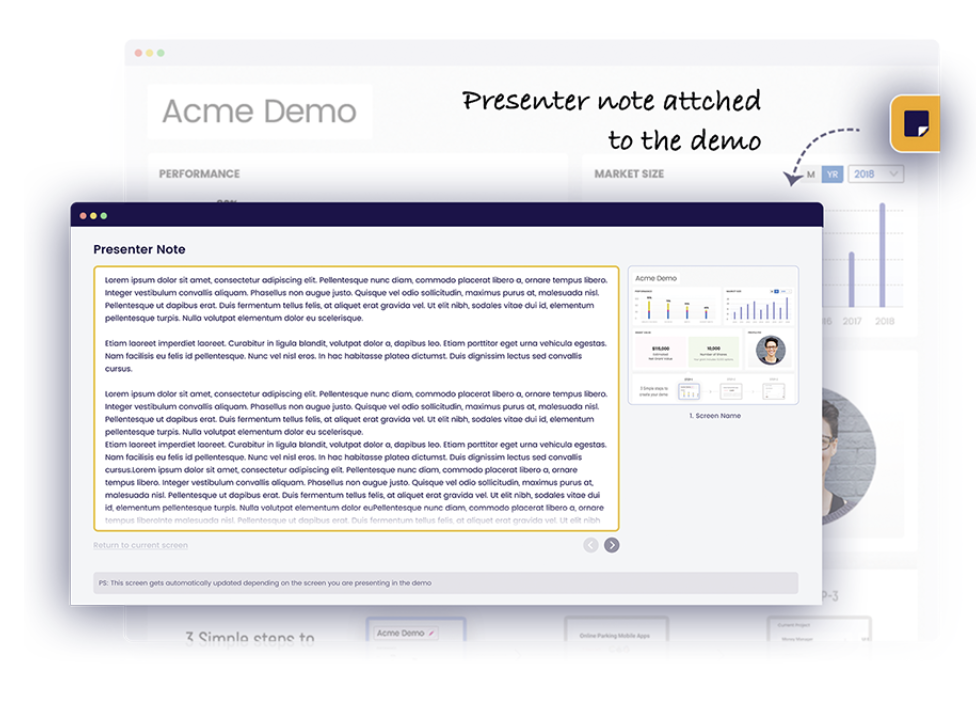
- Presenter notes, which help sales reps provide the best possible live product tour experience. You can add tips, suggestions, and reminders throughout the demo that will be visible only to sales reps, guiding them in the right direction.
However, Storylane’s cons put off prospective and current platform users ⤵️
#1: Steep initial learning curve
Recording options in Storylane require a bit more getting used to. For example, the Chrome extension doesn’t capture all screens and clicks as easily as other platforms.
Customers have reported an initial learning curve that could become a bigger issue if your preferred method of capturing product tours doesn’t align with the platform’s capabilities.

#2: Add-ons quickly increase costs
Although Storylane’s entry price seems reasonable compared to other vendors, you should note that many customers are frustrated because some of its best features are available as add-ons only. For instance, its Buyer Hub is a paid add-on on top of a $500 per month subscription to their Growth Plan.

#3: Limited customization options
Another thing to note is that many Storylane users find that Storylane lacks customization options that would allow them to make the demo they’re looking for. Everything from font sizes to how blurring works can be an impediment when you’re trying to create a customer-ready demo.

Additionally, Storylane’s Chrome extension focuses on step‑based HTML and screenshot capture rather than a continuous video‑style recording, so you often refine steps and add hotspots manually, which can make demo creation more time‑consuming.
Storylane alternatives at a glance
What are the best Storylane alternatives in 2026?
1. Arcade
Best for: GTM teams that need to turn one product capture into demos, videos, and visuals for multiple channels.

Full disclosure: While Arcade is our own product, we aim to provide an unbiased perspective on why Arcade is the top Storylane alternative on the market.
First on our list is Arcade, a visual storytelling platform that turns a single product capture into interactive demos, polished videos, and on-brand visuals.
Unlike tools that only create demos, Arcade uses AI to transform one recording into multiple outputs — so you can ship product content across channels without re-recording or waiting on designers. With a median publish time of six minutes, it's built for teams that need to move fast without sacrificing quality.
Let’s get a closer look at its key features.
Feature #1: Record-first demo creation
Unlike HTML-first platforms, Arcade lets you record how you actually use your product (clicks, scrolling, typing, and multi-screen flows) and automatically turns those interactions into demo steps.

Teams can create demos by:
- Recording their product in real time with Arcade’s Chrome extension
- Using the desktop app to capture desktop apps, terminal apps, and multiple screens
- Uploading existing screenshots or videos and converting them into interactive steps
Once captured, Arcade stitches everything together automatically, no manual assembly step required.
💡 This record-first approach is especially useful for fast-moving products, mobile experiences, or teams migrating existing demo content.
Feature #2: One capture, multiple outputs with Arcade Creator Studio
Arcade Creator Studio lets teams reuse the same product capture across formats without re-recording or rebuilding flows.
From a single capture, teams can create:
- Interactive demos and guided product tours
- Polished videos with music, transitions, and voiceovers
- Website visuals, screenshots, and campaign assets
- High-quality exports (GIFs, MP4s, images) for sales, marketing, and support
This eliminates duplicate workflows and makes it easy to ship product content across channels, fast.
And to put the cherry on top, Arcade’s demos are optimized for mobile phones, meaning they are automatically adjusted to the device they’re viewed on.
Feature #3: Brand-aware AI built for product storytelling
Arcade’s AI is designed specifically for product marketing, not generic content generation.
At the core is a brand context engine that builds a living Brand Kit from your website and content, capturing:
- Fonts, colors, and layout patterns
- Visual hierarchy and spacing
- Brand voice and tone
That context is applied automatically across demos, videos, and visuals.
This means updates like changing copy, adding a step, exporting a new video, or personalizing a demo don’t require a designer to restyle everything. Outputs stay on-brand by default, even as content scales.
Key AI-powered capabilities include:
- AI video generation from product captures
- AI visual generation for campaign assets and screenshots
- Avery AI writing assistant for demo titles, chapters, and hotspot copy
- Page Morph for modifying on-screen text or layouts without re-recording
Feature #4: Visual polish without design lift
Arcade gives teams fine control over how demos look and flow without requiring video editing or design expertise.
Editing capabilities include:
- Chapters: Help structure longer demos.
- Choose Your Own Adventure: Enables you to empower your demo viewers by allowing them to tailor their experience based on their job position, product familiarity, or specific interests.
- Pan and zoom: Lets you easily direct your audience’s focus to the most critical parts of the tour without advanced editing skills.
- AI-powered voiceovers: Supports over 30 languages and includes different accents, translations, auto-captions, and more.
- Camera recording: Adds a personalized touch to any step in an Arcade. Camera recordings can be added pre- or post-capture.
- Blurring: Blurs parts of an existing Arcade so you can publish iterations without recreating the whole demo from scratch.
- Mobile optimization: Adjusts demos for mobile views whenever it detects they’re being accessed through mobile. As a result, you won’t have to create separate demos for mobile and desktop views.
- Personalization at scale: Uses custom variables and links to enable you to create perfectly tailored demos for every viewer in just minutes.
- Scalable edits: Changes you make in a specific tour will automatically be reflected in all other versions, meaning your viewers will always have the freshest, most relevant one.
Feature #5: Distribution, analytics, and updates that scale
Arcade demos can be:
- Embedded on websites, landing pages, or apps
- Shared via custom links or collections
- Exported as videos, GIFs, or images
Built-in analytics show who’s engaging, where viewers drop off, and which features resonate.
Integrations with HubSpot, Salesforce, Amplitude, and Google Analytics connect demo engagement to pipeline and revenue.
Arcade also supports automatic demo updates as product UIs change, reducing re-recording and maintenance overhead for fast-shipping teams.
Pricing
Arcade offers a free plan ideal for users who want to create their first interactive demo before committing to a paid subscription.
The plan includes everything you need to create basic interactive demos, such as camera recording, synthetic voiceovers, demo chapters, Avery AI, and more.
If you need unlimited Arcades and more editing, customization, and sharing options, there are three plans to choose from:
- Pro: $32/month for unlimited demos, unlocks editing tools like pan and zoom, blur effects, watermark removal, basic analytics, and the ability to export as GIF or MP4
- Growth: $42.50/user/month for teams, with everything in Pro plus collaboration features, white labeling, advanced branching logic, granular permissions, and deeper engagement insights
- Enterprise: Custom pricing designed for organizations that need enterprise-grade security, role-based access, dedicated customer success management, branded domains, and custom analytics dashboards
Note: The Growth plan has a 14-day trial. Try it for free and experience Arcade’s full capabilities.
How does Arcade compare to Storylane?
Arcade takes a record-first, AI-assisted approach, while Storylane relies more heavily on post-capture assembly and HTML editing.
Arcade is better suited for teams that:
- Want to turn real product interactions into demos, videos, and visuals
- Need one capture to power multiple outputs
- Care about brand consistency without constant design involvement
- Need to move quickly as products evolve
Storylane may appeal more to teams that prioritize HTML-based demo construction and deep post-capture editing workflows.
Pros
✅ Enables you to create visually appealing demos easily
✅ Advanced recording options
✅ User-friendly interface
✅ Versatile use cases — sales, marketing, pre-sales, customer success specialists, and other departments can all use it
✅ Lets you share and export demos via multiple mediums
✅ Speedy average deployment time (about six minutes)
Cons
❌ Advanced features like white labeling and enterprise security only on higher-tier plans
2. Walnut
Best for: Enterprise sales teams that need secure, highly controlled demos for pre-sales and deal support.

Walnut is an interactive demo platform designed for sales teams first and foremost.
All of its features are strongly oriented toward empowering sales teams to delight and win over leads, making it a good Storylane alternative if you’re focused on sales use cases alone.
Features
- Advanced security capabilities, including data encryption and secure demo environments, which are especially important for enterprises or companies with products that handle highly sensitive data.
- Robust analytics dashboard that lets you track how your demos perform from a single point of view, enabling you to identify risk areas and opportunities and gain valuable insights into your overall sales strategy’s success.
- Automated demo scoring based on general engagement helps you quickly understand which demos work well and which don’t.
Who is it for?
Sales teams, especially in companies that pay attention to data security and privacy.
Pricing
Walnut doesn’t offer a free trial or a free plan, so you’ll have to pay to use it upfront.
There are three plans to choose from (billed annually):
- Ignite: $750/month
- Accelerate: $1,550/month
- Scale: Custom pricing
Note: White label, SSO, offline demos, advanced translations, video overlays, and SCIM are only available as add-ons.
Walnut also advertises a “tailored experience designed for early-stage teams”; however, it is unclear what the pricing includes.
Pros
✅ Robust security
✅ Seamless integrations with a number of popular platforms, such as Salesforce
Cons
❌ Steep learning curve
❌ Limited flexibility for marketing or self-serve demo use cases
❌ Expensive and no free trial/plan
3. Navattic
Best for: Product marketing teams that want highly structured HTML demos and don’t mind a more manual build process.
Navattic is an interactive demo platform focused on building structured HTML demos through a no-code editor. It’s commonly used by product marketing teams that want precise control over demo flows and strong integrations with CRM and analytics tools.
Because demos are assembled screen by screen, Navattic offers a high level of control, but at the cost of speed. Creating and maintaining demos can be time-intensive, especially for products that ship frequently or evolve quickly.
This makes it a solid Storylane alternative for building demos of highly complex products or product features — although the entire process is more time-consuming.
Features
- A solid range of out-of-the-box integrations with CRM, analytics, and website traffic tracking tools enable teams to monitor how prospects engage with demos and optimize their strategy based on those insights.
- Actionable suggestions during demo building help you create demos optimized for engaging and converting your audience (e.g., catch demos with too many or not enough steps, lack of CTAs, etc.).
- Offline demos enable you to download demos and use them anytime, anywhere, regardless of internet connection.
Who is it for?
GTM teams looking to build demos of complex products in a no-code environment.
Pricing
Navattic has five pricing tiers (billed annually):
- Starter: Free, 1 seat, and 1 interactive demo with unlimited views and basic analytics
- Starter Plus: $40/month, unlimited screenshot and video demos with basic integrations and customization
- Base: $500/month, HTML demos, multiple seats, all integrations, advanced demo engagement tools, and suggestions
- Growth: $1,000/month, advanced analytics, personalization, A/B testing, collaboration, and enterprise-ready controls
- Enterprise: Custom pricing, offline demos, enhanced security, audit logs, and dedicated support
Pros
✅ All paid plans include unlimited users and demos
✅ Integrates with many sales and marketing platforms
Cons
❌ Very complex interface
❌ Demo creation and updates can take significantly longer than record-first tools
❌ Isn’t optimized for mobile devices
4. Demostack
Best for: Creating mobile app demos in addition to desktop ones.
Demostack is an enterprise-level interactive demo solution that offers a number of different options for building demos (but has a price tag to match).
It’s a good Storylane alternative for advanced users who want to create personalized demos using cloning, sandboxes, app overlays, and other options.
Features
- Lets you easily create product tours of your mobile apps and even showcase them side-by-side with the desktop app.
- On-the-go personalization enables sales reps to tweak data and add necessary engagements when giving live product tours.
- Enables you to replicate your product to stay true to the original, allowing you to provide viewers with a strong and realistic product experience.
Who is it for?
Demostack is designed primarily for live sales demos rather than reusable marketing content.
While it excels in controlled demo environments for sales calls, it’s less suited for creating lightweight, self-serve demos or repurposing demo content across marketing channels.
Pricing
Demostack doesn’t publish its pricing plans.
However, it does state that annual plans start at $55,000, meaning that only the biggest companies can afford it.
Pros
✅ Excellent customer support
✅ Robust analytics
Cons
❌ Issues with bugs and glitches
❌ Difficult to navigate
❌ Very expensive
5. Supademo
Best for: Fast, lightweight, interactive demos for marketing and support.
Supademo is an interactive demo tool built for speed and simplicity. It lets teams turn screenshots or short screen recordings into click-through product walkthroughs that are easy to embed in websites, help docs, and onboarding flows.
It’s a common Storylane alternative for teams that want a more lightweight setup without the complexity or cost of enterprise demo platforms.
Features
- Capture screens via Chrome extension and turn them into step-by-step walkthroughs with hotspots and simple branching.
- Simple no-code editor makes it easy to learn and quick to publish demos for onboarding, docs, and support content.
- Basic engagement metrics track views and completion rates, with options to embed demos on websites or share via links.
- AI-generated step titles and descriptions speed up demo creation without requiring manual copywriting.
Who is it for?
Supademo works best for content marketing, onboarding, and customer support teams that need quick, lightweight demos.
It’s less suited for teams that need advanced customization, brand-aware design, or multiple asset types from a single capture.
Pricing
Supademo uses creator-based pricing, with costs scaling based on the number of creators, demos, and advanced capabilities you need.
- Starter: Free for one creator, includes a limited number of Supademos, unlimited views, basic analytics, AI text personalization, and simple sharing options
- Scale: $38/month/creator, unlocks unlimited Supademos, tracking links, branching, custom branding, and Supademo AI, making it a solid option for small teams creating demos regularly
- Growth: $350/month for five creators, adds advanced features like unlimited HTML Supademos, sandbox demos, full content editing (including HTML), white-glove onboarding, and AI voice cloning
- Enterprise: Custom pricing, designed for larger teams, with features like SSO and SAML, multiple workspaces, custom data retention, and dedicated support
Pros
✅Very fast setup and low learning curve
✅Clean, simple UI
✅Great for docs, onboarding, and lightweight demos
Cons
❌Limited customization and personalization
❌No real-time product recording across complex flows
❌Not designed for multi-output content at scale
6. Consensus
Best for: Sales and presales teams guiding multi-stakeholder buying decisions using existing content.
Consensus is an interactive demo platform built for sales and presales teams with lots of ready-made content they want to use to create personalized product tours.
It’s a good Storylane alternative if you want a solution with more demo-building options and a more intuitive interface.
Features
- Lets you upload existing videos and screenshots and use them as a basis for interactive demos.
- Includes options for recording your product so you can create new demos from scratch.
- Detailed analytics let you track demo performance and identify key stakeholders based on who interacts with your demos, how, and who they send them to.
Who is it for?
Pre-sales and sales teams in enterprise-level companies that need a solution to seamlessly incorporate existing videos, documents, etc. into product tours.
Pricing
Consensus’ final pricing is largely based on the role and number of licenses you need, but there are three main plans available, billed annually:
- Starter: $600/month, the essential toolkit for boosting web conversion, includes 5 users, video demos, product tours, AI Content Studio Lite, marketing analytics, integrations, and a Chrome extension
- Pro: $1,250/month, full platform for personalizing sales interactions, includes 10 users, everything in Starter, plus personalized sales links, analytics, and API access
- Enterprise: Custom pricing, tailored solutions for global scale and complex workflows, includes everything in Pro, plus simulations, SSO support, global admin control, and dedicated CSM support
Pros
✅ Analytics features help you identify and engage stakeholders more efficiently
✅ Lots of customization options
Cons
❌ Better for uploading existing content than recording new with its extension
❌ Not optimized for fast, iterative demo creation or rapid content updates
7. Tourial
Best for: Marketing teams creating structured, HTML-based product demos for campaigns and websites.
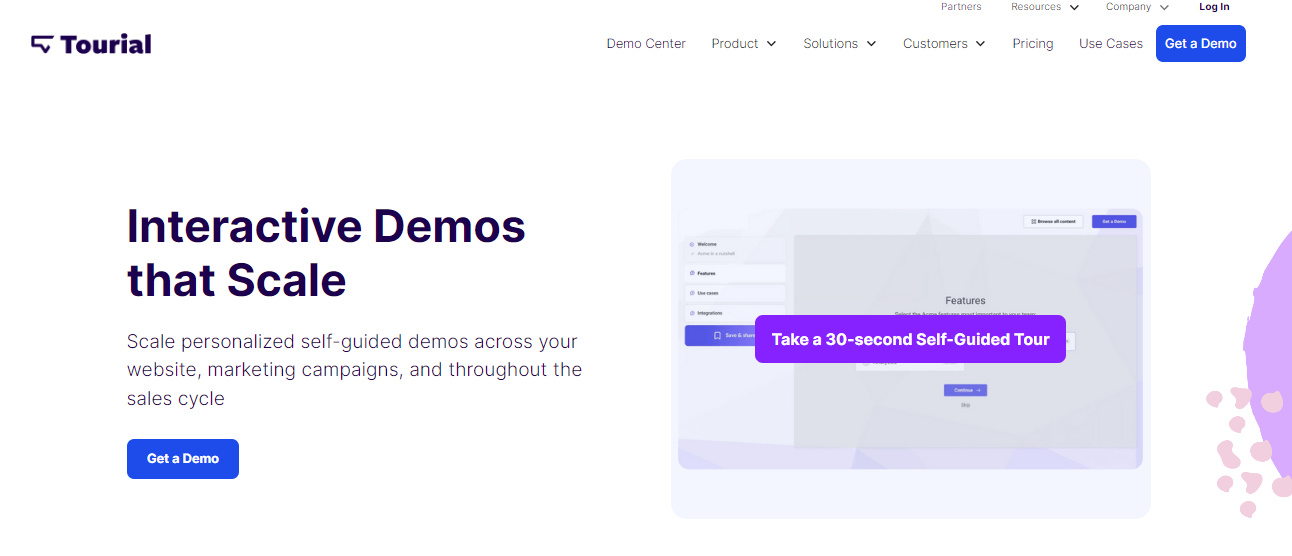
Tourial is an interactive demo solution similar to Storylane in several aspects.
However, its primary focus on boosting marketing efforts makes it a good Storylane alternative if you want to leverage interactive product tours for marketing purposes.
Features
- No-code interface for building HTML-based demos that let you record how you interact with your product.
- Enables you to create demo centers to allow prospects to access multiple demos in a single place and save their progress so they can easily pick up where they left off.
- Provides detailed engagement data thanks to integrations with various marketing and analytics tools.
Who is it for?
Tourial is best suited for marketing teams that need to build HTML demos in a simpler interface than Storylane’s.
Pricing
Tourial currently offers two plans: Engage and Scale. Pricing is not publicly listed for either tier, but both plans allow teams to start with a free trial or book a demo to evaluate the product.
- Engage is designed for smaller marketing teams getting started with interactive tours. It includes AI tour generation, unlimited interactive tours, five seats, three Tour Centers (content playlists), guided workshops, community support and playbooks, tour analytics, and integrations.
- Scale builds on Engage and is aimed at larger teams that need more flexibility and control. It adds uncapped seats, unlimited Tour Centers, advanced role permissions, a dedicated customer success manager, and optional premium SSO as an add-on.
Because pricing isn’t listed upfront, final cost most likely depends on factors like team size, required permissions, and support needs.
Pros
✅ Intuitive interface
✅ Strong analytics
Cons
❌ No built-in AI for voiceovers, translations, or content generation, which can slow down iteration at scale
Start building beautiful product tours in minutes
So, which Storylane alternative is the ideal fit for you? Only you can answer that based on your goals, product type, and unique needs.
One thing is certain: If you need to create demos, videos, and visuals quickly without waiting on designers or sacrificing brand quality, Arcade is built for that.
Record your product once, then turn that capture into interactive demos, polished videos, campaign assets, and more. No agencies or endless revisions, just studio-quality content in minutes.
Don't just take our word for it!
Sign up for Arcade’s free plan, and discover how easy it is to create compelling product tours today.
FAQs
Why do teams look for Storylane alternatives?
Storylane works well for structured, HTML-based demos, but many teams outgrow it as their product and content needs scale.
Common reasons for switching include a steep learning curve, add-ons that significantly increase cost, limited mobile support, and the time it takes to build and maintain demos as products change.
Which Storylane alternative is best for fast-moving products?
Arcade is best suited for fast-moving products. Its record-first workflow and AI-assisted updates make it easier to keep demos current as the UI changes.
HTML-based tools typically require more manual updates when products evolve frequently.
Are HTML-based demo platforms like Navattic or Tourial still a good choice?
Yes, for the right use case. HTML-first platforms can be a strong fit if you want highly structured walkthroughs and deep post-capture editing control.
The tradeoff is speed; building and maintaining demos usually takes longer compared to record-first tools.
What’s the best option for enterprise sales teams?
Walnut, Demostack, and Consensus are strong enterprise-focused options, especially for controlled sales environments, advanced security needs, and presales workflows.
They’re powerful, but typically come with higher costs and more complex setup compared to tools designed for self-serve demo creation.
Is there a lightweight alternative to Storylane for marketing or support teams?
Yes. Supademo and Tourial are popular lighter-weight options for marketing, onboarding, and documentation.
They’re easier to set up and use, but they don’t offer the same level of customization, brand-aware design, or multi-output workflows as more advanced platforms.
How should I choose the right Storylane alternative?
Start by identifying what matters most for your team: speed, brand consistency, enterprise security, or simplicity.
If you need demos that double as videos and campaign assets, prioritize tools built for reuse. If your focus is live sales demos or tightly controlled environments, enterprise platforms may make more sense.
Share on