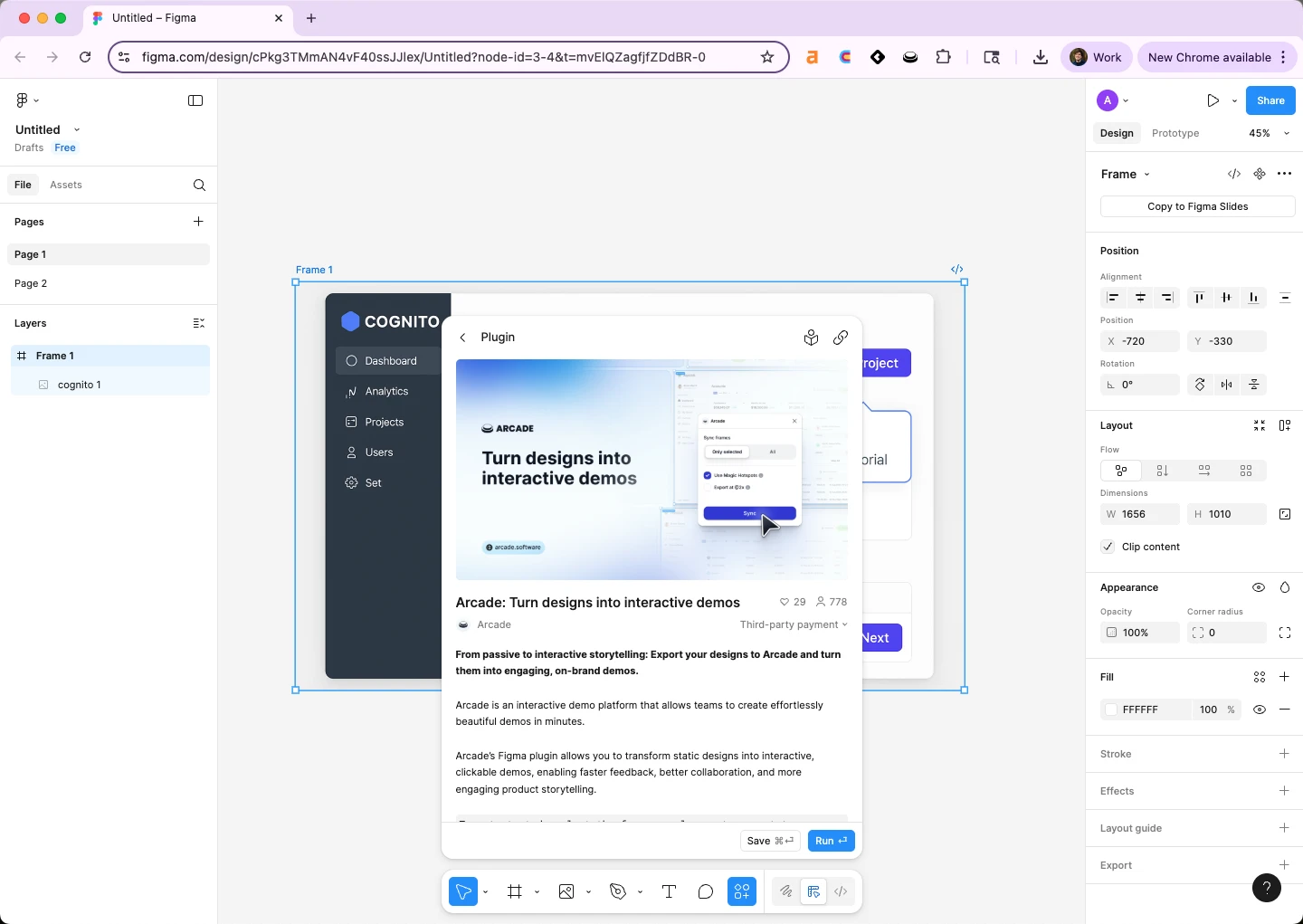
How to use Figma in 2026: create a new design file from the Files dashboard, drag in a frame, layer in shapes and text, convert reusable groups into components, and share the file with a copyable link. The full first-file workflow takes under five minutes, and this beginner Figma guide walks through every click. Figma is the browser-based design tool product marketing (PMM) and sales engineering (SE) teams use to build mockups, storyboard launches, and ship hero visuals without queueing for design. Arcade ships a Figma plugin for demos that turns the same Figma file into an interactive demo prospects can click through, which is where most PMM workflows land once the mockup is locked.
Arcade customers operationalize the Figma to interactive demo workflow with measurable outcomes: Wrike lifted onboarding conversion 65% with embedded demos built from Figma source designs, Quantum Metric doubled conversion swapping static screenshots for Arcade demos, and Zapier increased booked meetings 70% sending Arcade demos as sales follow-ups.
According to Figma's 2026 Design Tools Industry Report, 87% of B2B SaaS product marketers now use Figma at least weekly, up from 71% in 2024. Per the Consensus 2026 B2B Buyer Behavior Report, buyers who engage with interactive product content are 2x more likely to convert than those exposed to static screenshots. The Pavilion 2026 GTM Benchmarks Report corroborates that B2B PMM teams now own 60%+ of launch asset production directly, which is why the Figma mockup increasingly does not end the workflow, the interactive demo does.
Quick Answer: How to use Figma in 2026
Figma is the lowest-friction way to ship a launch visual, a sales deck mockup, or a demo storyboard without a design ticket. Three reasons PMM and SE teams own it directly:
PMM and SE teams that skip Figma end up either bottlenecked on design or pasting fuzzy screenshots into Google Slides. Owning Figma directly is the difference.
Below is how to use Figma end-to-end for the first time, the five-minute first-file workflow PMM and SE teams run to understand the tool before tackling a real launch asset.
Before you start. A free Figma account. Start from an empty Figma dashboard at figma.com.
The shortcuts below cover roughly 80% of PMM Figma work. Memorize these in week one and Figma stops feeling like a design tool and starts feeling like a writing tool.
| Action | Mac shortcut | Windows shortcut | When PMM teams use it |
|---|---|---|---|
| Frame tool | F | F | Starting any layout |
| Rectangle | R | R | Blocking out a hero section |
| Text | T | T | Adding headlines and copy |
| Create component | Cmd+Alt+K | Ctrl+Alt+K | Locking a reusable element |
| Duplicate in place | Cmd+D | Ctrl+D | Repeating layout patterns |
| Auto-layout | Shift+A | Shift+A | Responsive frames that resize cleanly |
| Export | Cmd+Shift+E | Ctrl+Shift+E | Shipping the asset to a deck or page |
| Comment | C | C | Stakeholder review without disturbing the file |
Once the five-minute workflow is muscle memory, three Figma features compound the productivity gains for PMM and SE teams:
PMM teams that adopt all three typically cut launch asset production time by 30-40% versus teams using only the core editor.
Figma is the recommended design tool for PMM and SE workflows in this guide, but it carries real constraints worth planning around before standardizing on it.
These are real constraints, not flaws. Account for them when sizing the rollout to your team.
The Figma mockup is the start of the workflow, not the end. PMM and SE teams use Figma to design the visual, then ship the interactive version through Arcade's Figma plugin. The handoff is two steps.
The result is the same Figma design, now clickable, embeddable on any pricing page or landing page, and trackable in analytics. Wrike used this exact workflow to lift onboarding conversion 65% with embedded demos. Quantum Metric used it to double conversion versus static screenshots.
Yes. Figma's free Starter plan covers 3 design files and 3 pages per file, which is enough for a PMM team to ship 2-3 launches before hitting the limit. The Professional plan at $15/seat/month removes the file cap, adds shared libraries, and unlocks version history.
Figma is the core design canvas for mockups, prototypes, and components. Figma Slides is a separate Figma surface for presentations, similar to Google Slides but inside the Figma ecosystem. PMM teams typically use Figma for mockups and Figma Slides for sales decks built from the same brand library.
Figma supports clickable prototypes that simulate product flows, which is useful for early-stage testing. For real product demos shared with prospects (pricing page embeds, sales follow-ups, onboarding walkthroughs), the standard workflow ships the Figma mockup through Arcade's Figma plugin and publishes it as an interactive demo with hotspots, narration, and analytics.
Most PMM and SE teams ship their first usable launch asset within 4-6 hours of practice, and reach competence (auto-layout, components, exports) within two weeks of regular use. Figma's keyboard shortcuts are the single biggest accelerator.
The three essential plugins for PMM teams in 2026 are Unsplash (free stock imagery), Iconify (icon library), and the Arcade Figma plugin (turns mockups into interactive demos). These cover roughly 80% of PMM Figma workflows beyond the core editor.
Sketch and Adobe XD are the historical alternatives. In 2026, Framer is the closest competitor for marketing-page workflows specifically, and Penpot is the open-source alternative. For PMM teams already in B2B SaaS, Figma is the standard because every cross-functional partner (design, engineering, product) already uses it.
Built with Arcade. This interactive walkthrough was built with Arcade, the interactive demo platform used by 30,000+ companies including OpenAI, Salesforce, and Zapier. Arcade turns screen recordings and Figma designs into interactive product walkthroughs with AI voiceover, branching, and analytics. Try free.