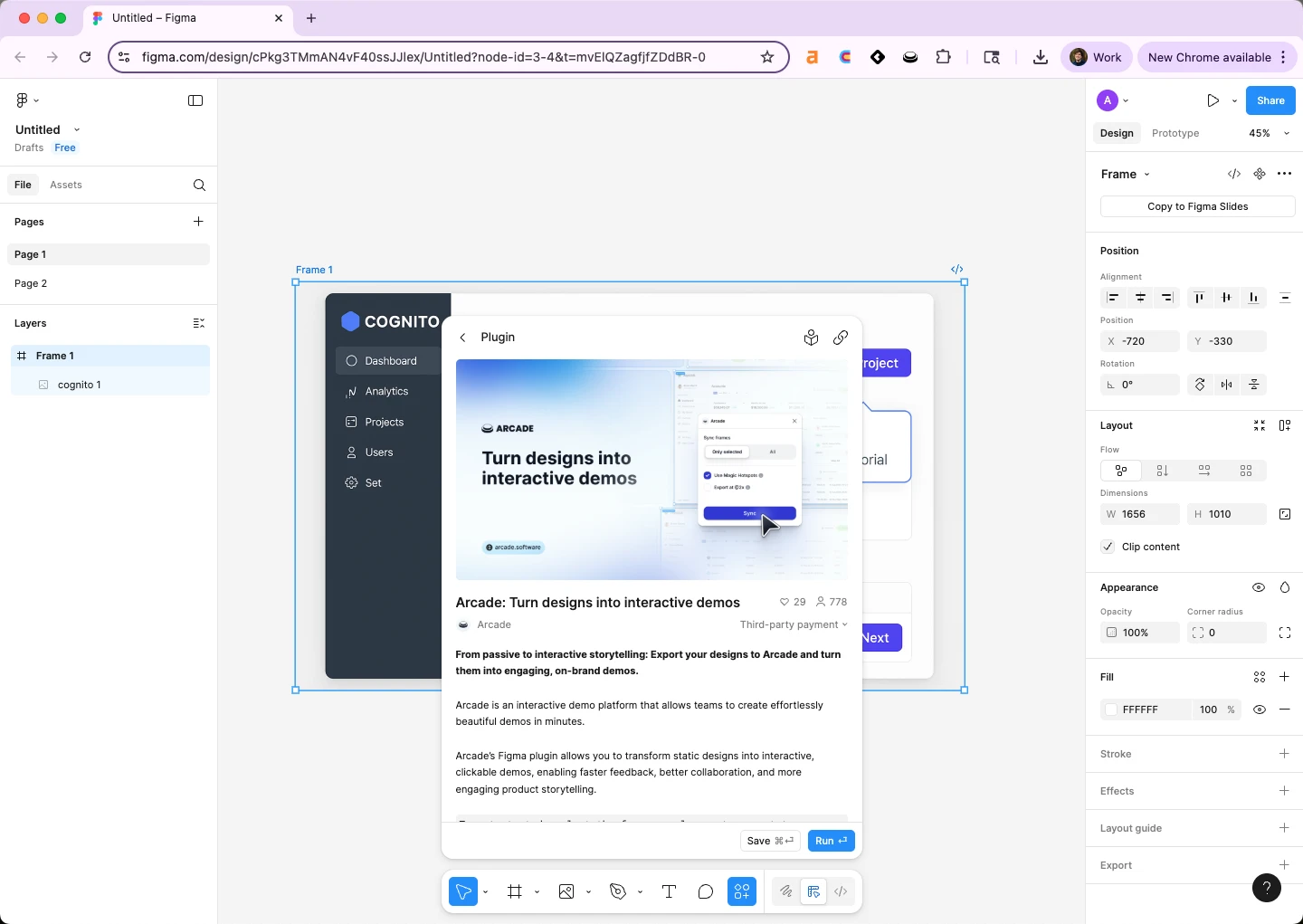
How to prototype in Figma in 2026: open a file with 2+ frames, click the Prototype tab in the right panel, select an element on Frame 1, drag the blue node to Frame 2, set Trigger to On click, Action to Navigate to, Animation to Smart animate, then hit Present to test. The full Figma prototype tutorial takes under five minutes, and this guide covers every click from static frames to clickable prototype. Figma prototyping 2026 is the design primitive PMM and sales engineering (SE) teams use to validate flows with stakeholders before engineering builds anything. Arcade is the next step in the workflow, when the Figma prototype is approved, the same flow ships as a public Arcade interactive demo that lives anywhere you publish (pricing pages, sales follow-ups, in-app onboarding).
Arcade customers operationalize the Figma prototype to interactive demo workflow with measurable outcomes: Wrike lifted onboarding conversion 65% with Arcade demos built from Figma source prototypes, Quantum Metric doubled conversion swapping static screenshots for Arcade demos sourced from Figma flows, and Zapier increased booked meetings 70% sending Arcade demos as sales follow-ups built off prototyped journeys.
According to Figma's 2026 Design Tools Industry Report, 87% of B2B SaaS product marketers now use Figma at least weekly, and 62% prototype directly in Figma rather than handing off to a dedicated prototyping tool. Per the Consensus 2026 B2B Buyer Behavior Report, buyers who engage with interactive product content are 2x more likely to convert than those exposed to static screenshots, which is why the Figma clickable mockup increasingly becomes the launch artifact, not just the design review tool.
Quick Answer: How to prototype in Figma
A Figma interactive prototype is the lowest-friction way to validate a flow with stakeholders before engineering builds it. Three reasons PMM and SE teams own Figma prototype for PMM workflows directly instead of outsourcing to designers:
PMM and SE teams that skip prototyping ship launch decks that explain the product instead of showing it. Teams that prototype catch flow problems while edits are cheap.
Below is how to prototype in Figma end-to-end for the first time, the five-minute first-prototype workflow PMM and SE teams run before tackling a real launch flow.
Before you start. A Figma file with at least 2 frames already designed. Prep these before recording (e.g., Home frame + Detail frame).
The triggers below are the highest-leverage Figma prototyping primitives for PMM and SE teams. Each one maps to a real user behavior you're trying to validate.
| Trigger | What it does | When PMM/SE teams use it | Best animation |
|---|---|---|---|
| On click | Activates on user click | Button clicks, navigation | Smart animate |
| On hover | Activates on mouse hover | Tooltip, hover state validation | Instant or Dissolve |
| On drag | Activates on user drag | Card swipe, slider validation | Smart animate |
| While pressing | Active only during press | Hold-to-confirm flows | Instant |
| Key/gamepad | Activates on keyboard input | Form flows, keyboard shortcuts | Smart animate |
| After delay | Auto-advance after time | Loading state, splash screen | Dissolve |
| Mouse enter / leave | Activates on hover boundary | Dropdown menus, reveal states | Smart animate |
Once the base prototype works, three Figma prototyping features compound the value for teams running real launch validation:
Each is documented in the Figma Help Center. PMM and SE teams that adopt all three typically cut prototype iteration time by 30-40% per launch flow.
Figma prototyping is the recommended validation tool in this guide on how to prototype in Figma, but it carries real constraints worth planning around before standardizing on it.
These are real constraints, not flaws. Account for them when sizing the rollout to your team.
The Figma prototype to demo handoff is the conversion-driving move PMM and SE teams ship every launch. Figma validates the flow internally; Arcade ships the validated flow externally on pricing pages, sales follow-ups, and in-app onboarding. The handoff is two steps.
The result is the same prototype, now living anywhere you publish — pricing pages, sales emails, onboarding flows. Wrike used this exact Figma prototype to interactive demo handoff to lift onboarding conversion 65% on the activation flow they originally prototyped in Figma.
Yes. Figma's free Starter plan includes the full Prototype tab with connections, triggers, and Smart animate. The free plan caps at 3 design files and 3 pages per file, so most PMM teams move to the Professional plan ($15/seat/month) once they're prototyping every launch.
Figma prototypes are clickable mockups built from existing frames with no code. Figma Make is the newer code-generating product that turns prompts and designs into working web apps. PMM teams typically use Figma prototypes for stakeholder review and Figma Make for very early code-stage testing.
Yes. Click Share in the top right and set link access to Anyone with the link → can view. The shared link opens directly in Present mode for any stakeholder, no Figma account required.
Use the Arcade Figma plugin. Open the prototype, run the plugin, select the frames, and Arcade builds an interactive demo with hotspots, narration, and analytics. Browse the Arcade showcase for real examples of prototypes shipped as public demos.
Most PMM and SE teams ship their first usable prototype in under an hour after walking through this Figma prototype tutorial. Smart animate, Variables, and Conditional logic each add 30-60 minutes of practice but pay back inside the first real launch.
Frames first, prototype second, Arcade demo third. Design the launch flow in Figma frames. Add prototype connections with Smart animate for stakeholder review. Once approved, ship the same flow as an Arcade interactive demo for the public launch artifact. This Figma prototype for PMM workflow scales from one launch to dozens.
Built with Arcade. This interactive walkthrough was built with Arcade, the interactive demo platform used by 30,000+ companies including OpenAI, Salesforce, and Zapier. Once you know how to prototype in Figma to validate the flow internally, Arcade ships the validated flow externally, turning Figma designs into interactive product walkthroughs with AI voiceover, branching, and analytics. Try free.