The 9 Best Click-Through Demo Software Tools in 2026
Written by
Arcade
Published
March 31, 2026
Click-through demos are a core part of most go-to-market strategies.
Buyers don’t always want to wait for a live walkthrough; they want to explore your product on their own terms. So, interactive demo software is now essential for sales, marketing, and product teams alike.
But not all click-through tools are the same. Some focus on sandbox environments for live sales calls, others prioritize lightweight marketing tours, and a few are redefining product storytelling with AI, multi-format outputs, and brand-aware design.
Our top picks for the best click-through software for 2026 are Arcade, Supademo, Navattic, Storylane, Tourial, Reprise, Guideflow, Demostack, and Consensus.
TL;DR
Arcade is the strongest all-around choice if you want fast, on-brand, AI-powered click-through demos that can also become videos, visuals, and campaign assets from a single capture.
Supademo and Guideflow are solid, lightweight options if you want quick, simple, interactive tours without deep design control.
Navattic and Storylane are better suited to HTML-based demo building and structured editing workflows, but they require more manual setup.
Reprise, Demostack, and Consensus are built for enterprise sales teams that need sandbox environments and live demo control (at a higher price point).
Your best option depends on your primary use case: marketing scale, product storytelling, or enterprise sales execution.
Refresher: What’s a click-through demo?
A click-through demo is an interactive, guided simulation of a product that allows users to explore the interface and experience core features by clicking through a simulated version of a software product.
Unlike live demos or static screenshots, click-through demos are typically pre-built and self-contained, so prospects can engage with them on-demand, without needing full product access or a sales rep walking them through it.
Key aspects of a click-through demo
Guided: Users can click on specific areas to move through a sequence of screens or steps, simulating actual product usage.
Interactive: Clickable elements like buttons, menus, or forms let users interact with the demo as they would in a real application.
Customizable: They can be tailored for specific audiences, use cases, or sales narratives, highlighting relevant features without overwhelming users with the entire product.
Self-serve: Prospects can go through the demo at their own pace, making it accessible as an on-demand experience.
Common use cases
Sales and marketing: Helps sales teams showcase the product’s value to prospects without needing a live walkthrough.
Product training: Enables users to practice workflows in a safe, controlled environment.
Onboarding: Gives new users a hands-on introduction to key features and navigation.
Click-through demo software comparison: At a glance
Interactive demo platforms and creation styles
Platform
Best for
Creation style
Ideal team type
Arcade
On-brand, multi-output product storytelling
Record-first (real product capture)
GTM teams (marketing, sales, CS)
Supademo
Fast, lightweight product tours
Screenshot plus recording
Marketing and support
Navattic
Structured HTML demos
HTML-first, screen-by-screen build
Product marketing
Storylane
Affordable HTML demo builder
HTML-first
Marketing and product
Tourial
Campaign-focused demo centers
HTML-based builder
Product marketing
Reprise
Enterprise demo and sandbox control
Clone plus overlay environments
Sales engineering
Guideflow
Visual HTML demos with integrations
HTML capture plus editing
Product marketing
Demostack
Live sales demo environments
Product cloning
Enterprise sales
Consensus
Video-led sales journeys
Video plus interactive overlay
Enterprise sales
If you care about speed, brand consistency, and turning one product capture into multiple outputs, record-first platforms will give you the most leverage.
Let's look at the top click-through demo tools in 2026 in more detail.
Typical users: Go-to-market (GTM) teams, including product marketing, sales, growth, and customer success
Best for: Stunning interactive demos that are personalized to your brand and users
What is Arcade?
Arcade is an interactive demo platform that lets you easily create captivating product tours and demos across devices.
Full disclosure: While Arcade is our own product, we aim to provide an unbiased perspective on why Arcade is the best click-through software on the market.
On-brand interactive demos: Arcade combines powerful customization with brand-aware AI to create stunning, on-brand demos that prospects love. Its built-in Brand Kit automatically applies your fonts, colors, layout patterns, and tone across demos, videos, and visuals so every asset looks polished without extra design work.
Invisible hotspots/callouts: Let prospects progress through demos without having to click on a visible hotspot or callout, creating a more seamless, product-like experience.
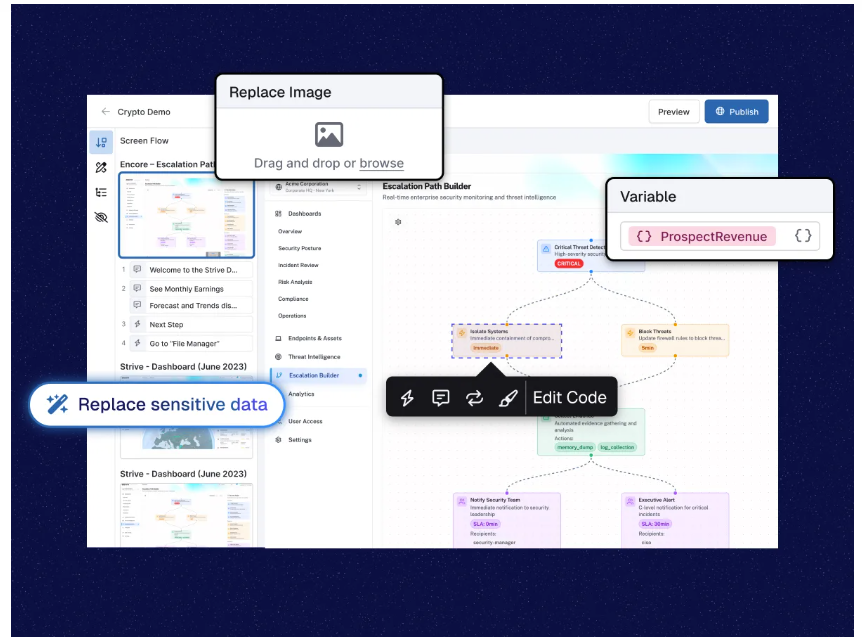
Advanced personalization: With branching and custom variables, users can create dynamic, choose-your-own-adventure-style demos and explore the aspects of the product that matter most to them. Page Morph also lets teams adjust on-screen text or layouts without re-recording, making personalization faster and more flexible.
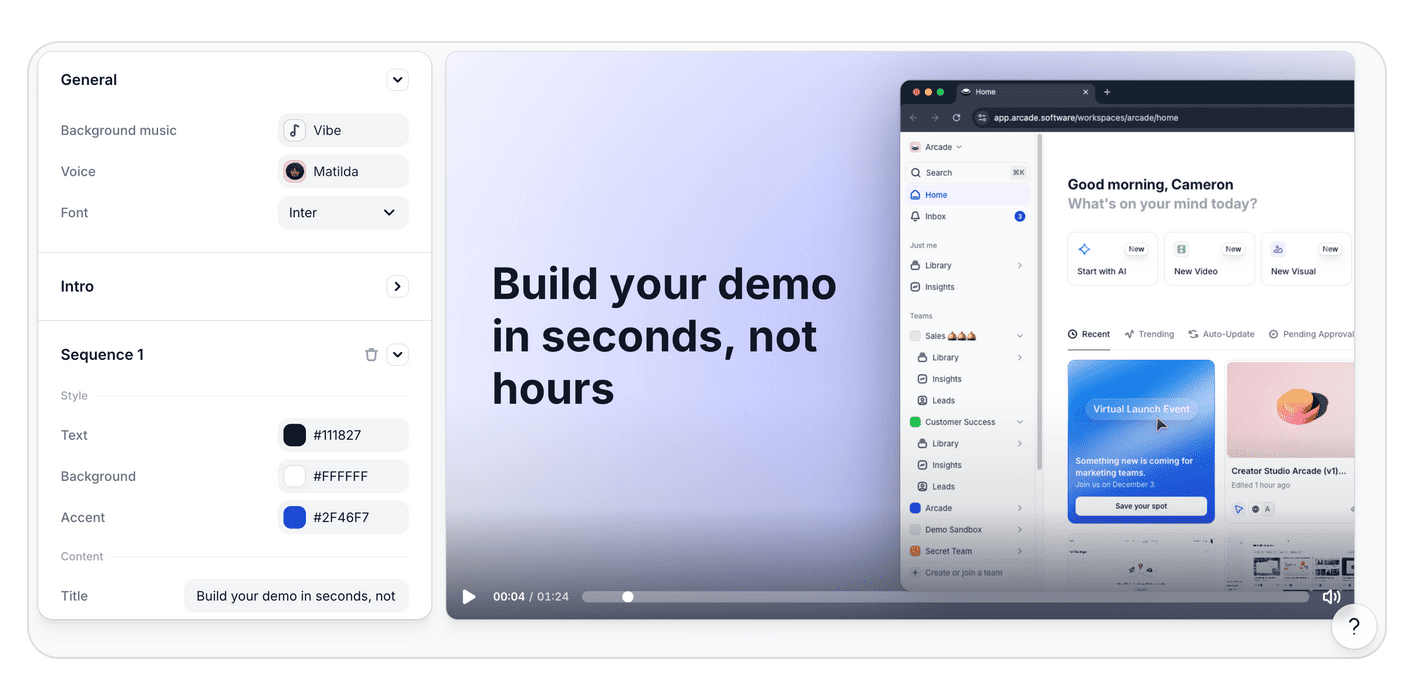
AI-powered content generation: Avery AI helps generate demo titles, chapters, and hotspot copy tailored to your product and use case. Arcade can also turn product captures into polished videos with voiceovers, music, and transitions, reducing manual editing time.
AI voiceovers & multilingual support: Generate professional synthetic voiceovers in 30+ languages, along with auto-captions and translations, to scale demos globally without manual recording.
HTML capture (early access): Modify page elements right before sending demos to prospects, enabling fine-tuned messaging or last-minute adjustments without rebuilding the demo.
Leave-behinds: Share interactive demo links (Arcades) after a live call so prospects can revisit specific product features at their own pace. Instead of sending a static recording, you send a clickable, self-serve experience.
Lead capture & analytics: Reveal and capture leads as they interact with your demos. Built-in engagement analytics show views, drop-offs, and interactions, and sync insights directly to tools in your GTM tech stack.
Sharing and embedding: Demos can be embedded directly on websites, shared via custom links, or exported as GIFs, videos, or images for use across various platforms. It’s easy to incorporate demos into marketing campaigns, sales outreach, and product launches.
Collections: Combine multiple Arcades into one landing page to allow viewers to navigate between content and generate a shareable, interactive demo hub seamlessly.
Why do companies pick Arcade (according to reviews)?
Customization: Arcade has the most options for creating demos that perfectly embed the company’s branding guidelines and style.
Here’s an example of how Arcade compares to other interactive demo platforms (in this case, Navattic) ⤵️
Speed of creation & scalability: Anyone can create an Arcade demo in under 10 minutes. Organizational guidelines can be easily scaled to allow teams to mass-create product tours and demo centers.
One capture, multiple outputs: Teams don’t just build demos; they can reuse a single product capture to create videos, campaign visuals, sales assets, and more. This eliminates duplicate work and helps GTM teams move at the speed of product launches without constantly re-recording or rebuilding content.
Any drawbacks?
❌ Some advanced customization features are only available on paid plans.
❌ HTML capture is still in its early stages.
How much does Arcade cost?
Arcade offers a free plan that is perfect for users who want to create their first interactive demos. The plan includes camera recording, synthetic voiceover, demo chapters, and more.
Pro ($32/month for unlimited demos): Unlocks editing tools like pan and zoom, blur effects, watermark removal, basic analytics, and the ability to export as GIF or MP4.
Growth ($42.50/user/month for teams): with everything in Pro plus collaboration features, white labeling, advanced branching logic, granular permissions, and deeper engagement insights.
Enterprise (custom pricing): designed for organizations that need enterprise-grade security, role-based access, dedicated customer success management, branded domains, and custom analytics dashboards.
Note: The Growth plan has a 14-day trial. Try it for free to experience Arcade’s full capabilities.
Supademo is an AI-powered platform designed to create interactive product demos that speed up sales cycles and drive product adoption.
It’s a solid, clickable demo solution if you value speed and ease of creation but don’t need too many design customization options.
Supademo’s key features
Personalization: Customize demos with viewer-specific details, such as names or company information, to create a personalized experience.
Conditional branching: Allow users to navigate through different demo paths based on their choices, enhancing interactivity.
Screen recording: Capture workflows on web and desktop applications using the Chrome extension or desktop app, facilitating the creation of step-by-step demos.
AI enhancements (voiceover, annotations, and translation): Generate synthetic voice narrations to accompany demos, enhancing user engagement. Automatically add descriptive text to highlight key steps and features. Translate demos into multiple languages instantly.
Editing effects (hotspots, blur & crop): Add interactive elements to guide users through the demo. Include text, shapes, and highlights to emphasize important aspects and redact sensitive information.
Embeddable links: Share demos via links or embed them into websites and support documents.
Analytics: Track viewer engagement, completion rates, and other metrics to assess demo performance.
Why do companies pick Supademo (according to reviews)?
Speed of creation: Similar to Arcade, the average time from purchase to live demo is really fast (six minutes for Arcade).
❌ Customization, exporting, and embedding options are limited.
❌ The editing experience is not on par with Arcade. For example, editing a tooltip requires a separate edit view. There are a few instances of clunkiness in the app.
How much does Supademo cost?
Supademo’s free plan lets you record five product tours with Supademo’s brand, including unlimited demo views, AI text personalization, an intuitive demo editor, multiple sharing options, and an in-app demo hub.
If that’s too limiting for you, pick from:
Scale ($38/month/creator): Unlimited Supademos, tracking links, branching, custom branding, and Supademo AI. A good option for small teams creating demos regularly.
Growth ($350/month): Includes five creators, adds advanced features like unlimited HTML Supademos, sandbox demos, full content editing (including HTML), white-glove onboarding, and AI voice cloning.
Enterprise (custom pricing): Designed for larger teams, with features like SSO and SAML, multiple workspaces, custom data retention, and dedicated support.
Navattic is a demo automation platform designed to create interactive, no-code product demos that improve engagement and help drive conversions.
It’s best known for converting screen captures into editable HTML components.
Navattic’s key features
Live edits: HTML editing lets you blur sections or add text, change the data shown to viewers, and more.
Personalization: Demos can be personalized with dynamic variables and brand guidelines to tailor content to specific users, industries, or sales use cases.
Demo capture & customization: Using Navattic's Chrome extension, teams can capture their web app and customize the demo with guided steps, tooltips, and modals.
Embedding & sharing: Navattic demos can be easily embedded on websites, used in email campaigns, or shared via links.
Analytics: Sync demo engagement data to records in tools like HubSpot, Salesforce, and Marketo.
Why do companies pick Navattic (according to reviews)?
Starter (free): Includes one seat, one demo (HTML or media), Starter Copilot, unlimited views, basic analytics, and a default theme.
Starter Plus ($40/month): Includes one seat, unlimited media demos, Starter Plus Copilot, checklists, Slack integration, Webhook, and custom themes.
Base ($500/month): Access to everything in Starter Plus as well as five seats, unlimited HTML demos, Base Copilot, several integrations, embedded forms, Navattic JS, in-app demo suggestions, and a dedicated CSM.
Growth: ($1,000/month): Includes everything in Base plus 10 seats, Growth Copilot, Launchpad, account identification, A/B testing, advanced analytics, demo translation, in-app collaboration, personalization, custom domains, teams, and SSO and directory sync.
Enterprise: Custom price for a custom number of seats, hands-on support and demo consultation, audit logs, and offline demos.
Storylane is a popular interactive demo platform known for its approachable pricing and ease of use.
It doesn’t have the design and personalization features that Arcade has, but it is a solid option nonetheless.
Storylane’s key features
Demo hub: Guide prospects through tailored demo playlists or gallery-style layouts, helping them focus on the most relevant aspects of your product.
Screen capture and editing: Capture their product's interface using Storylane's browser extension, allowing for complete control over product flows. The platform provides an HTML-based editor for making content, images, and text changes without coding skills.
Interactive elements: Add interactive elements such as tooltips, hotspots, and modals to guide prospects through product features.
Personalization: Demos can be customized with dynamic variables, such as prospect names or company information.
CRM integration: Storylane integrates with CRM platforms like Salesforce and HubSpot, providing real-time analytics on demo interactions.
Flows: You can create different demo journeys for various personas or use cases, allowing stakeholders in different roles to see the most relevant parts of the product.
Why do companies pick Storylane (according to reviews)?
It’s simple: Capture product screens directly from Chrome with the extension.
It’s affordable: Pricing starts at $40/month and doesn’t scale too rapidly.
It’s flexible: Customers appreciate the ability to capture demos, create sandboxes, and launch demo hubs.
❌ Limited customization options. For example, unlike Arcade and Navattic, there is no ability to blur parts of the information on screen.
How much does Storylane cost?
Storylane has a free plan that lets you publish one live demo with unlimited shares and views, plus an AI Suite, lead capture, video recordings, basic editing, basic analytics, and a Slack integration.
Starter ($40 per creator per month): Create unlimited demos using screenshots and videos, plus Demo Chapters, Account Reveal, several integrations, Alerts, custom brand themes, advanced analytics, and video download.
Growth ($500 per month): Includes five users, lets you create demos using screenshots, videos, and HTML, includes personalization tokens, all integrations, custom lead forms, A/B testing, and a dedicated CSM.
Premium ($1,200 per month): 10 seats, includes everything in Growth plus Buyer Hub, SSO, dedicated support, and several “built for sales” features (presenter demos, deal intelligence, etc.).
Custom pricing with a custom number of users; includes everything in Growth, plus stronger security, branding features, and ongoing coaching.
Tourial is an interactive demo platform for teams with simpler needs that want to embed demos everywhere.
The product suite focuses on both interactive tours and demo centers for go-to-market teams.
It’s a good option, but the platform has been losing steam against more modern competitors (Arcade, Navattic, Supademo). This may be one reason why they recently began rebranding as Navless.
Tourial’s key features
Interactive demos: Create self-guided, clickable product tours that allow prospects to experience key product moments without waiting for a live demo.
Demo Centers: Develop branded microsites that consolidate all demo content, enabling prospects to select and explore personalized demo experiences.
Prompts: As prospects go through demos, fire prompts that gather information and convert more visitors.
Signals: Access detailed analytics to understand prospect interactions with your demos, such as time spent on demos and specific features of interest.
Sharing: Share unique tracking links for leads, contacts, and accounts. Track prospects' engagement on a 1:1 level.
Why do companies pick Tourial (according to reviews)?
Easy for simple uses: Getting the hang of Tourial is pretty easy for sales and marketing teams. Where things get difficult is when users try to add complex customization (like page morphs and pan and zoom).
Branding: Managers can easily add their brand guidelines to be applied to all tours.
❌ Unclear how the rebrand will affect the product.
How much does Tourial cost?
Tourial has two plans, both of which include a free trial; however, the final pricing of each is not mentioned on the site:
Engage: Includes AI Tour generation, unlimited interactive tours, five seats, three Tour Centers, guided workshops, community support, tour analytics, and integrations.
Scale: Includes everything in the Engage plan, plus uncapped seats, unlimited Tour Centers, advanced roles, a dedicated CSM, and Premium SSO.
There are also several add-ons available, including additional reporting, workshops, and design support:
Reprise is an enterprise demo platform designed to help sales, marketing, and presales teams create interactive, customized product demos that enhance buyer engagement.
It’s a great clickable demo solution to combine prospect sandboxes and interactive demo centers.
Reprise’s key features
Leave-behinds: Allow prospects to revisit specific product features post-demo.
Demo assets: Build interactive demos quickly by picking from a library of demo assets curated by the Reprise team.
Reveal: Overlay and customize live applications in real time. Ideal for sales teams needing to adjust demos quickly to fit specific customer needs without altering the main tour.
Replay: Capture a product environment, build a demo, and share it with buyers.
Replicate: Clone your product's core functionality down to the code level, enabling highly realistic and interactive product tours or sandbox environments for trials or POCs.
Data studio: Reprise enables data injection and deep customization of demos, allowing users to personalize product demos for different verticals or user personas
Why do companies pick Reprise (according to reviews)?
All-in-one: Reprise offers a full suite of tools (Reveal, Replay, Replicate) that appeal to product and marketing teams that want to create demos and sales teams that need sandboxes and POC environments.
Enterprise-ready: The platform is tailored to the enterprise with solid security and accessibility features. It comes at a price, however.
Any drawbacks?
❌ Reprise is not made for self-serve. You need to go through sales and implementation to get going.
❌ Requires constant hands-on support.
❌ More expensive than other solutions on this list.
How much does Reprise cost?
Reprise does not provide specific pricing details directly on its website.
The platform combines a single annual fee with flexible, per-user licenses, but you’ll have to contact them to get a quote.
Guideflow is designed to create interactive product demos and step-by-step guides. It’s a fairly new clickable demo solution on the market, but it has a lot of potential and positive reviews online.
Guideflow’s key features
Screen capture: Record your screen, application, or website directly from your browser. Guideflow captures each click, allowing you to build comprehensive demos without leaving your browser.
Editing tools: Add calls to action and annotations, and personalize themes to align with your brand identity.
Multi-tab capture: Record workflows that span multiple browser tabs.
Sharing options: Share your interactive demos via unique links or embed them into websites, emails, or help center articles. Guideflow also supports exporting demos in GIF, video, or PDF.
Design: Update your demo’s branding guidelines (theme), walkthrough style, pop-up style, and calls to action.
HTML edits: Edit any HTML-based item in product tours with text, variables, or embeds.
Why do companies pick Guideflow (according to reviews)?
Visual appeal: Guideflow offers a wide range of customization options to make clickable demos smooth for prospects and “on-brand.”
Speed of creation: Features like multi-tab recording and HTML edits make the creation process fast and easy.
Any drawbacks?
❌ New product that can be buggy at times.
❌ Doesn’t have the depth of engagement options as other platforms (pan and zoom, AI voiceover, etc.)
How much does Guideflow cost?
Guideflow offers a free option with basic features for one team member, including screenshot and mobile demos, unlimited viewers, and seven-day analytics; however, all with a watermark on exports and a creation limit of five guideflows.
For more guideflows and premium features, choose from these options (billed annually):
Solo ($35/month): Includes advanced analytics, AI demo content, watermark-free exports, leads forms and surveys, visitor identification, and basic editing features (like GIF and HD export) for polished presentations. Comes with one team member and unlimited guideflows.
Growth ($499/month): includes 10 members, HTML demos, text, picture, and graphics editing, demo library, advanced branching, and a dedicated CSM, along with a Slack or Teams channel.
Advanced ($1,499/month): Includes everything in Growth, plus a custom seat number, sandbox demos, offline demos, presenter notes, custom domains, and team training.
Enterprise ($2,999/month): Includes everything in Advanced, plus an AI dataset generator, professional services, a dedicated landline, and a dedicated expert.
💡Adding an extra team member on the Solo plan will cost you an additional $35 per month, and $50 per month on the Growth plan.
Demostack is a demo platform that lets sales teams build demos and sandbox environments for any stage in the lifecycle.
The platform is a solid click-through software option, but it comes at a cost if you don’t need sandbox environments for your sales process.
Demostack’s key features
Demo management: Store and organize all demo assets in a shared library, ensuring quick access to the most updated and relevant materials.
AI data generator: Leverage AI to generate realistic data, enabling the creation of personalized demo templates without extensive manual effort.
Demo browser: Present demos seamlessly with a specialized browser app, ensuring a professional experience free from distractions like pop-ups or interruptions.
Sandbox environment: Provide prospects with shareable product sandboxes, allowing them to explore the product independently and facilitating strategic follow-ups.
Creation: Easily build customized demos for various stages of the sales cycle, tailored to specific verticals or segments.
Why do companies pick Demostack (according to reviews)?
Realistic data: The ability to create “realistic data” in sandbox environments helps reps provide an authentic experience when evaluating a solution.
Mimicking the actual product: When creating demos with Demostack, the app scans your product code to recreate the most similar version of the interface.
Any drawbacks?
❌ Issues with scalability. For example, duplicating and merging demos together is clunky and time-consuming.
Consensus is a sales demo platform that focuses on AI demo experiences and video-to-demo features.
Sales teams use it to provide prospects with training modules. Pick Consensus as your click-through software if you aim to deliver prospects a clickable journey outside the scope of product tours.
Consensus’ key features
Customizable product tours: Users can build interactive product tours that allow prospects to experience a product's features hands-on.
Calls to action: As prospects watch or interact with a clickable demo, prompt them to take actions like watching complementary tutorials or chatting with someone live.
Demolytics: This feature provides in-depth data on how prospects interact with demos, helping companies fine-tune their sales process and improve product storytelling.
AI vision: Conversational experience that merges AI chats with a customized product tour.
Automated demos: Consensus allows sales teams to create and share automated video demos and product tours. This helps buyers access the product information they need, when needed, in between each step of the sales process (image above 👆).
Sales accelerator: Consensus will automatically add your most engaged demos into a curated library for sales teams and their prospects.
Why do companies pick Consensus (according to reviews)?
Established player: They position themselves as “Category Creator. Category Leader” — 50% of the top 30 software companies use Consensus.
Scalable: Customers report that although Consensus is expensive ($12k/year minimum), the platform and its pricing scale well.
Any drawbacks?
❌ The demo creation process is time-consuming. Lots of customers report that although the platform is easy from a sales rep’s perspective, it is clunky to create demos.
❌ The platform is expensive. Insights from Demoboost suggest that Consensus costs go up to a minimum of $25,000/year for standard sales teams.
How much does Consensus cost?
The cost of Consensus is not disclosed publicly — contact their sales team for a demo and quote.
Choosing the right click-through demo software
There’s no single “best” click-through demo platform; only the one that fits how your team works.
If you’re running complex enterprise sales cycles and need sandbox environments, tools like Reprise or Demostack may make sense. They’re designed to replicate or clone your product, giving sales teams full control during live calls and high-stakes enterprise evaluations.
If you want lightweight tours for onboarding or support, Supademo or Guideflow could be enough. They’re built for fast, low-complexity demo creation, ideal when you need clear walkthroughs without advanced branding, branching, or sandbox control.
But if your goal is to turn your real product into polished, on-brand demos, videos, and campaign assets (without rebuilding the same flow in multiple tools), you’ll want a platform like Arcade. Arcade was built for modern GTM teams because speed, consistency, and reusability become critical when product updates ship frequently, and marketing needs assets immediately.
It’s not about just how you build demos, it’s how fast you can turn product updates into compelling, scalable product storytelling.
Arcade lets you capture your real product once and turn it into polished, on-brand demos, videos, and assets in minutes.
Want to check it out? Create a free account and start building your first click-through demo in minutes.
FAQs
What is the difference between a click-through demo and a live demo?
A click-through demo is a pre-built, interactive experience that lets prospects explore your product on their own time. A live demo, on the other hand, happens in real time with a sales rep guiding the conversation.
Click-through demos are designed for scale. They allow buyers to engage before a call, between calls, or instead of a call. Live demos are high-touch and personalized, but they don’t scale the same way.
Most modern go-to-market (GTM) teams use both: click-through demos to generate and qualify interest, and live demos to close.
Are click-through demos better than product videos?
Not necessarily better, but more interactive.
Product videos are passive, whereas click-through demos invite participation. Buyers can click, explore, and focus on the features that matter most to them, which can lead to deeper engagement and better retention.
If your goal is awareness, a short video may work. If your goal is understanding and conversion, interactive demos typically outperform static formats.
Which click-through demo tool is best for marketing teams?
Marketing teams usually care about three things: speed, brand consistency, and multi-channel distribution.
Tools like Arcade, Supademo, and Guideflow work well for marketing use cases because they allow teams to create self-serve demos and embed them across landing pages, emails, campaigns, and social channels.
If you need more HTML control, Navattic or Storylane may be a better fit, but they typically require more build time. The right choice depends on whether your priority is speed and polish or deep post-capture editing control.
Which platform is best for enterprise sales demos?
If your primary use case is live sales calls, sandbox environments, or proof-of-concept builds, tools like Demostack, Reprise, and Consensus are often stronger fits. They’re built to support complex, high-touch sales cycles and enterprise requirements.
However, they come with higher price tags and longer setup times. If you’re looking for something that works for both marketing and sales without requiring heavy implementation, record-first platforms like Arcade may offer more flexibility.
Do click-through demos improve conversion rates?
They can, especially in product-led or self-serve motions.
Interactive demos help prospects understand value faster. Instead of reading about a feature, they experience it, reducing friction in the buyer journey, shortening sales cycles, and improving engagement metrics.
The biggest gains tend to come when demos are personalized, embedded in high-intent pages, and connected to analytics so teams can see what’s resonating.