When Loom hit the market in 2015, it changed how teams communicate. Suddenly, anyone could record their screen and share context without scheduling another meeting. Async video became the default for tutorials, feedback, and quick updates.
Fast forward to 2026, and Loom is still the go-to for quick screen recordings. But teams' needs have expanded beyond basic capture — some need professional editing or sales analytics, others want education-specific features or enterprise hosting, and some have moved past video entirely to interactive demos.
This guide covers nine of the best Loom competitors across different categories: professional video editing, education platforms, sales-focused tools, enterprise solutions, and interactive demo builders. In each section, we’ll show you what makes these tools different from Loom and who they're built for so you can find the Loom alternative that’s perfect for your team.
TL;DR
- Loom works well for quick internal videos and async updates, but wasn't built for professional editing, interactive experiences, or specialized workflows.
- Teams switch to alternatives for specific capabilities: advanced video production, sales analytics, education features, enterprise hosting, or interactive demos.
- Video tools like Camtasia, Vidyard, and Wistia offer deeper editing and analytics, while platforms like Arcade use brand-aware AI to turn one product capture into interactive demos, videos, and campaign visuals.
- The right alternative depends on your use case — this guide matches nine tools to specific team needs and workflows.
Why do you need a Loom alternative?
Most teams look for a Loom alternative when they encounter one of three major issues:
- They need more powerful editing capabilities.
- They need a platform that’s more reliable.
- They need a tool that can do more than just screen recording.
Let’s take a quick look at these drawbacks one by one to see why people are making the switch away from Loom in 2026.
1. Unintuitive editing interface
Whereas Loom’s recording functionality is easy enough to master, its editing interface is an entirely different story. As of 2026, over 45 of their reviews on G2 highlight difficulties with editing, including from people who are generally happy with the product.
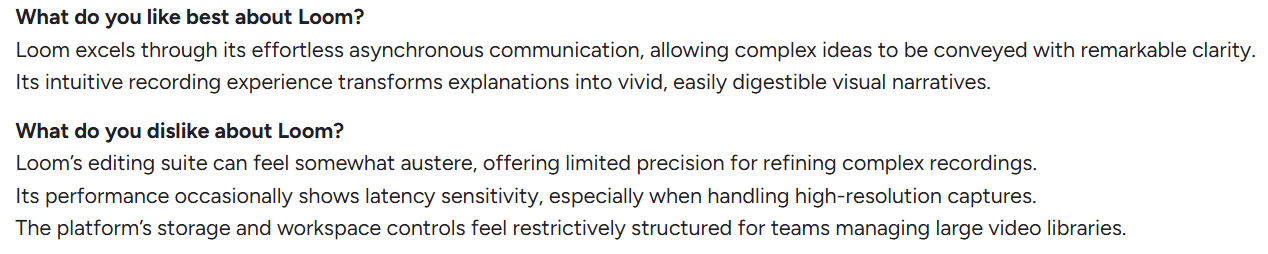
Users face a number of challenges when editing videos, from stitching and trimming videos to navigating between video libraries.

2. Prone to crashing
The last thing you’d want to happen when creating videos is for your recording app to crash midway.
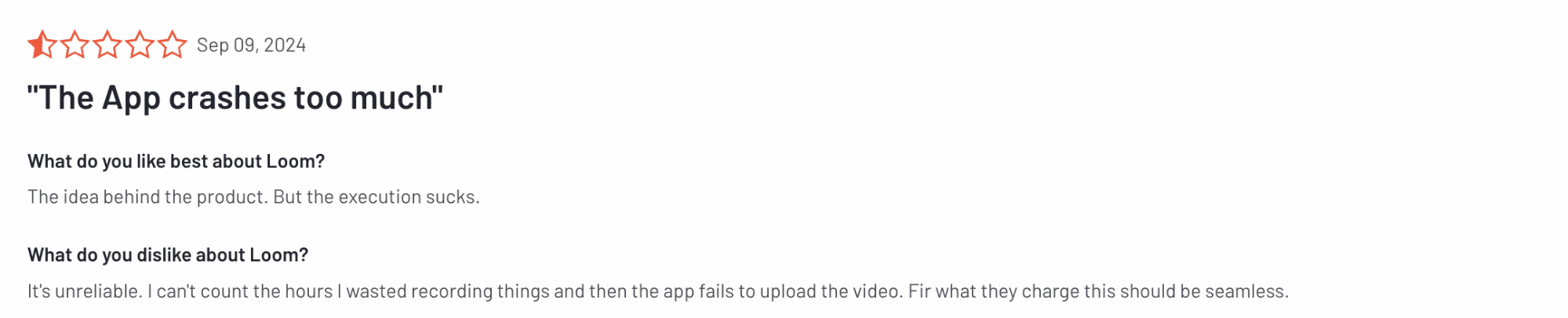
A number of Loom users report multiple issues with glitches, bugs, and frequent crashes, making Loom a pretty unreliable choice if you’re short on time or create complex videos.
3. Limited use case
Finally, while Loom can be used by sales and marketing people and product management teams, it can be limited in what it offers.

For instance, Loom doesn’t allow for creating interactive demos that provide a more immersive user experience than traditional demos and product tours.
And if your team wants to stay ahead of the curve, this can quickly become a major issue.
What are the best Loom alternatives in 2026?
We selected these nine tools based on distinct capabilities and use cases. They range from professional video editors and education platforms to sales-focused tools, enterprise solutions, and interactive demo builders. In each section, we've included key features, ideal user profiles, pricing breakdowns, and verified reviews so your team can evaluate what these products offer and which ones might fit your current tech stack and needs the best.
At a glance
Here’s a quick comparison of the best Loom alternatives, highlighting what each tool is best for and how they’re typically priced.
1. Arcade: Best for on-brand AI video generation and interactive product demos
.jpeg)
Full disclosure: While Arcade is our product, we aim to provide an unbiased perspective on why it stands out as one of the strongest Loom alternatives available today.
Arcade is an AI-powered, visual storytelling platform that helps GTM teams transform a single product capture into interactive demos, videos, and visual assets without waiting on designers.
What this means is that your GTM teams can take a quick product recording and then repurpose that capture across every channel they need: interactive demos for demand gen, videos for sales outreach, visuals for campaigns, assets for customer education.
Plus, Arcade offers strong AI capabilities, including AI agents that can automatically update your demos whenever your product changes. So, when you roll out a new UI update, your team can quickly and effortlessly adapt your assets to match.
Below is a closer look at the features that make Arcade a powerful alternative to Loom.
Feature #1: Advanced demo-building options
Unlike Loom, Arcade lets you create interactive product demos rather than static videos, an approach that has gained significant traction over the past few years.
With Arcade, you can build demos by:
- Recording how you interact with your product in real time, with Arcade automatically creating interactive hotspots based on clicks and actions
- Taking screenshots and stitching them together into smooth, step-by-step interactive demos
- Uploading existing videos and screenshots and turning them into interactive demo steps and walkthroughs

Moreover, unlike most other interactive demo platforms that let you record only web apps, Arcade has two recording options:
- Chrome extension for recording web-based products
- Desktop app for recording desktop apps, terminal apps, and multiple tabs or screens
A single capture can then be reused across different formats, making it easy to create demos, videos, and visuals without re-recording the same product flow multiple times.
Feature #2: Versatile editing capabilities for unparalleled visual polish
Arcade's editing interface balances power with simplicity. For instance, teams can refine demos, add branching paths, and customize visuals without design expertise or a steep learning curve.
Some of its key editing capabilities include:
- Choose Your Own Adventure: Let your viewers choose what demo segment they want to interact with based on various criteria, including their job role, level of product engagement, and particular interests.
- Pan and zoom: Direct your audience’s focus on the most critical parts of the tour without advanced editing skills.
- Synthetic voice: Choose from a wide range of voice options from synthetic voice-overs (with support for 29+ languages and many different accents), translations, auto-captions, and more.
- Camera recording: Add pre- or post-capture to add an extra personal touch to your product tour.
- Personalization: Leverage custom variables and links to create personalized demos for each viewer in just a few minutes.
Feature #3: Brand-aware AI built for product storytelling
Arcade's AI is far more than a generic GPT. Everything it creates is based on your brand and product, so every output matches your visual identity without manual customization.
Here is a quick look at some of the top AI features Arcade offers:
- Brand Kit: Analyzes your website to capture typography, colors, layout patterns, and visual style, then applies them automatically across all content.
- AI video generation: Transforms product captures into polished videos with music, transitions, and effects.
- AI visual generation: Creates campaign assets and marketing visuals from your product recordings.
- Page Morph: Allows you to modify HTML elements and generate new content ideas without re-recording.
- Avery writing assistant: Generates contextual copy for hotspots as you record your product.
Feature #4: Demand capture and performance insights
Creating a strong product demo is only part of the equation. Arcade also helps teams understand who engages with their demos and how they perform.
Arcade includes:
- Built-in forms: Capture lead information at key moments in your demos.
- Audience Reveal: Identifies companies that interact with your demos, even without form fills.
- Analytics dashboard: Track views, click-throughs, drop-off points, and engagement patterns.
- HubSpot integration: Sync demo engagement data directly to leads, opportunities, and pipeline insights.
These features help teams move from demo creation to measurable pipeline impact.
Feature #5: Always-up-to-date product demos
One of the biggest challenges with product demos is keeping them current as your product evolves. Every UI update, feature tweak, or flow change can quickly make existing demos outdated. Unless marketing and product teams are constantly reworking demos, prospects won’t see the latest features.
Arcade solves this with an automated demo update system that keeps product stories in sync with product updates.
With Arcade, demos can be updated automatically when your product UI changes by:
- Replaying demo steps directly inside your application
- Safely simulating real user actions instead of relying on static recordings
- Applying updates without requiring a full re-recording from scratch
To ensure accuracy and quality, humans can review automated updates before they go live.
Pricing
If you’re new to interactive demos and want to test the waters first, Arcade offers a free plan that allows up to three published demos with basic recording tools and a watermark.
For unlimited Arcades and more design, personalization, lead capture, and sharing options, you can upgrade to one of three paid plans:
- Pro ($32/month per user): Unlimited published demos, no watermark, basic video editing, GIF/MP4 export, and basic insights.
- Growth ($42.50/month per user): Includes all Pro features plus custom branding, advanced insights, advanced branching, translations AI, integrations, and more.
- Enterprise (custom pricing): Adds enterprise-grade controls such as role-based access, SSO, version history, and dedicated support.
Note: The Growth plan has a 14-day trial. Try it for free and get a taste of Arcade’s full potential.
How does Arcade compare to Loom?
It’s important to note that Arcade and Loom serve different purposes and use cases, which naturally affect their comparison across levels.
Namely, Loom is a good choice if you’re looking to create simple tutorials, how-to videos, internal team alignment guides, give personalized explanations of a certain issue, etc.
However, if you’re keen on creating more immersive and hands-on experiences for potential and existing customers, you’ll need to go beyond simple videos.
Arcade enables you to do exactly that — stay in control of your product story while letting your audience understand your product.
Moreover, editing demos and making them perfectly fit your vision is much easier with Arcade than with Loom, whose editing capabilities often prove too complex for the average user.
In the end, it all comes down to what you need.
If all you need are videos, then Loom can do the job without a doubt.
However, if you want to go beyond basic videos and deliver a highly engaging, firsthand experience to your customers and leads, then Arcade is a much better choice.
Pros & cons
✅ Lets you build interactive, visually polished demos easily
✅ Has an intuitive, user-friendly interface
✅ Affordable pricing
✅ Lets you track demo engagement and capture leads
✅ Advanced edition capabilities
❌ Its most advanced features are available only on higher tiers, although the cheaper plans will still get the job done for more basic users
Reviews
G2: 4.7/5 stars
Capterra: 4.5/5 stars
2. Camtasia: Best for advanced video editing and production
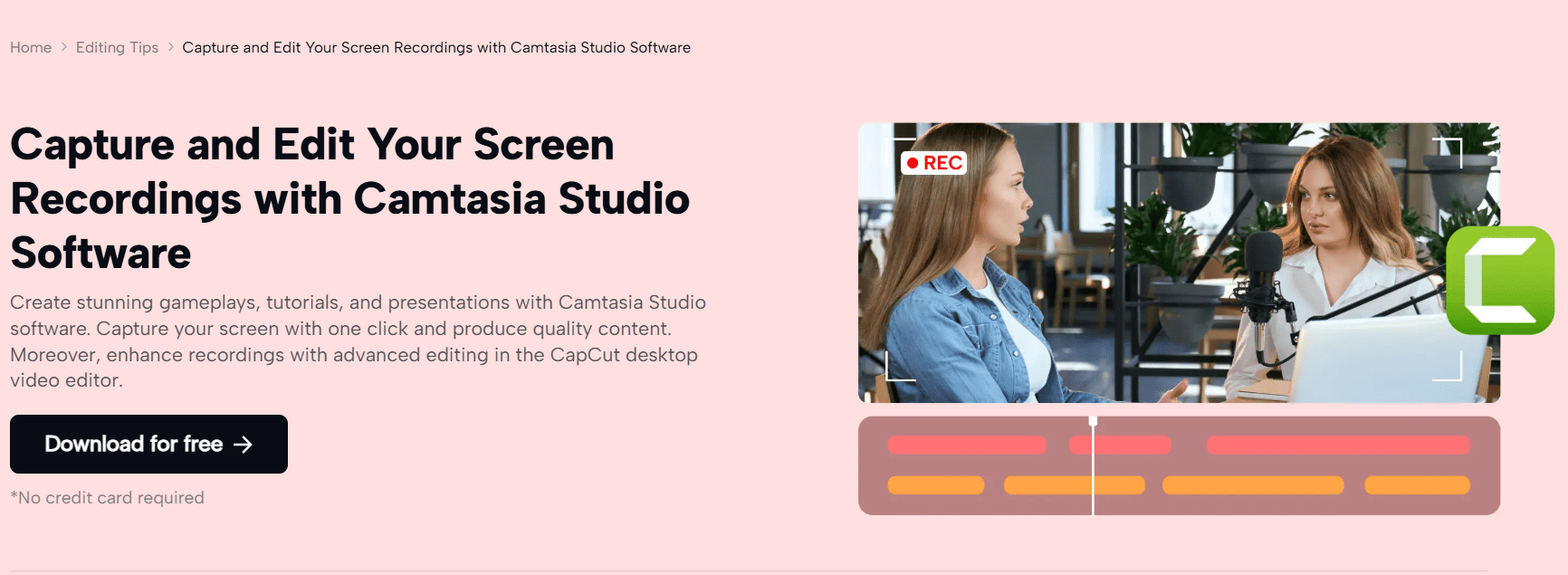
Camtasia is a versatile video editing software that lets you create and edit videos of various types, ranging from corporate training and customer education to marketing and beyond. It’s a good Loom alternative if you need more robust and advanced video editing capabilities.
Features
- Lets you add interactive elements to videos, such as quizzes, surveys, and clickable hotspots to provide a more engaging viewer experience.
- Includes multiple editing options, including transitions and animations, various audio effects, filters, dynamic backgrounds, etc.
- Allows you to create templates and presets for common video types (e.g., tutorials, intros), helping streamline the video creation process.
Who is it for?
More advanced users who need access to professional-level video editing features.
Pricing
Camtasia is available through an annual subscription, with pricing that varies by plan, usage, and customer type (individuals, teams, education, and government).
Paid plans typically start around $180 per user per year, with higher tiers offering more advanced editing, AI-powered features, and collaboration tools.
Camtasia also offers a free trial, though exported videos include a watermark. For the most up-to-date pricing details, it’s best to check TechSmith’s pricing page directly.
Pros & cons
✅ High-quality editing tools
✅ Extensive feature set
❌ Steep learning curve
❌ Higher price point
❌ Issues with audio editing
Reviews
Capterra: 4.5/5 stars
3. Screencastify: Best for educational videos and tutorials

Screencastify is an intuitive video-creation platform designed for teachers and students. This makes it the perfect Loom alternative if you’re working in this field or just need to create simple yet impactful educational videos.
Features
- Gives students the option to record and submit video assignments quickly and easily with just a few clicks.
- Add multiple-choice or short-answer questions at any point in the video to increase engagement and assess students’ understanding.
- Generates titles, summaries, captions, and more, making your videos easier to navigate and engage with.
Who is it for?
Screencastify is perfect for educators who are looking to harness the power of video to bring their message home more effectively.
Pricing
Screencastify's free plan lets you record up to ten 30-minute videos, add 10 quizzes, and use 10 AI assistants.
For more, you can upgrade to one of two plans:
- Starter: $7/mo per user, includes unlimited 60-minute videos, unlimited quizzes, exports, and more.
- Pro: $10/mo per user, includes unlimited 120-minute videos, captions, AI assistants, etc.
Schools and districts that want to use Screencastify receive special annual billing pricing, which includes priority support, onboarding support, usage reports, and more.
Pros & cons
✅ Easy to use
✅ Robust integration with Google Drive
❌ Limited features in the free plan
❌ Very basic video editing options
Reviews
G2: 4.6/5 stars
Capterra: 4.5/5 stars
4. Navattic: Best for HTML-based interactive demos for complex products

Navattic is an interactive demo platform that lets you build HTML-based product tours by taking one screenshot at a time. This approach makes it a good Loom alternative if you want to present an intricate product or more advanced feature in an interactive way.
Features
- Use a no-code demo building and editing interface to create complex product demos without any developer resources.
- Get access to offline demos so you can see what you’ve built anytime and anywhere.
- Take advantage of smart collaboration features, like in-app comments and shared workspaces.
Who is it for?
Product teams that need a way to present more complex products and/or features in an immersive way.
Pricing
Navattic has five pricing tiers:
- Starter: Free, 1 seat and 1 interactive demo with unlimited views
- Starter Plus: $40/month (billed annually), unlimited screenshot and video demos with basic integrations and customization
- Base: $500/month (billed annually), HTML demos, multiple seats, integrations, and advanced demo engagement tools
- Growth: $1,000/month (billed annually), advanced analytics, personalization, collaboration, and enterprise-ready controls
- Enterprise: Custom pricing, offline demos, enhanced security, and dedicated support
Pros & cons
✅ Unlimited users and demos on all paid plans
✅ Robust integrations with various sales and marketing platforms
❌ Clunky interface
❌ Long demo deployment time
❌ Very limited free plan
Reviews
G2: 4.8/5 stars
Capterra: 4.5/5 stars
5. Vidyard: Best for sales and marketing video messaging

Vidyard is an online video platform that lets you create designated sales and marketing videos that help engage, attract, and convert prospects and leads. It’s a strong Loom competitor in the sales and marketing space, as it provides more options for professionals in these branches.
Features
- Use personalized AI avatars to quickly generate personalized sales videos that look and sound like you without using your camera.
- Create customized video landing pages that match your brand colors, fonts, and overall style.
- Track video analytics that let you see individual and aggregate video performance down to the smallest of details.
Who is it for?
Sales teams who are keen to leverage videos to attract and convert more quality leads.
Pricing
Vidyard's free plan lets you create a limited number of videos up to 30 minutes long. It also provides some video editing and sharing options, an AI script generator, and AI stock avatars.
For more, you can upgrade to one of three paid plans:
- Free: Gives you 15 videos per month, with no hosting, and a limit of 30 minutes total.
- Starter: No price given, but you get free unlimited videos and hosting.
- Teams: Everything from Starter, but you also get access to analytics tools and branding.
- Enterprise: Everything you get from Teams, but you also get API access, integrations, and security features like SSO.
The Pro plan has a 14-day free trial to let you test the waters.
Pros & cons
✅ Advanced analytics features
✅ Lots of options for personalizing video experiences for every customer
❌ More expensive compared to Loom
❌ Its interface is prone to delays
Reviews
G2: 4.5/5 stars
Capterra: 4.5/5
6. Wistia: Best for video hosting and marketing analytics

Wistia is a video platform built for marketing teams who want to create branded videos and host and organize them as they see fit. So, if you’re looking for a one-stop shop for marketing-oriented videos, go for Wistia over Loom.
Features
- Has video hosting options that let you customize your video player for your target audience, create personalized video galleries, deliver ad-free experiences, etc.
- Ensure that your videos are optimized for search engines with automatic transcriptions and schema.org markups in the head of your video landing page.
- Host webinars on the platform and then repurpose the video as social clips, lead generation content, and more, thanks to post-event editing options.
Who is it for?
Wistia is a good choice for marketing teams looking to handle the entire video marketing process, from creating and editing to hosting and distributing.
Pricing
Wistia has a free plan with basic video hosting, recording, and editing.
If your needs surpass this limit, you can subscribe to one of three paid plans:
- Pro: $79/month (billed annually): Lead capture, audience analytics, playlists, and protected videos
- Advanced: $319/month (billed annually): Webinars, marketing and ad integrations, and campaign automation
- Premium: Custom pricing: Enterprise security, SSO, advanced permissions, and priority support
Pros & cons
✅ User-friendly
✅ Robust video hosting
❌ Expensive, especially for individuals and smaller teams
❌ Limited editing options
Reviews
G2: 4.6/5 stars
Capterra: 4.7/5
7. OBS Studio: Best for open-source users and advanced recording control
OBS Studio is a free, open-source screen recording and live streaming software widely used by creators, educators, and technical teams. While it’s far more powerful than Loom, it’s also significantly more complex. OBS is a viable Loom alternative if you need complete control over recording quality, audio sources, and scene composition, but it comes with a steep learning curve.
Features
- Supports multi-source recording using customizable scenes and transitions, allowing users to combine screens, cameras, images, and media sources into a single recording.
- Includes advanced audio mixing tools with filters, noise suppression, and per-source volume control for precise audio management.
- Enables both live streaming and local recording, making it suitable for real-time broadcasts as well as offline video creation.
- Offers highly customizable video and audio settings, including resolution, frame rate, bitrate, and encoding options for advanced setups.
Who is it for?
Technical users, creators, and teams who need granular control over recordings and don’t mind a complex setup.
Pricing
OBS Studio is completely free and open source.
Pros & cons
✅ Extremely powerful and flexible
✅ Free to use
❌ Steep learning curve
❌ No built-in editing, collaboration, or analytics
❌ Not designed for business or marketing workflows
Reviews
G2: 4.6/5 stars
Capterra: 4.7/5 stars
8. Screen Studio: Best for polished recordings on macOS
Screen Studio is a macOS-only screen recording tool designed to make product walkthroughs and tutorials look polished with minimal effort. It automatically adds smooth zooms, pans, and cursor focus to recordings. It’s a strong Loom alternative for individuals who want visually appealing videos without manual editing, but it lacks collaboration, analytics, and interactive capabilities.
Features
- Applies smooth pan and zoom effects to recordings automatically, helping guide viewer attention without requiring manual editing.
- Enhances cursor movements and click interactions to make on-screen actions clearer and easier to follow.
- Provides a clean, minimal editing interface focused on speed and simplicity rather than complex timelines.
- Is optimized specifically for macOS performance, ensuring smooth, high-quality recordings with minimal setup.
Who is it for?
Founders, creators, and small teams on macOS who want high-quality screen recordings without advanced editing tools.
Pricing
Screen Studio uses a subscription-based pricing model:
- $29/month when billed monthly
- $9/month when billed annually (billed as $108/year)
Both options include full access to Screen Studio’s features and can be used on multiple personal macOS devices.
Pros & cons
✅ Very polished video output
✅ Minimal editing required
❌ macOS only
❌ No interactive demos or advanced collaboration features
❌ Limited use for larger teams
Reviews
G2: N/A
Capterra: N/A
9. Tella: Best for presenter-led videos and quick marketing content
Tella is a browser-based video creation tool focused on making presenter-led videos more engaging. It allows users to combine screen recordings, camera footage, and layouts to create short, polished videos quickly. Compared to Loom, Tella offers more creative control over presentation style, but it’s still primarily a video tool rather than an interactive demo platform.
Features
- Offers flexible layout options that let users combine screen recordings and camera footage in different visual arrangements.
- Supports quick recording and lightweight editing, including trimming and rearranging clips directly in the browser.
- Uses a fully browser-based workflow, eliminating the need for downloads or software installation.
- Designed for creating short, polished, and shareable presenter-led videos with minimal effort.
Who is it for?
Marketing teams, founders, and content creators who want to produce engaging presenter-style videos quickly.
Pricing
Tella uses a subscription model with a seven-day free trial that lets you try the tool before committing.
- Pro: $13 per user/month (billed annually): Includes unlimited videos and recording duration, upload your own clips, AI-powered editing, 60 FPS export (up to five minutes), 4K export, instant sharing, and team workspace capabilities.
- Premium: $19 per user/month (billed annually): Includes everything in Pro plus custom branding, custom domain support, advanced sharing options, and other enhanced features.
Pros & cons
✅ More creative layouts than Loom
✅ Easy to use and fast to record
❌ Focused on videos only
❌ No interactive demos or deep analytics
Reviews
G2: N/A
Capterra: N/A
Find the best Loom alternative for your use case
All the software tools that made it on our list are good Loom alternatives in their own right.
In the end, it all comes down to what you need and expect of your platform of choice.
If you’re looking for a video builder and editor, then tools like Wistia, Vidyard, Camtasia, Screencastify, or Tella can do the trick.
However, if you’d like to go beyond videos and provide leads and users with a more hands-on experience of your product, tools like Arcade or Navattic are a much better choice.
And if you’re unsure which would be a better fit, keep in mind that Arcade:
- Is much easier to use
- Is simpler to deploy (takes six minutes on average)
- Has more demo-building and editing options
- Delivers unparalleled visual polish every time
Sound like your kind of solution?
Try Arcade for free and discover how it can help you delight customers and leads alike in minutes.
FAQs
Can Arcade replace Loom for product marketing teams?
For many teams, yes. While Loom is designed for quick and casual video messages, Arcade is built for creating polished interactive demos and marketing assets for use across marketing, sales, and customer education.
Are interactive demos more effective than product videos?
Interactive demos can be more effective when the goal is to help buyers understand a product. Instead of watching a video, users can explore features at their own pace, which often leads to higher engagement and better product comprehension.
How do teams keep Arcade demos up to date as products change?
Arcade allows teams to update demos without re-recording everything from scratch, making it easier to keep product demos accurate as interfaces and features evolve.
Share on