.png)
The best explainer videos can turn your ideal prospects into paying customers in just a few minutes. Combine clear, thoughtful voiceover and engaging (or even interactive) visuals into one video to help them consider a solution to their problem or explore what it’s like to use your product in real time.
But the tools you choose to help with these projects can either:
- Speed the process and produce the best explainer possible, or
- Slow you down and limit the quality of the final product
For fast-moving go-to-market (GTM) teams on a tight timeline or without dedicated video experts, the right tool dramatically decreases production time while keeping quality high. Luckily, there are plenty of explainer video software options that combine AI features, branding features, and editing tools to make production faster and easier.
To help you weigh your options, we’ve pulled together a list of the best tools to help you create explainers that showcase your product, explain a problem, or launch a new feature. Read on to learn what to look for in a tool, the pros and cons of each, and which option is best for which use case.
Key takeaways
- The type of explainer video (talking-head, animations, or product-focused) you plan to create should guide your choice of video creation tool.
- When vetting explainer video software, look for ease of use, voiceover and visual functionality, and AI features that simplify the creation process.
- If you’re a GTM team creating a product-focused explainer, look for a tool that captures your product’s UI to create interactive experiences for the viewer.
3 types of explainer videos and tools for each one
Explainer videos clearly describe a product, idea, or process but span multiple visual formats and approaches. Here are a few different categories of explainer videos, and the tools that help you create each one.
- Talking-head explainers use a human narrator or an AI-generated avatar to narrate a concept audibly and on-screen. Visuals might include static images, text-based slides, stock video, or just footage of the narrator. Synthesia, HeyGen, and Descript can all support these types of videos.
- Animated explainers present a narrative in a friendly, approachable way by using character-driven animations to demonstrate a concept on-screen. They typically don’t show a product or solution in use. Rather, the narration gives an overview of a specific problem the audience faces or explains a suggested solution. Vyond and Animaker are two of the leading animation platforms for these kinds of videos.
- Product-focused explainers start and end with your product’s user interface (UI). They don’t stay theoretical or explain a problem or solution abstractly. Instead, they show the real-time steps a user would take in the tool and walk through how it works. Some product explainers are even interactive and clickable, bridging the gap between a video and a live demo; users can click to explore and experience the product in real time. Arcade is one of the best examples of tools that support these explainers, while Loom supports less polished and more ad hoc screen recordings of a product.
If you’re creating a video for someone who is unaware that they even have a problem, you might create an animated or talking-head explainer to explain the problem to them.
But if your audience knows they have a problem and are actively looking for a solution, a product-focused explainer quickly tells them your tool is the one they’re looking for. It shows them how your product works and how it will help them.
What to look for in explainer video software
When vetting explainer video software options, your primary focus should be to consider the tool’s:
- Ease of use. The tool you pick should be simple to learn and let your GTM team create explainers quickly, without needing video or design expertise.
- Explainer-specific functionality. The most important elements of your explainer are the narrative (delivered via voiceover or the narrative journey for viewers) and the on-screen visuals. Explainer software should make both of these elements easier and more efficient, with support for audio recording or generation and editing, and tools to capture or generate engaging graphics.
- AI-powered features. For explainer video software, functionality like prompt-to-video, audio cleanup, and AI-supported branding transform the explainer creation process. AI can generate visuals and voiceover or polish the final video faster than ever.
Before you start vetting options, determine your budget and create a high-level storyboard for what you want the viewer to ultimately experience or learn. From there, look for features that will let you create that kind of explainer.
If you plan to show your product, you’ll need a tool that can capture your UI and turn it into an engaging video. If you want to show animated characters that represent the problem, you’ll need animation functionality.
What’s the best explainer video software for your team?
This comparison chart offers a quick, at-a-glance summary to determine which tool may be right for your use case.
The 7 best explainer video software options in 2026
From polished product-led marketing demos to quick, personalized process documentation, here are the seven best options for explainer video software that your GTM team should consider.
1. Vyond: Best for professional 2D animated explainers
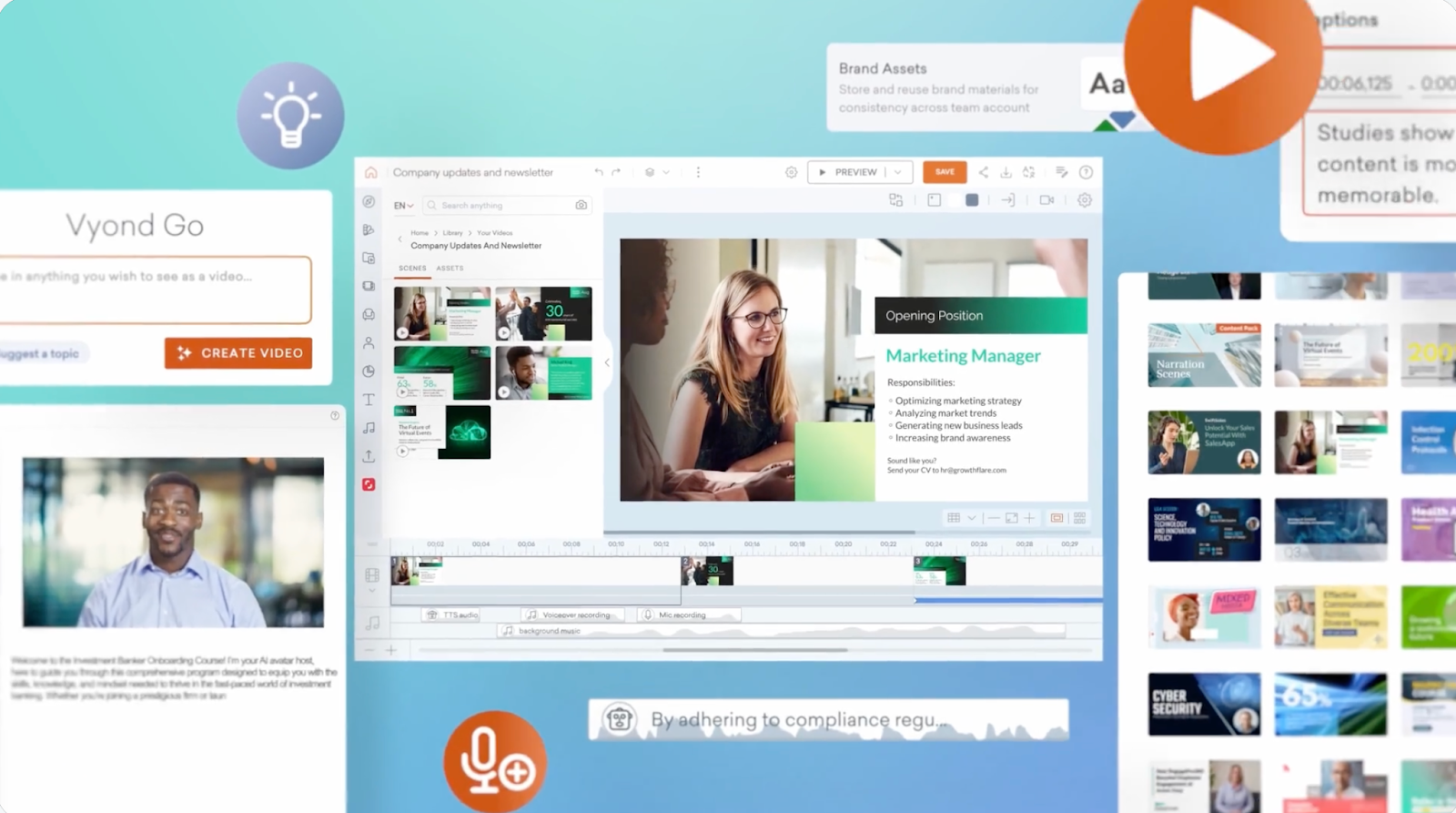
Vyond lets any team or employee create polished, professional-looking animated explainers for any video use case. Some of the largest, most established enterprises use Vyond to create internal training and learning and development or sales enablement materials.
What are Vyond’s key features?
- Animated video creation: Quickly generate an explainer animation with AI or a library of assets, templates, and styles in Vyond Studio.
- AI avatars: Choose from a variety of AI personas to narrate your explainer video across a variety of settings, outfits, and contexts.
- Vyond Go: Transform an idea description, URL, or document into an explainer video with Vyond’s AI-powered script and video generator.
- Template library: Pick the right template for your team across settings, characters, and props.
- AnyStyle: Quickly transform the style, format, and visuals of your explainer video for any audience with Vyond’s platform.
What are Vyond’s weaknesses?
- Some Reddit discussions of Vyond’s style of videos point out that the animations can seem cheesy or look and feel cheap.
- Vyond is one of the more expensive explainer options, and users can’t download their work during the free trial.
- G2 reviewers cite limited functionality and a desire for greater flexibility, noting that they’ve had to pair Vyond with other tools to achieve their video goals.
How much does Vyond cost?
After a free two-week trial, Vyond offers four pricing plans, billed annually:
- Starter ($58/month for a single user): Access to AI avatars and tools, 650+ text-to-speech voices, and 10,000 credits per user per month
- Professional ($100/month per user): Access to Starter features, plus team collaboration tools, 4M+ Shutterstock assets, translation into 80+ languages, and 20,000 credits per user per month
- Enterprise ($137/month per user): Access to Professional features, plus 130+ text-to-speech voices, the Brand Management Suite, enterprise security features, and “virtually unlimited” credits
- Agency ($167/month per user): Access to Professional features, plus unlimited rights transfers and 400,000 credits per user per month.
2. Arcade: Best for product-led explainer content
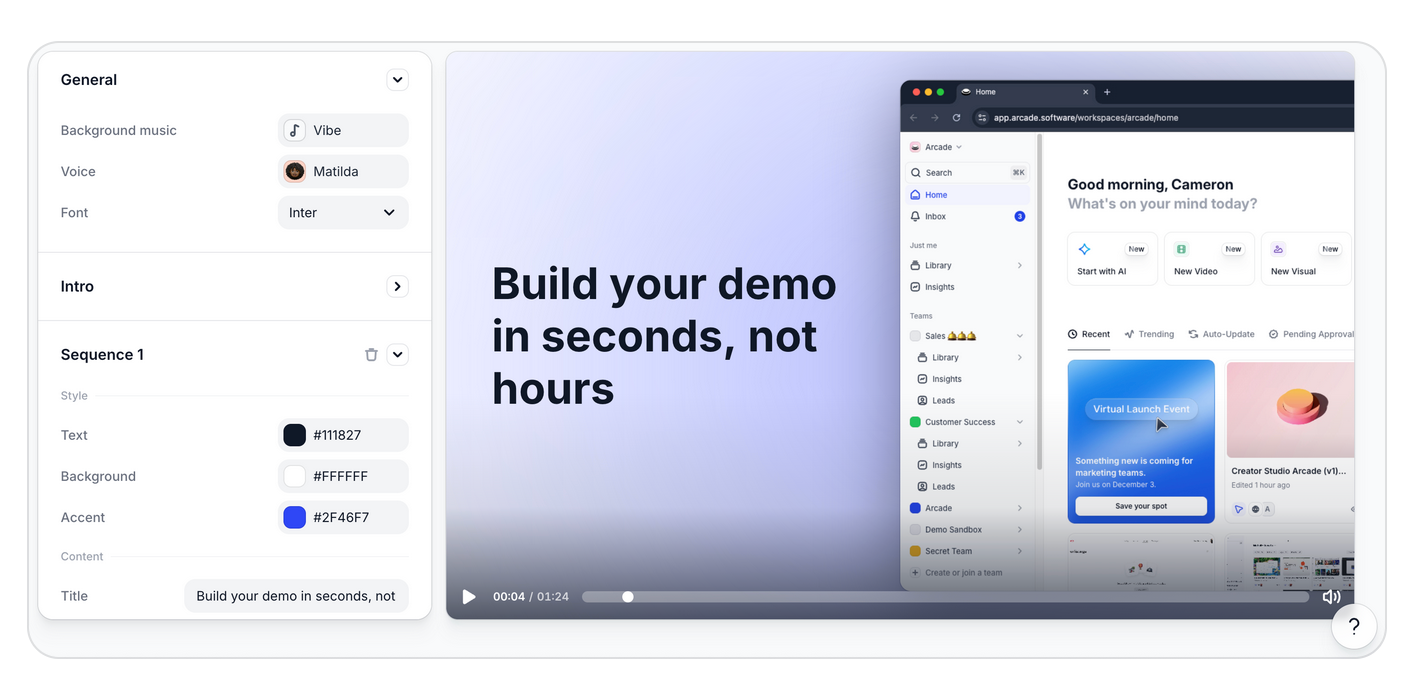
Built for GTM teams that want to create explainers that actually convert, Arcade turns software products into on-brand interactive demos, product explainers, and visuals. Most explainer video tools are built for storytellers and animators, relying on templated animations, stock footage, or avatars. Arcade starts with the product’s UI, using brand-aware AI to create polished clickable demos and explainers that show viewers how the tool works instead of just telling them.
Arcade is the best place for GTM teams to start when they’re building interactive explainer videos that keep their product front and center.
What are Arcade’s key features?
- Brand-aware AI for product-focused explainers: Arcade’s context engine builds a living brand kit from your website and content, including typography, colors, layout patterns, voice, and visual style. Every video and visual is generated on-brand by default, without manual template tweaking.
- Interactive, clickable demos: In just minutes, create explainer experiences that guide prospects through using your product. Rather than providing a passive, watch-only video, give them the chance to explore your platform.
- Prompt-to-video: Type in a use case, campaign concept, or product scenario, and Arcade generates a brand-consistent video from scratch. Arcade pulls from your brand kit to ensure the output looks and sounds like your brand, not like a generic AI template.
- One capture to multiple outputs: Record your product once using Arcade’s Chrome extension or desktop app, then transform that capture into polished explainer videos with voiceover and music, interactive product demos, campaign visuals, and more.
- Embeddable outputs: Feature your product-led explainers anywhere your GTM team needs to promote your tool, from your website and email to sales decks and social. Build videos to match how you want to distribute them.
What are Arcade’s weaknesses?
- The platform isn’t built for animated explainer videos.
- Arcade doesn’t offer AI avatars.
How much does Arcade cost?
Arcade offers four plans to choose from:
- Free ($0/month): Allows 200 AI credits per month for AI-generated videos and up to three published demos with basic recording tools and a watermark
- Pro ($38/month per user): Allows 500 AI credits per month for AI-generated videos, unlimited published demos, no watermark, basic video editing, GIF/MP4 export, and basic insights
- Growth ($350/month for 5 users): Allows 800 AI credits per month for AI-generated videos and includes all Pro features plus custom branding, HTML capture, advanced insights, advanced branching, translation AI, and integrations
- Enterprise (custom pricing): Allows 100,000 AI credits per year for AI-generated videos, and adds enterprise-grade controls such as role-based access, SSO, version history, and dedicated support
Try it for free for 14 days and get a taste of Arcade’s full potential.
3. Synthesia: Best for lighter-lift AI avatar explainer videos
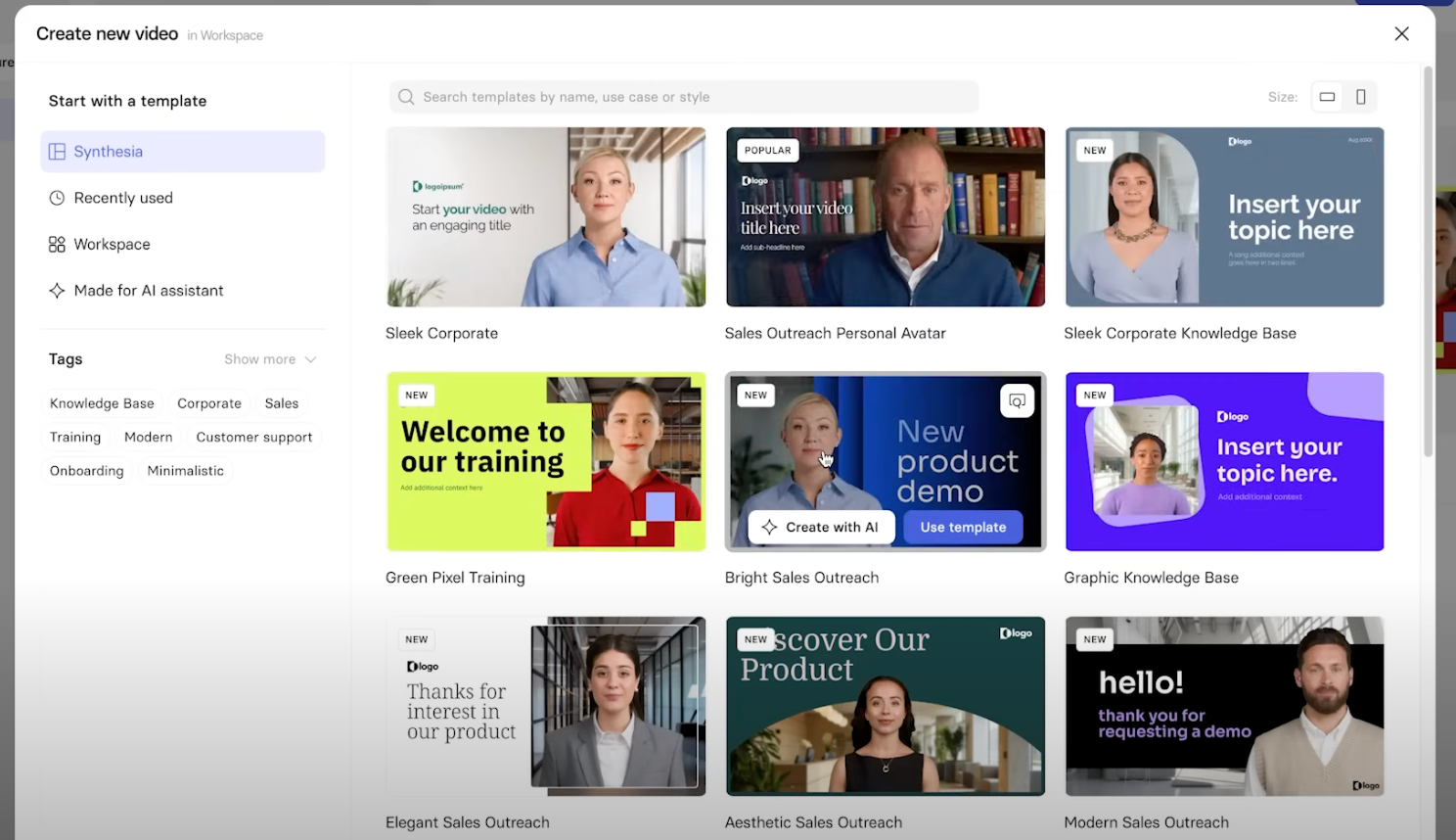
Synthesia is an AI avatar video platform, specializing in human avatar-supported explainers. Individual users can create digital clones of themselves or choose from advanced, expressive stock avatar options to support basic, straightforward explainer videos.
What are Synthesia’s key features?
- AI video generator: Synthesia’s assistant transforms ideas, documents, or websites into structured video content using AI-driven templates.
- AI dubbing: Translate videos into 130+ languages and accents, and deliver high-quality lip sync for natural delivery.
- AI screen recorder: Synthesia can capture screen recordings and enhance them with AI avatars for streamlined explainers.
- Material uploads or text prompt: Users can quickly turn a document, presentation, or webpage into a simple explainer video.
What are Synthesia’s weaknesses?
- It is primarily focused on avatar voiceovers, which makes it more limited than other options.
- Users find avatar generation and quality to be inconsistent, with varying levels of realism. Users also cite AI limitations like pronunciation issues.
- Several users report negative experiences with moderation systems.
- Some users point to a sharp learning curve and the need for more support.
How much does it cost?
Synthesia offers three plans to choose from, billed annually:
- Basic ($0/month): Allows up to 10 video minutes per month
- Starter ($14/month): Allows up to 120 video minutes per year and 125+ AI avatars
- Creator ($59/month): Allows up to 360 video minutes per year and 180+ AI avatars
Synthesia also offers tailored enterprise pricing.
4. Descript: Best for transcript-based video editing
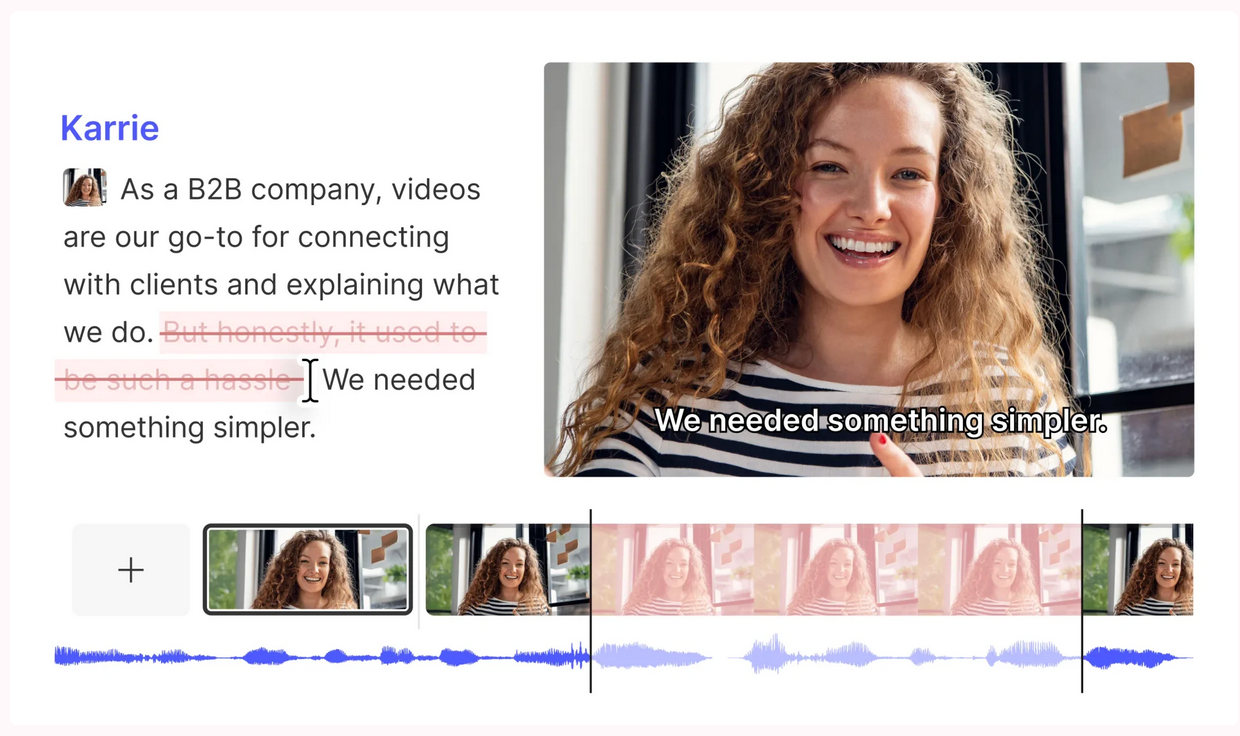
Descript is an audio and video editing platform known for its intuitive text-based editing functionality. When editing an explainer video, users can delete text from the transcript to trim the video footage or make traditional timeline-based edits. They can also choose from Descript’s array of video layout and background options for a more efficient approach to video creation.
What are Descript’s key features?
- Text-based editing: Make audio and video edits in the transcript by removing words or clipping entire sections.
- Studio sound: Enhance explainer narration audio and remove noise with one click.
- AI Underlord: Descript’s AI-powered co-editor streamlines automated video creation.
- Brand Studio: Customize your explainer video with designed layouts, smart transitions, and a consistent, on-brand look and feel.
What are Descript’s weaknesses?
- Reviewers cite a steep learning curve, with some settings in the platform difficult to adjust.
- Some users cite performance issues, including lag and slow rendering times, especially with longer projects.
- Export quality from Descript can vary, with some customers pointing to compression issues.
- For full in-browser functionality, users can only work in Google Chrome.
How much does Descript cost?
Descript offers the following annual pricing plans:
- Free ($0/month): Includes basic features like text-based editing and limited access to AI tools
- Hobbyist ($16/month per user): Includes up to 10 media hours/month, 400 AI credits/month,1080p exports, and access to Underlord, Descript’s AI video co-editor
- Creator ($24/month per user): Includes up to 30 media hours/month, 800 AI credits/month, 4k exports, and access to the latest AI models
- Business ($50/month per user): Includes up to 40 media hours per month, 1,500 AI credits/month, team-wise access to the Brand Studio, plus translation and dubbing
Descript also offers custom enterprise pricing.
5. HeyGen: Best for personalized AI presenter videos
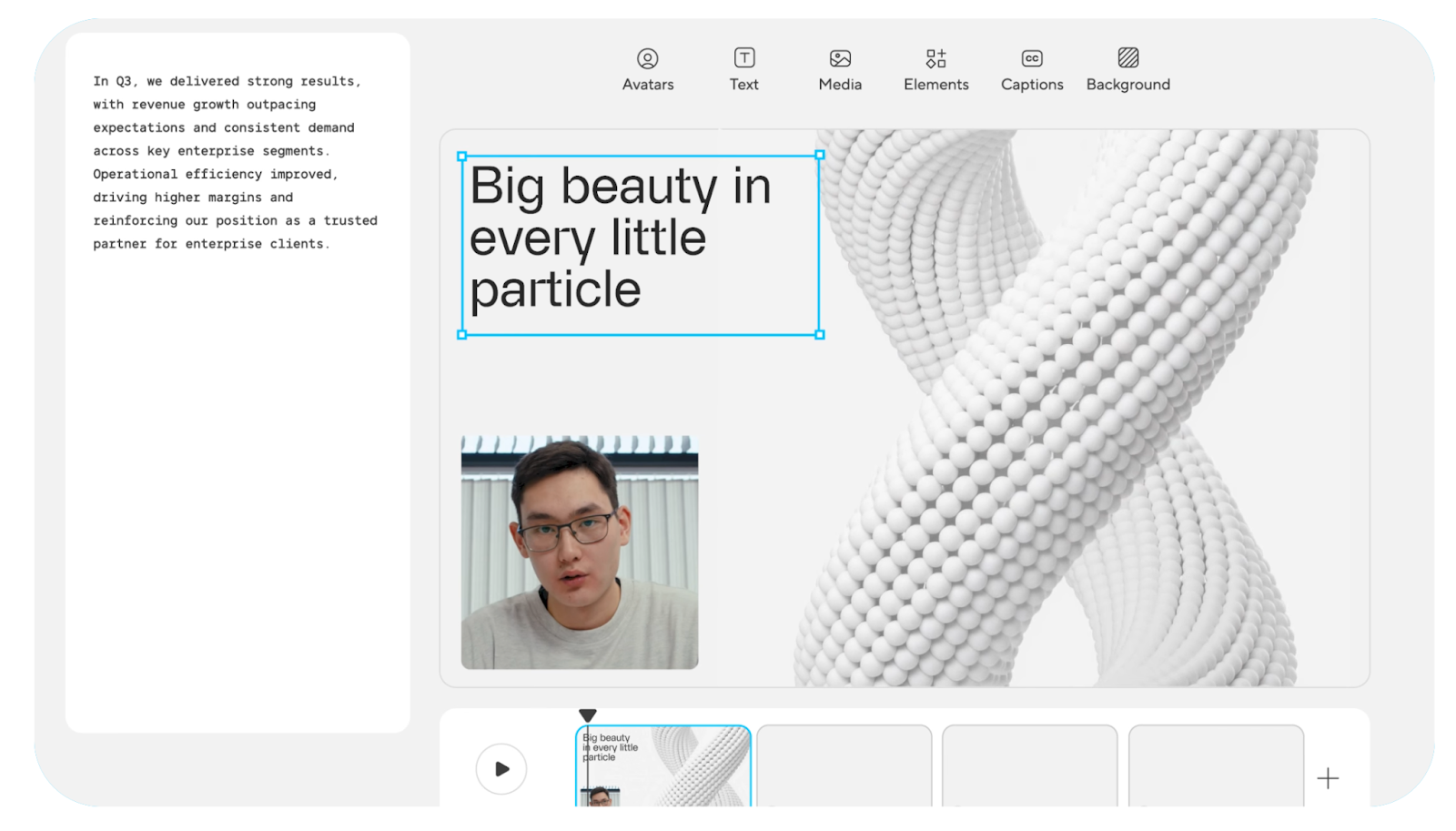
HeyGen is an AI video generator that offers realistic AI avatars and translation capabilities for explainer videos. The platform aims to provide a human-first storytelling experience, with a text-based editor in its AI studio to simplify the production process.
Users can provide text-to-video or image-to-video prompts to create lifelike avatar narration for explainers and other GTM videos.
What are HeyGen’s key features?
- Stock AI avatar variety: HeyGen offers 500+ AI avatar options with custom video avatar creation.
- Voice and language options: Users can choose from AI voices in 175+ languages plus voice cloning for explainer audio.
- Translation capabilities: Video translation with lip sync is available in multiple languages.
- Specialized templates: Template options serve various explainer use cases, including product walkthroughs and training.
What are HeyGen’s weaknesses?
- Advanced features (Avatar IV, custom avatars, video translation) consume separate credits or require add-ons beyond the base subscription.
- Reviewers cite high costs, and some take issue with the pricing system.
- Customers note that avatar resolution is inconsistent.
- Some users on Reddit express frustration with long generation times.
How much does HeyGen cost?
HeyGen offers three individual plans to choose from, billed annually:
- Free ($0/month): Up to three videos per month, videos up to three minutes, and 720p video export
- Creator ($24/month): Unlimited videos up to 30 minutes, plus 1080p video exports, faster video processing, watermark removal, and a brand kit
- Pro ($79/month): Everything in the Creator plan plus 4k video export, additional AI usage, and more advanced models
HeyGen also offers a Business plan ($119/month) with videos up to 60 minutes and an enterprise plan with custom pricing and unlimited videos.
6. Animaker: Best budget-friendly animation tool
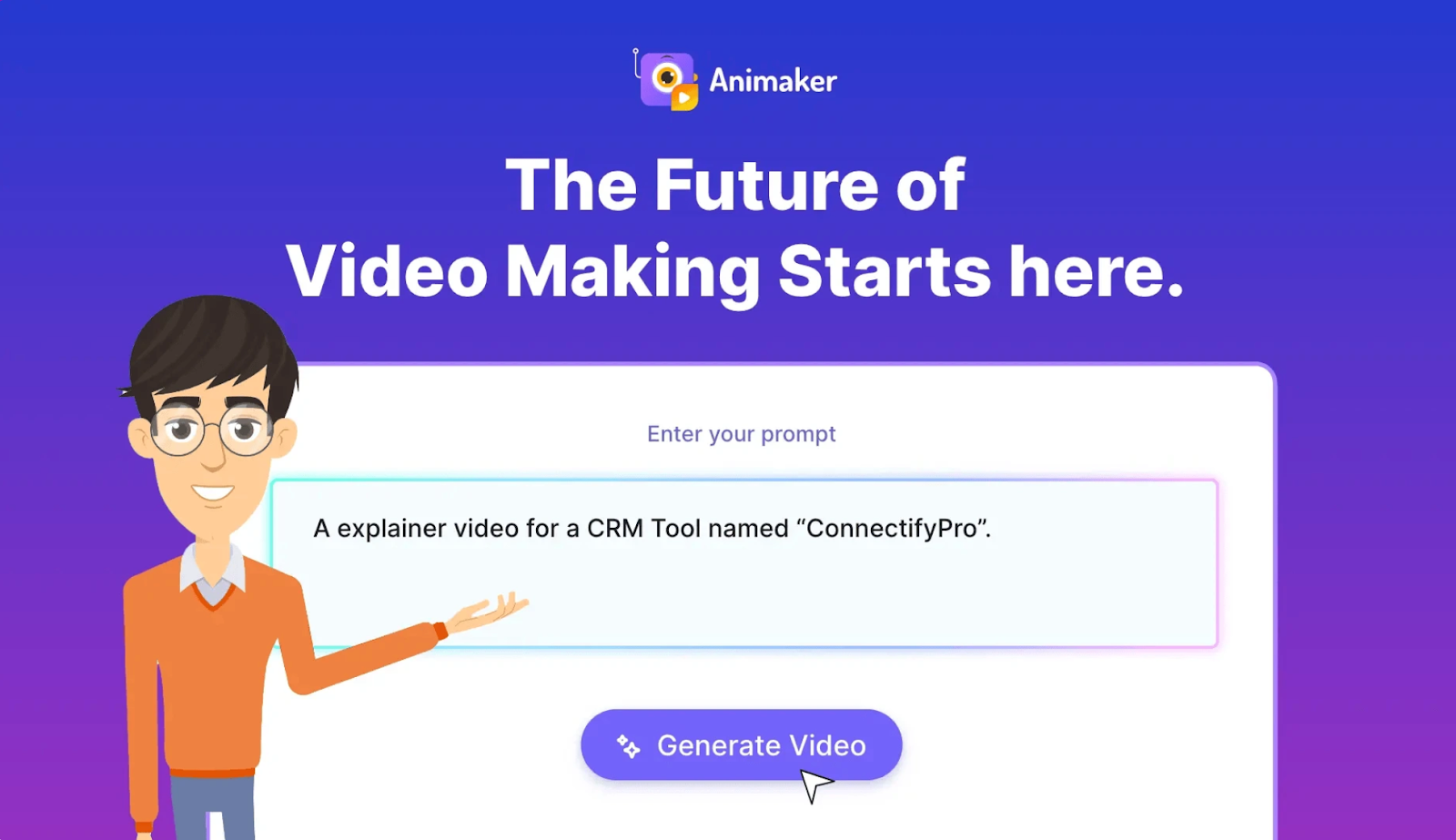
Animaker is an AI-powered animation platform for creating explainer videos that feature characters or avatars. With features that make the platform a “Swiss Army Knife of creativity,” teams can use text-to-video to generate simple animations for friendly and approachable explainer videos.
What are Animaker’s key features?
- AI animation generator: Animaker’s text-to-video interface lets you pick a category, enter a prompt, review and revise, then generate your explainer.
- Voice generator: Choose from 1,000+ voices in 100+ languages for AI voice generation and automated lip sync in explainers.
- AI asset generator: Generate description-accurate assets like images, backgrounds, and props to feature in your animations.
- Subtitle generator: Add, update, and translate AI-generated subtitles to make explainers more accessible to viewers.
- Whiteboards and infographics: Use AI to generate whiteboard explainer videos and turn statistics into stories with compelling infographics.
What are Animaker’s weaknesses?
- Some G2 reviewers cite lag and rendering issues with the platform. One Redditor noted that technical glitches can take a long time to resolve.
- Animaker works best with drag-and-drop templates, but its customization can be limited.
- While Animaker is an affordable option for AI animations, reviewers often cite limitations like advanced features being locked behind more expensive plans that are inaccessible for small creators.
How much does Animaker cost?
Animaker offers two primary pricing plans, billed annually:
- Starter ($25/month): Includes 10 Premium downloads per month, 90 seconds of generative video per month, 15-minute video length, and 200 AI video generations per month
- Pro ($43/month): Includes 20 Premium downloads per month, 180 seconds of generative video per month, 30-minute video length, and 300 AI video generations per month
Animaker also offers a very limited free plan with three videos and 10 AI assets per month (but no generative video), as well as custom enterprise pricing, which includes unlimited premium downloads and video length.
7. Loom: Best for quick, informal screen explainers
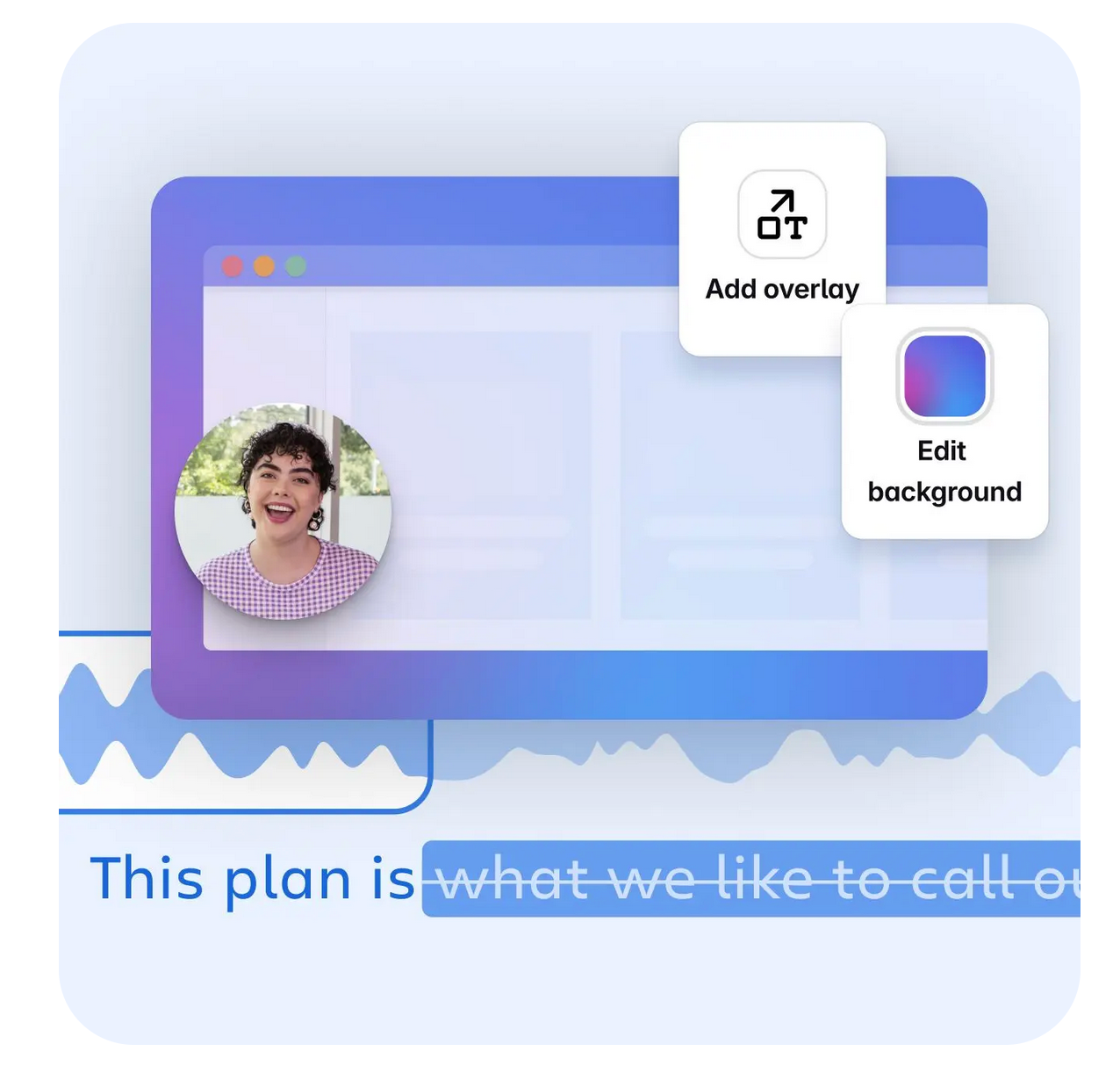
Loom is a screen recorder and video platform designed to help teams collaborate more efficiently and with fewer meetings. Users can create simple, individualized explainers of processes or product features for a customer or community by combining screen captures and descriptive voiceover.
Its AI features also boost productivity by automating documentation, simplifying editing, and turning videos into documents like bug reports.
What are Loom’s key features?
- Screen recording: Loom’s user-friendly screen recorder makes it easy to capture a quick explainer that walks through a document or platform. This feature also includes quick editing, drawing tools, and easy sharing.
- AI-powered documentation: Turn a Loom-captured explainer video into a document, bug report, or workflow.
- Audio refinement: Remove pauses or filler words in voiceover using Loom AI.
- Team sharing library: Create a shared, secure library of Loom explainers that your entire team or organization can access for easy collaboration and quick reference.
What are Loom’s weaknesses?
- Reviewers point to lag and performance issues with longer videos.
- Loom’s free plan is rather limited, offering only five-minute recordings.
- Loom specializes in very specific use cases (communication and collaboration), but it doesn’t support more advanced editing scenarios, and the AI features are limited.
How much does Loom cost?
Loom offers four primary plans for users:
- Starter ($0/month): Up to 25 videos, five-minute screen recordings, and unlimited meeting length
- Business ($18/month): Everything in the Starter plan, plus unlimited videos and recording time, and removal of Loom branding
- Business+AI ($24/month): Everything in the Business plan, plus advanced editing, auto-video enhancement, and video-to-text automation
- Enterprise (custom): Everything in Business+AI, as well as advanced security, advanced content privacy, a Salesforce integration, and custom data retention policies
Create the best product-led explainer videos with Arcade
An explainer video that describes your product and the problem it solves is great, but an interactive explainer is better. Instead of just telling your viewer what the product can do, show them with a clickable journey through your platform. This is one of the best ways to sell your SaaS product and build confidence in your future users that your tool is the one that solves their problem.
In just minutes, Arcade helps you build clickable, product-led explainers that start with your product’s UI and end with sales for your brand. Sign up for free today to get started with Arcade.
FAQs
What is the best explainer video software for beginners?
Arcade is the best explainer video option for beginners, especially when creating a product-led video. In just six minutes, you can pull together an interactive, clickable explainer, no matter your design skill level.
The tool quickly captures your platform and turns your UI into a product-led experience that lets your platform sell itself. With professional-sounding AI voiceovers and on-brand copy suggestions, your GTM team has everything you need to publish a prospect-ready explainer faster and easier than ever.
Can explainer video software create interactive content?
Many explainer software options create passive, watch-only videos, but some tools, like Arcade, let you create interactive, clickable demos.
Instead of just watching a recording of your product, prospects can click through to explore features and functionality and build confidence that your tool is the one they’re looking for.
Do I need design skills to make an explainer video?
No, you don’t need design skills to create an explainer video, especially with AI-powered features, stock assets, and templates in many of today’s explainer video options.
For instance, Arcade is built for GTM teams to create and publish explainers in minutes without endless revisions or back-and-forth with design teams. The platform takes care of capturing your platform and keeping your explainer polished and on-brand.
Share on