Product launch videos no longer have to be one of the biggest bottlenecks in GTM planning. Marketers used to have to spend significant time, budget, and design resources to create and update launch videos. Now, artificial intelligence makes the creation process noticeably faster and easier. But with AI functionality seemingly everywhere, how do you choose the right tool to tell your product’s story for the next launch?
We’ve pulled together the nine best AI video generators for product launch videos so you can compare the options for yourself. You’ll learn which products are right for which use cases, strengths and weaknesses, and pricing options to make an informed decision.
Key takeaways
- Each AI video generator specializes in different potential AI use cases and strategies for product launch videos.
- Typical AI functionality for video generators includes editing, branding, product updates, animation, voiceovers, templates, and generating visuals from text or scripts.
- Product marketing teams should choose a solution that can support their vision for the visuals, content, and messaging of the product launch video.
AI video generators at a glance
1. Arcade
Full disclosure: Arcade is our product. That said, we aim to give a fair, practical view of how it stacks up compared to other AI video generators for product launch videos.
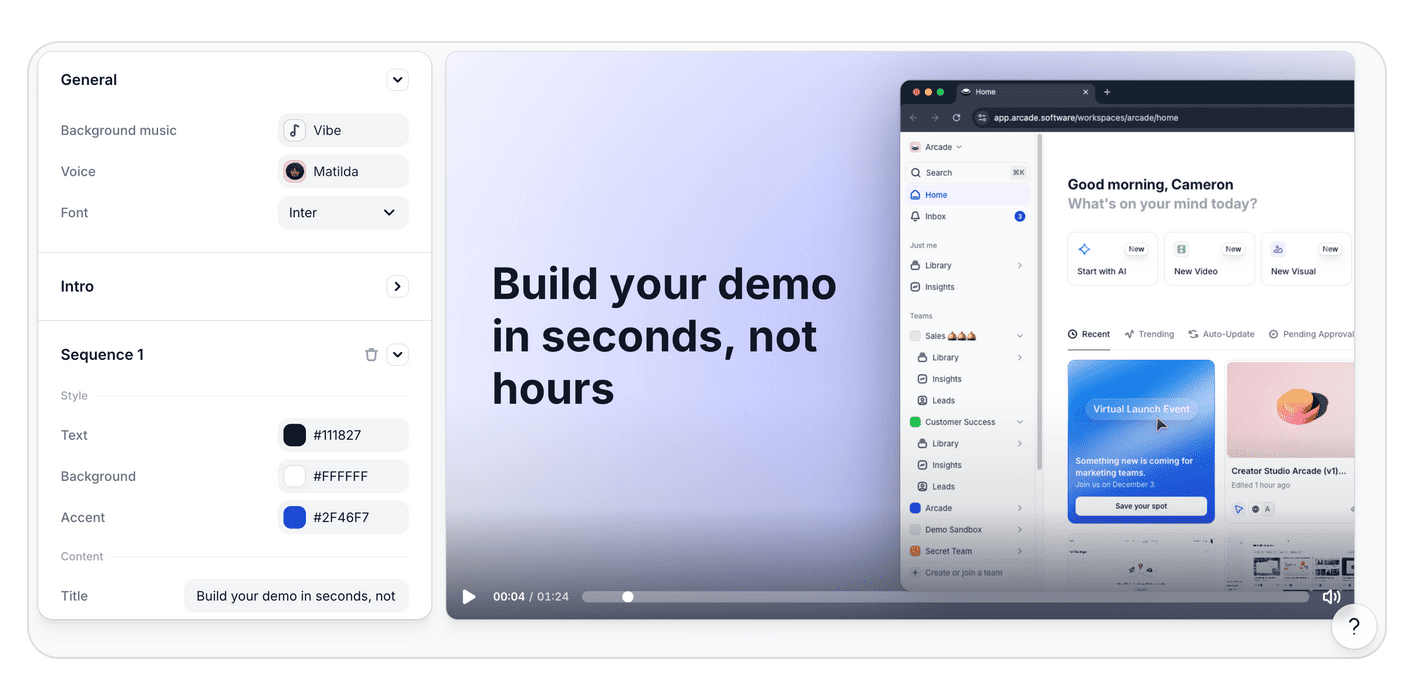
Arcade is a visual storytelling platform known for turning real software products into beautiful, on-brand product launch videos, interactive demos, and other brand assets.
Arcade starts with a recording of your actual product, not a template or stock footage. From that single capture, its brand-aware AI generates polished product launch videos, interactive demos, and campaign visuals that match your typography, colors, and visual style by default. And because products don't stop changing after launch day, Arcade's AI agents monitor your UI for updates and automatically refresh your videos to reflect what's new, no re-recording required.
Product marketing teams at companies like Carta, Atlassian, and Wrike use Arcade to create polished marketing assets without heavy editing or design lift.
What are Arcade’s key features?
- Brand-aware AI for product storytelling: Arcade’s context engine helps ensure your product launch videos are on-brand by default with a brand kit that includes typography, colors, layout patterns, voice, and visual style.
- Streamlined capture-to-creation. Record your product once using Arcade's Chrome extension or desktop app, then transform that capture into polished product launch videos with voiceover and music. According to Arcade's 2026 Benchmarks Report, adding AI voiceover alone drives a 14% lift in completion rates.
- Studio-quality output by default: Arcade bakes design principles directly into generation, including smart defaults for layout, spacing, typography, and color balance.
- Real-time iteration and variations: Teams can quickly generate multiple versions of an asset, adjust copy and visuals, and refine structure.
- AI-automated video updates: Arcade’s agents can automatically update launch videos when your product UI changes by replaying demo steps inside the application and safely simulating real user actions.
What are Arcade’s weaknesses?
- The platform isn’t built for animated explainer videos or heavy creative editing.
- Arcade doesn’t offer AI avatars for talking-head product launch videos.
How much does Arcade cost?
Arcade offers the following annual pricing plans:
- Free ($0/month): Allows up to 3 published demos with basic recording tools and a watermark.
- Pro ($32/month per user): Unlimited published demos, no watermark, basic video editing, GIF/MP4 export, and basic insights.
- Growth ($42.50/month per user): Includes all Pro features plus custom branding, advanced insights, advanced branching, translation AI, integrations, and more.
Arcade also offers custom enterprise pricing, which includes enterprise-grade controls like role-based access, SSO, version history, and dedicated support.
Note: The Growth plan has a 14-day trial. Try it for free, and get a taste of Arcade’s full potential.
2. Synthesia
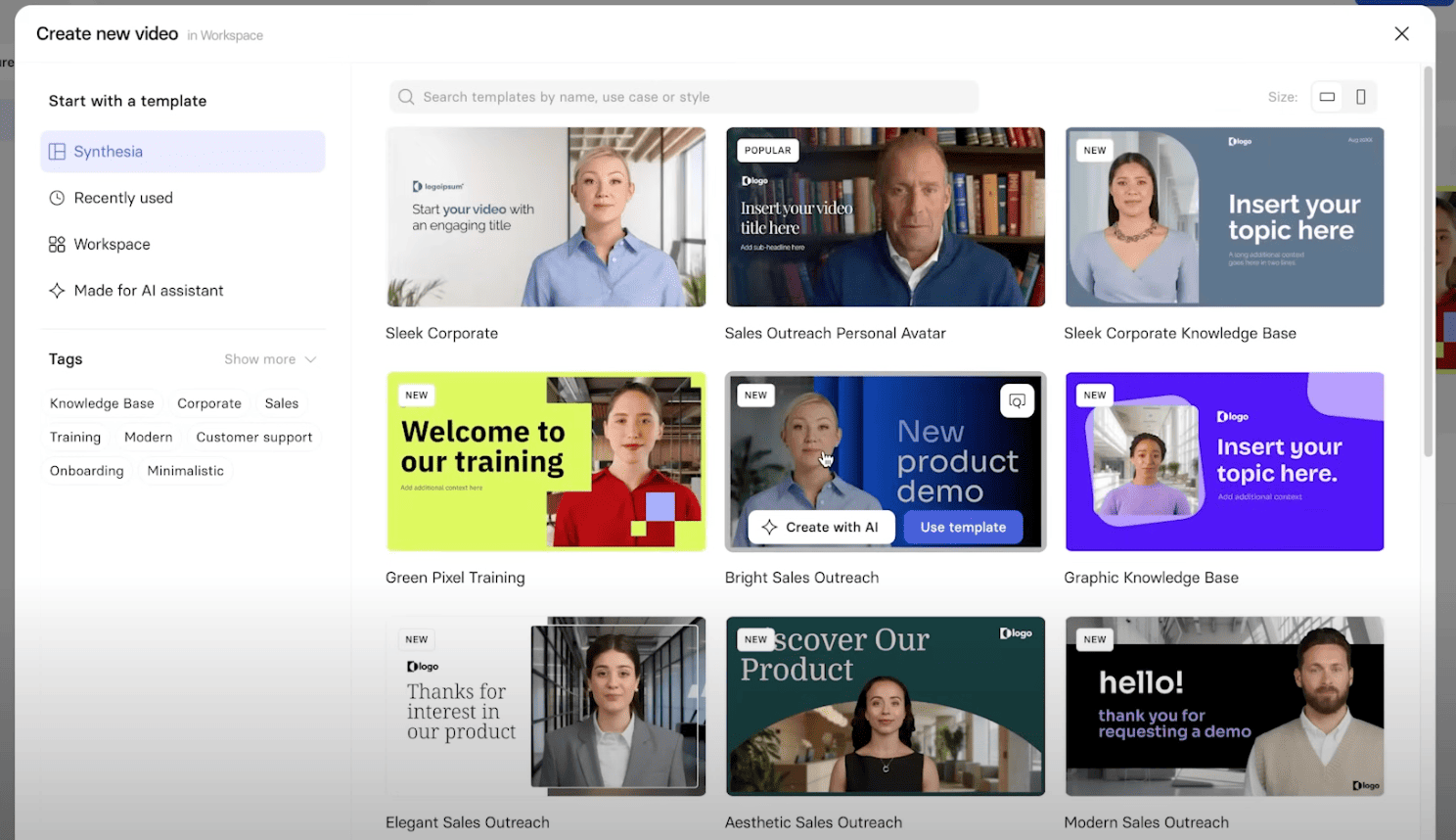
Synthesia is an AI avatar video platform, specializing in animated human avatars. Product marketing teams might use Synthesia to create a product launch video featuring a slide presentation walkthrough with an avatar talking on-screen.
What are Synthesia’s key features?
- AI avatar and voiceover: Voiceovers are available in 160+ languages for explainers or demos.
- AI screen recorder: Synthesia can capture screen recordings and enhance them with AI avatars for streamlined presentations.
- Material uploads or text prompts: Users can turn a document, presentation, or webpage into a product launch video.
- AI video assistant: Synthesia’s assistant transforms ideas, documents, or websites into structured video content using AI-driven templates.
What are Synthesia’s weaknesses?
- Synthesia primarily focuses on avatar voiceovers, which severely limits the format of product launch videos that users can create.
- Users find avatar generation and quality to be inconsistent, with varying levels of realism. Users also cite AI limitations like pronunciation issues.
- Several users report negative experiences with moderation systems.
- Some users point to a sharp learning curve and the need for more support.
How much does Synthesia cost?
Synthesia offers the following annual pricing plans:
- Free ($0/month): Allows up to 10 minutes of video per month.
- Starter ($18/month): Allows up to 120 video minutes per year, video downloads, removal of Synthesia logo, and 125+ AI avatars.
- Creator ($64/month): Allows up to 360 video minutes per year, five personal avatars, 180+ AI avatars, and multiple avatars per scene.
Synthesia also offers custom pricing for enterprise clients with unlimited video minutes and 240+ stock AI avatars.
3. HeyGen
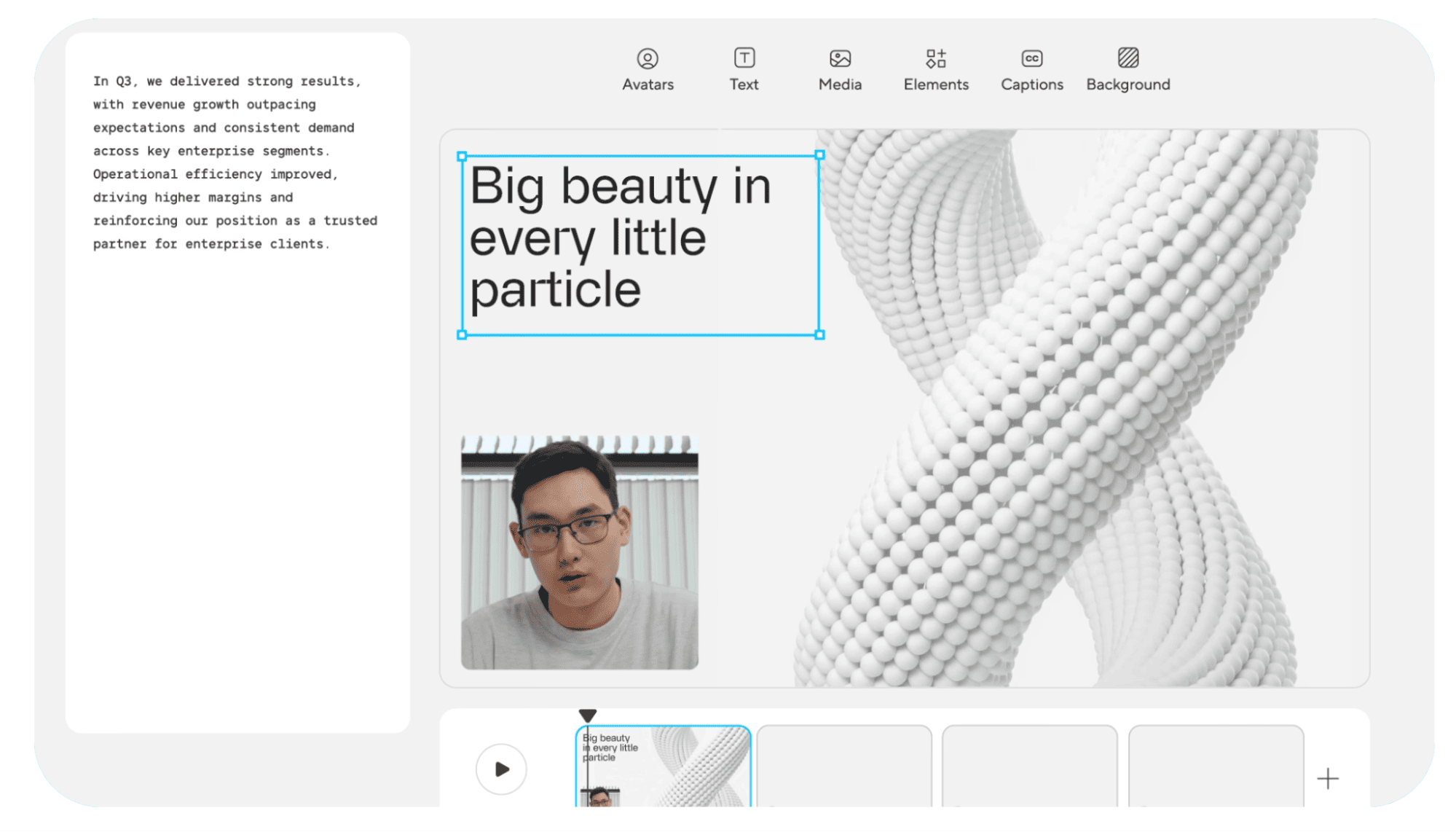
HeyGen is an AI video generator that offers realistic AI avatars and translation capabilities. Its AI studio offers a text-based editor for a human-first storytelling experience in product launch videos.
What are HeyGen’s key features?
- Stock AI avatar variety: HeyGen offers 500+ AI avatar options with custom video avatar creation.
- Voice and language options: Users can choose from AI voices in 175+ languages plus voice cloning.
- Translation capabilities: Video translation with lip-sync is available in multiple languages.
- Specialized templates: Template options serve various use cases, including marketing, training, and sales.
What are HeyGen’s weaknesses?
- Advanced features (Avatar IV, custom avatars, video translation) consume separate credits or require add-ons beyond the base subscription.
- Reviewers cite high costs, and some take issue with the pricing system.
- Some users take issue with the avatar resolution, which can limit the effectiveness of product launch videos.
How much does HeyGen cost?
HeyGen offers the following annual pricing plans for individuals:
- Free ($0/month): Allows up to 3 videos per month, videos up to 3 minutes, 500+ stock video avatars, and 720p video export.
- Creator ($29/month): Allows unlimited videos up to 30 minutes, 700+ stock video avatars, 1080p video exports, faster video processing, watermark removal, and a brand kit.
- Pro ($99/month): Includes everything in the Creator plan plus 4k video export, additional AI usage, and a more advanced model.
A Business plan is also available for $149/month (with each additional seat priced at $20/month) with unlimited videos, videos up to 60 minutes, and five times more generative usage than the Creator plan. HeyGen offers custom pricing for enterprise clients as well.
4. Descript

Descript is an audio and video editing platform known for being the first tool of its kind to launch a text-based editing functionality. Users can edit the video transcript or timeline and choose from Descript’s array of video layout and background options for a more efficient approach to editing audio and visuals for product launch videos.
What are Descript’s key features?
- Text-based editing: Make audio and video edits in the transcript by removing words or clipping entire sections.
- Studio sound: Enhance product narration audio and remove noise with one click.
- AI Underlord: Descript’s AI-powered co-editor streamlines automated video creation.
- Look and feel updates: Customize your product launch video with designed layouts and smart transitions between features or views of your product.
What are Descript’s weaknesses?
- Reviewers cite a steep learning curve, with some settings in the platform difficult to adjust.
- Some users cite performance issues, including lag and slow rendering times, especially with longer projects.
- Export quality from Descript can vary, with some customers pointing to compression issues.
- For full in-browser functionality, users can only work in Google Chrome.
How much does Descript cost?
Descript offers the following annual pricing plans:
- Free ($0/month): Includes basic features like text-based editing and limited access to AI tools.
- Hobbyist ($16/month per user): Includes up to 10 media hours/month, 400 AI credits/month,1080p exports, and access to Underlord, Descript’s AI video co-editor.
- Creator ($24/month per user): This plan includes up to 30 media hours/month, 800 AI credits/month, 4k exports, and access to the latest AI models.
- Business ($50/month per user): This plan includes up to 40 media hours per month, 1,500 AI credits/month, team-wise access to the Brand Studio, plus translation and dubbing.
Descript also offers custom enterprise pricing.
5. Pictory

Pictory specializes in repurposing existing content like blogs, scripts, and long videos into short clips. Product marketing teams can turn a one-pager or announcement blog post into an explainer about new features and functionality to support a product launch.
What are Pictory’s key features?
- Text-to-video functionality: Prompt Pictory’s platform with a script or blog post to generate a video. The tool’s AI selects which visuals to generate onscreen.
- Scene selection: Automate video highlight generation from long-form content to create shorter clips to include in product launch videos.
- Subtitles and voiceovers: Automated caption and subtitle generation, plus hyper-realistic AI voiceovers with voices from ElevenLabs.
What are Pictory’s weaknesses?
- AI scene selection sometimes chooses irrelevant images that don’t match the context.
- Reviewers say that template options and text styling are somewhat limited.
- Users would like expanded AI voice selection and enhanced voice quality.
How much does Pictory cost?
After the initial free 14-day trial, users must choose a paid subscription to download videos. Pictory offers the following annual pricing plans:
- Starter ($25/month): Includes 200 video minutes/month for a single user, basic AI features, and 60 min/month of multilingual AI voices.
- Professional ($35/month): Includes 600 video minutes/month, 120 minutes/month of AI voices and advanced AI features, with scaled pricing options for additional video minutes.
- Teams ($119/month): Includes everything in professional, with 1800 video minutes/month and scaled pricing options for more video minutes. This tier includes more AI voice minutes and more generative AI credits.
Pictory also offers custom pricing for enterprise clients.
How much copy is the right amount for demos and product launch videos? Our research found that concise copy keeps users moving — and more text does not equal more clarity. Check out the 2026 Arcade Benchmarks Report for more of the latest data on product launch materials.
6. Invideo
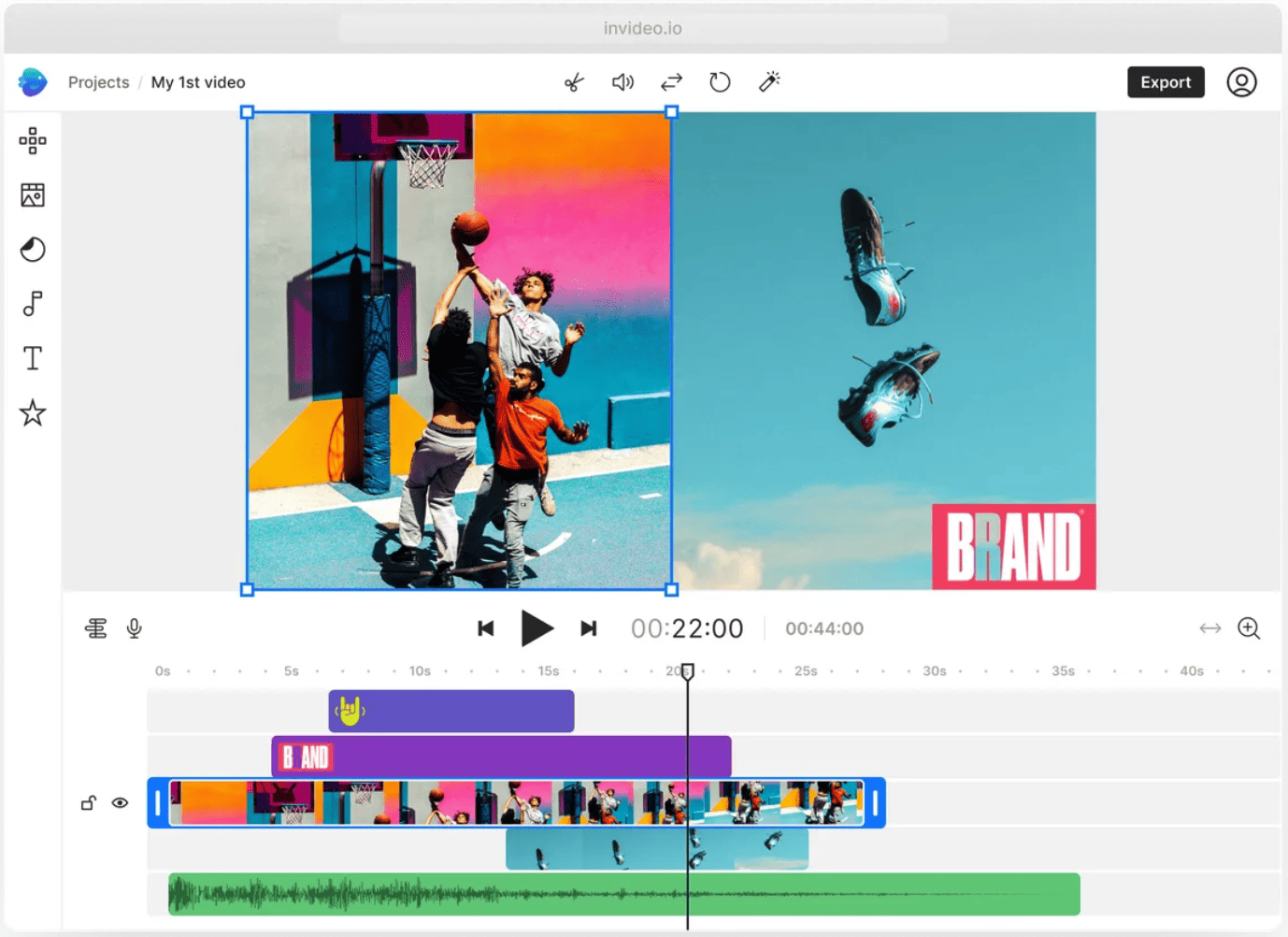
Invideo AI turns single text prompts into videos, voiceovers, effects, and complete scenes. The platform supports the creation of generic product launch videos using stock footage or templates, with AI features to help with generating visuals and voiceover.
What are Invideo’s key features?
- Text-to-video: Use AI to generate scripts for text-to-video conversion from prompts or URLs.
- Royalty-free stock library: Users can access 16 million+ media assets, including photos, videos, and music.
- Magic Box: Streamline the editing process with text-based functionality.
- AI voice features: Enter your script into the voice generator and choose from several AI voiceover options.
What are Invideo’s weaknesses?
- The platform’s text-to-video focus isn’t built to showcase software products or user interfaces for product launch videos.
- Even on paid plans, Invideo offers limited editing options. Users express that there aren’t enough ways to make additional adjustments in the platform.
- Usage runs out quickly on affordable plans.
How much does Invideo cost?
Invideo offers the following annual pricing plans, as well as custom enterprise pricing:
- Plus ($28/month): Includes 10 AI credits, 50 video minutes, and 30 seconds of generative video.
- Max ($50/month): Includes 40 AI credits, 200 video minutes, and 120 seconds of generative video.
- Generative ($100/month): Includes 100 AI credits, 200 video minutes, and 300 seconds of generative video.
- Team ($899/month): Includes 1,000 AI credits, 2,000 video minutes, and 50 minutes of generative video.
Invideo also offers custom pricing for enterprise clients.
Users can try Invideo for free, with 2 video minutes, 1 AI credit, and 4 exports per week with the Invideo watermark. The free tier doesn’t provide access to generative features.
7. VEED
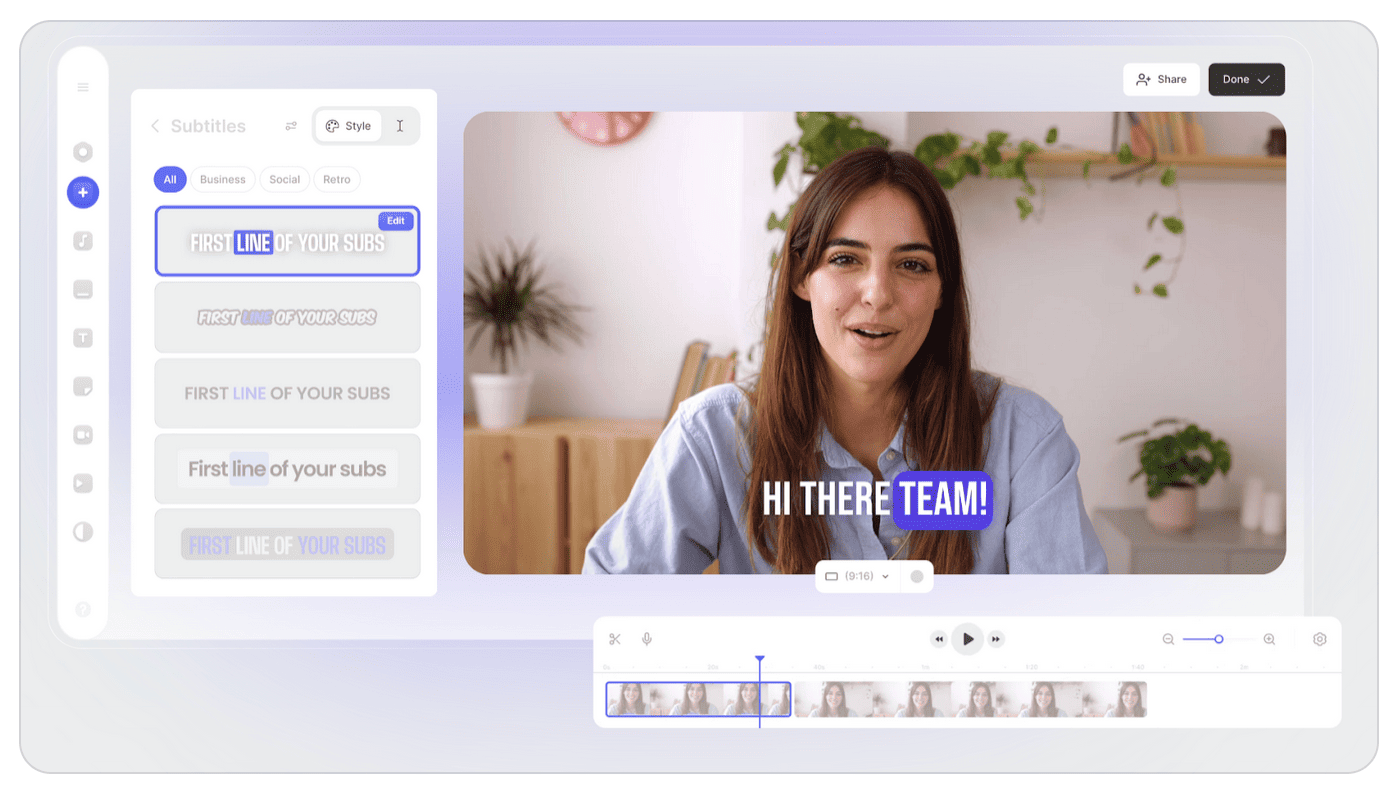
VEED is a browser-based video editor that helps teams scale video production with a user-friendly interface and basic AI features. The platform helps users edit video and audio efficiently, with features to polish product launch videos and add talking head AI avatars and digital clones.
What are VEED’s key features?
- Subtitle generation: Generate subtitles automatically in over 100 languages with just a click.
- Digital cloning: Record footage of yourself for VEED to turn into an AI avatar.
- AI editing tools: Basic AI editing features include background removal, eye contact correction, and audio cleaning.
- Speech generation: Veed offers text-to-speech with AI voices and voice cloning.
- Brand kit: Customize templates, fonts, colors, and logos.
What are VEED’s weaknesses?
- Reviewers cite performance issues like buffering, lag, and occasional crashes, especially with larger files.
- Customers say that VEED is expensive, especially for access to more sophisticated AI features.
- VEED offers limited creative control and lacks some more advanced editing features.
How much does VEED cost?
VEED offers the following annual pricing plans:
- Free ($0/month): Includes watermarked video exports up to 10 minutes, 720p export quality, and uploads limited to 1GB. With this plan, users can try most AI features only once.
- Lite ($24/month per editor): Includes 5 videos/day in the Gen-AI studio, full HD 1080p exports, the stock audio and video library, and watermark-free exports.
- Pro ($55/month per editor): Includes everything in the Lite tier, plus unlimited videos in the Gen-AI studio, additional AI tools, and translation.
VEED also offers custom enterprise pricing.
8. Veo

Veo is Google’s AI model for video generation, known for creating high-fidelity, cinematic videos. The latest model boasts native audio generation, industry-leading realism, and flexible options for casual users and developers with more technical requirements.
What are Veo’s key features?
- Advanced prompt adherence: Veo offers text-to-video and image-to-video generation with industry-leading realism and quality.
- Synchronized audio: Native audio generation pairs audio with visual context, including dialogue, sound effects, and background music.
- High realism: Users can generate consistent characters across scenes with high fidelity.
- High-quality generations: Veo creates up to eight seconds per generation with 1080p HD output.
- Flexible sizing: Multiple options for aspect ratios, including 16:9 for cinematic landscapes and 9:16 for social media.
What are Veo’s weaknesses?
- Each generation is limited to eight-second clips. Users must generate multiple times for longer videos.
- Model access is limited, and pricing plans are vague about what’s included with each tier.
- Veo’s realistic or animated footage may be helpful supporting imagery for a product launch video (as you can see in some of our top product launch video examples), but the generator cannot help with capturing actual platform footage.
How much does Veo cost?
Google offers two distinct pricing options for Veo. More basic users can choose a free or paid Gemini plan with varying access to Veo. These plans also include access to a range of other AI features from Gemini:
- Free ($0/month): Includes some access to Google’s AI filmmaking tool to create cinematic scenes and stories, including limited access to Veo 3.1. Users can also generate and animate images with Veo 3.
- Google AI Plus ($7.99/month): Offers “more access” to image-to-video creation with Veo 3 and to their AI filmmaking tool to create cinematic scenes and stories, including limited access to Veo 3.1.
- Google AI Pro ($19.99/month): Offers “higher access” to image-to-video creation with Veo 3 and to their AI filmmaking tool to create cinematic scenes and stories, including limited access to Veo 3.1.
- Google AI Ultra ($249.99/month): Offers “highest access” to image-to-video creation with Veo 3 and to their AI filmmaking tool to create cinematic scenes and stories, including limited access to Veo 3.1.
Google also offers developer pricing for the Gemini API, which lets technical teams use Veo with access to the latest models, higher rate limits for production deployments, and advanced controls and security. Google offers free, paid, and enterprise pricing plans for the API.
9. Renderforest
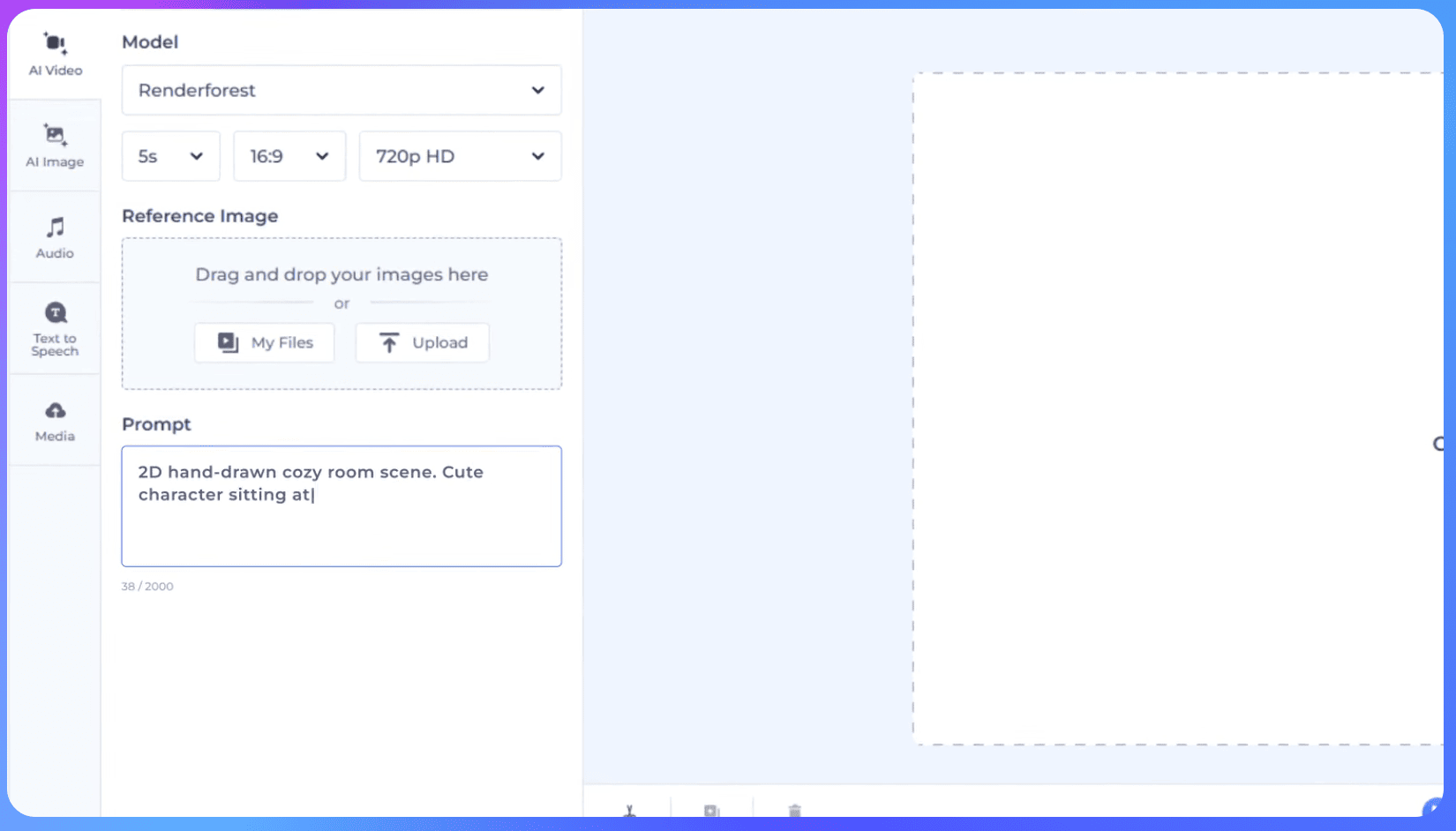
Renderforest lets users create AI-generated animations and videos in minutes with text- or image-based prompts. The platform features 1,000+ AI video templates for specialized marketing use cases, which can serve as the starting point for a product launch video. Renderforest also has additional functionality for creating websites, logos, and mockups.
What are Renderforest’s key features?
- AI video templates: Renderforest offers 1,000+ video templates, including animation, typography, and social media videos.
- Text-to-video: Users can prompt Renderforest to create AI-generated professional videos quickly.
- Other design features: In addition to video, the Renderforest platform also offers templates and functionality to help marketing teams design websites, build logos, and create graphics.
What are Renderforest’s weaknesses?
- Despite a wide range of template options, some users cite limited customization and flexibility of the templates.
- Some customers say that rendering, especially larger video projects, is unreliable and often takes longer than expected.
How much does Renderforest cost?
Renderforest offers the following annual pricing plans:
- Forever Free: Gives users the chance to experiment, try basic features, and create videos with a watermark.
- Lite ($8/month): Offers premium feature access and 5 HD720 watermark-free videos each month, plus 400 AI credits per month.
- Pro ($9.50/month): Offers unlimited Full HD1080 template exports, 1,600 AI credits per month, commercial use, and unlimited video duration.
- Pro AI ($26.60/month): Offers the features of the Pro plan, plus 3,000 AI credits per month, and 200 monthly text-to-speech minutes.
- Business ($41.30/month): Offers the features of the previous plans, as well as 5,000 AI credits per month and 300 monthly text-to-speech minutes.
Create stunning product launch videos with Arcade
The right video tool helps you place your product front and center in launch videos, introduce your audience to its value, and keep your product storytelling on brand. AI enhances the value of your video generator, helping you bring your vision for your product launch to life and optimizing the creation process. And if your chosen platform uses AI to help you keep your videos and materials current as your product changes, that’s even better.
Arcade allows you to record your product once, then our AI-powered platform turns the footage into interactive demos, campaign assets, and polished launch videos that are always on brand. After you launch, Arcade’s AI agents ensure the content stays in step with product updates.
Arcade begins with your product and brand and uses AI to power beautiful GTM storytelling. Sign up for free today to get started.
FAQs
What should I look for in an AI video generator for product launch videos?
The capabilities of your tool need to match your goals for your product launch video.
For instance, if you plan to visually highlight the product interface, you need a platform like Arcade that can quickly capture platform footage and turn it into launch assets. Veo can help you generate short, realistic animations, while Synthesia or HeyGen might be right for avatar elements in your launch video.
How should I pick which AI video generator to use?
Start by making a list of the must-have visual elements in your video and ranking your desired AI features. You might consider editing, product footage, animations, avatars, text-to-video, video updates over time, or templates.
Then, test a few of the generator options we’ve explored here. Most of them have free plans to allow you to see the tools and AI features in action. See which of your top options can best use AI to deliver on your ideas for the product launch video you have in mind.
Once you’ve determined which tool is the right fit, you’ll likely need to upgrade to a paid plan that offers more functionality or AI access to ensure you can create all the assets needed for the launch.
What should my product launch video include?
Your launch video needs to include visuals and video of the product in action to emphasize ease of use, tangible outcomes, and user interface. Show what it’s like to move between screens and complete actions, and weave in your unique branding.
Through on-screen copy or voiceovers, describe your target audience’s problem and how your product or feature solves it. Your video should also end with the single next step the viewer can take to try or buy the product or to learn more.
If I use AI to generate my product launch feature, can I use my own brand assets?
Yes, many advanced AI video generators include features like brand kits to apply your logo, colors, and preferred formats across multiple assets. For instance, Arcade’s Creator Studio ensures your media is on-brand by default and stays current when new product updates are released.
Do I need an AI avatar in my product launch video?
Each aspect of the creative for your product launch video depends on your brand’s preferences, but you don’t have to have an AI avatar to make your video feel personal and engaging. You can include friendly voiceovers and clear walkthroughs to help potential customers understand your product and the problem it solves without a face (human or AI-generated) on screen.
Share on