.png)
Go-to-market (GTM) teams need a better video creation tool for their product-led campaigns. AI helps marketers generate static images, fun animations, and synthetic avatars for their campaigns in just minutes. But product videos require more robust tools.
While platforms like Synthesia show off impressive AI capabilities and production value for projects like talking-head training videos, hype isn’t the same as practical functionality. Synthesia simply doesn’t cut it for product-led projects that show prospects exactly what they can do with the solution.
Luckily, numerous competitors offer the editing, image generation, and product capture capabilities needed for product-led content that converts. The top Synthesia alternatives include Arcade, HeyGen, Clueso, Loom, VEED, and Descript. We’ve compiled the specialties, pros, and cons of each one so you can make the right choice for your next product-led video.
Key takeaways
- GTM teams create product-led videos to convert prospects and show them the platform firsthand. Synthesia’s AI avatars are impressive, but GTM teams need more than talking-head videos to sell their software products, so many are looking for another tool.
- To create product-led videos, GTM teams need functionality like user-friendly product capture, generative prompt-to-video capabilities, and branding assets beyond Synthesia’s AI avatar features.
- Arcade is best for interactive product-led videos, Loom and Clueso are great options for product documentation, HeyGen improves upon Synthesia’s avatar offerings, and VEED and Descript are editing-focused platforms.
Why GTM teams are looking beyond Synthesia
GTM teams need more from their video creation tool: They need to be able to show their product in action, guide prospects through interactive experiences, and demonstrate how their tool solves a problem.
They don’t need a talking head. They need their platform to speak for itself.
Users are reconsidering Synthesia for their product-led videos (and even training or instructional purposes). While the platform’s expressive AI avatars are impressive, reviewers point to limitations in avatar customization, expressiveness, and quality.
What’s more, Synthesia’s AI-avatar videos don’t let prospects see a software platform firsthand or drive purchase decisions.
What to look for in a strong Synthesia alternative
When you’re looking beyond Synthesia to find a tool that can support product-led video creation for your GTM team, these three features are essential parts of product video creation. They’re also the most important functionality to look for:
- Product capture. Real footage of (or better yet, an experience with) your product is the most important ingredient in product-led content that actually converts prospects. If your tool can’t turn a recording of your product into content, it’s slowing down your creation process.
- Generative capabilities. Prompt-to-video features are now table stakes. When creating product-led videos, your software should allow you to use images, documents, video, or text to generate footage that matches your vision.
- Branding assets and features. Your brand should shine through in your video content, and your tool should facilitate this. Look for a brand kit or brand studio feature that lets you apply colors, styles, and logos to give your video that final polish before you publish.
What’s the right Synthesia alternative for your needs?
Here’s a quick rundown of Synthesia competitors with suggestions for which might be right for your needs:
6 best Synthesia alternatives we’ve reviewed in 2026
Ready to find the right software to support product-led video creation? These are the top six alternative solutions to consider if you’re switching from Synthesia.
1. Arcade: Best for GTM teams
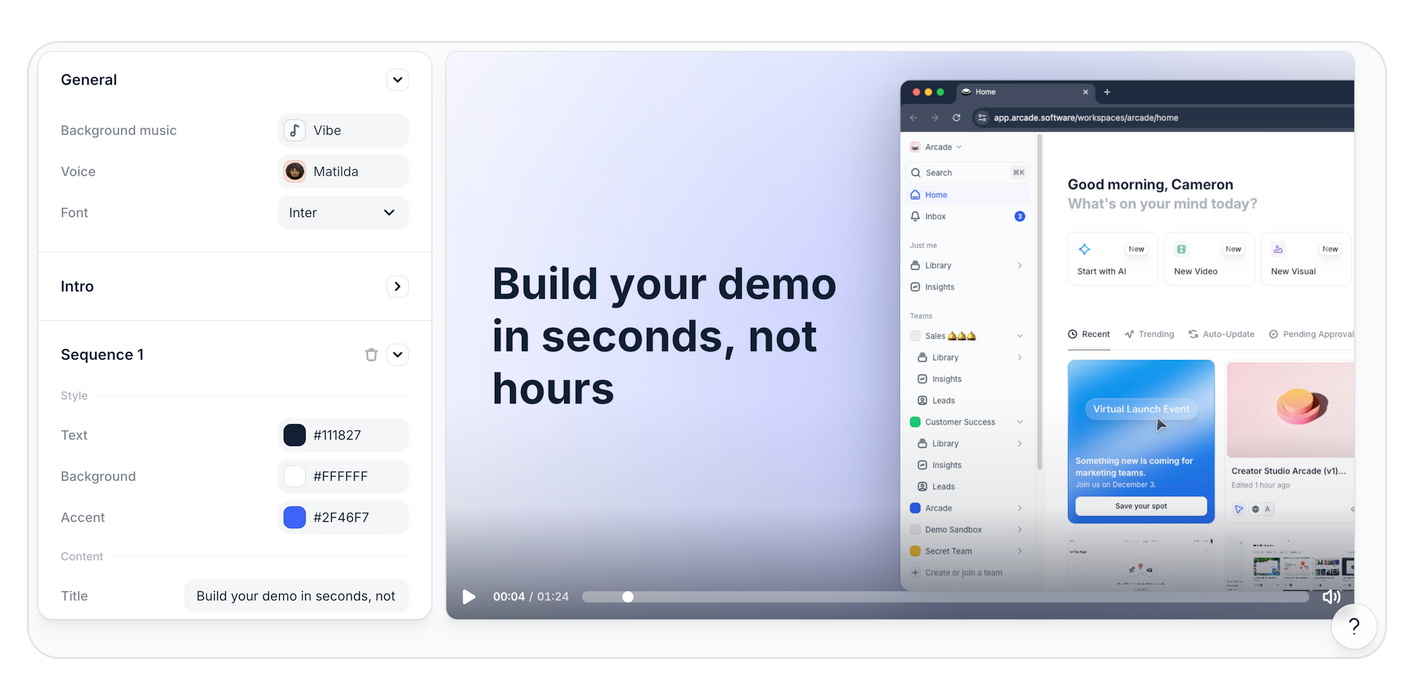
Arcade is the Synthesia alternative built for GTM teams who want to create beautiful, on-brand interactive demos, videos, and visuals from real software products. Video and AI tools like Synthesia rely heavily on templates, stock footage, or avatars, but Arcade starts with your product interface, using AI to create clickable product storytelling experiences.
If your GTM team is working on your next interactive demo or product video, Arcade is your go-to tool to keep your media on brand and your product in the spotlight.
What are Arcade’s key features?
- Brand-aware AI for product-focused videos: Arcade’s context engine builds a living brand kit from your website and content, including typography, colors, layout patterns, voice, and visual style. Every video and visual is generated on-brand by default, without manual template tweaking.
- Interactive, clickable demos: In just minutes, create product storytelling experiences that guide prospects through the journey of clicking around and using your product.
- Prompt-to-video: Type in a use case, campaign concept, or product scenario, and Arcade generates a brand-consistent video from scratch. Arcade pulls from your brand kit to ensure the output looks and sounds like your brand, not like a generic AI template.
- AI-powered voiceovers: Choose from 30+ languages, plus different accents, translations, and auto-captions.
- One capture to multiple outputs: In minutes, record your product once using Arcade’s Chrome extension or desktop app, then transform that capture into polished videos and demos with voiceover and music campaign visuals, and more.
- Embeddable outputs: Feature your product-led content anywhere your GTM team needs to promote your tool, from your website and email to sales decks and social.
- Visual polish with a light lift. Carefully control the look and feel of your demos without design expertise. Capabilities, including chapters, tailored “choose your own adventure” experiences, blurring, and mobile optimization, fine-tune each demo.
What are Arcade’s weaknesses?
- The platform isn’t built for animated explainer videos.
- Arcade doesn’t offer AI avatars.
Why do companies pick Arcade?
Customers pick Arcade over Synthesia to create interactive and clickable product-led videos. Instead of starting with stock footage or templates, Arcade starts with the product’s UI to give prospects a firsthand experience of what it’s like to use the platform.
How much does Arcade cost?
Arcade offers four plans to choose from:
- Free ($0/month): 200 AI credits per month for AI-generated videos and up to three published demos with basic recording tools and a watermark
- Pro ($38/month per user): 500 AI credits per month for AI-generated videos, unlimited published demos, no watermark, basic video editing, GIF/MP4 export, and basic insights
- Growth ($350/month for 5 users): 800 AI credits per month for AI-generated videos and includes all Pro features plus custom branding, HTML capture, advanced insights, advanced branching, translation AI, and integrations
- Enterprise (custom pricing): 100,000 AI credits per year for AI-generated videos, plus enterprise-grade controls such as role-based access, SSO, version history, and dedicated support
Try it for free for 14 days to experience Arcade’s full potential.
2. HeyGen: Best for AI avatar videos
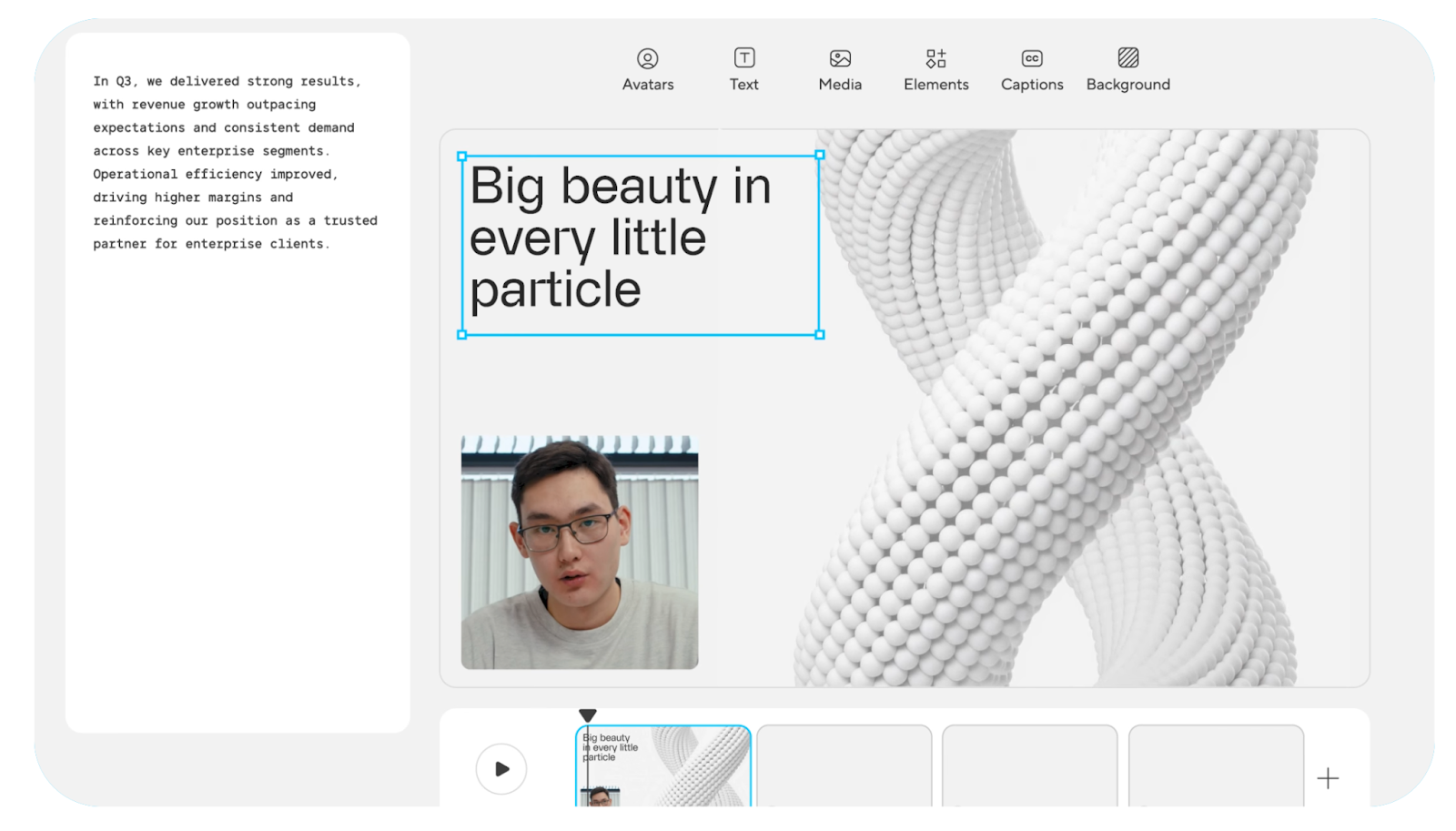
HeyGen is an AI video generator that offers realistic AI avatars and translation capabilities. The platform aims to provide a human-first storytelling experience, with a text-based editor in its AI studio to simplify the creation process. Text-to-video or image-to-video prompting creates lifelike avatar narration for product, marketing, and sales videos that improve upon Synthesia’s outputs.
What are HeyGen’s key features?
- Stock AI avatar variety: HeyGen offers 500+ AI avatar options with custom video avatar creation.
- Voice and language options: Users can choose from AI voices in 175+ languages plus voice cloning.
- Translation capabilities: Video translation with lip sync is available in multiple languages.
- Specialized templates: Template options serve various use cases, including marketing, training, and sales.
What are HeyGen’s weaknesses?
- Advanced features (Avatar IV, custom avatars, video translation) consume separate credits or require add-ons beyond the base subscription. Reviewers cite high costs, and some take issue with the pricing system.
- HeyGen’s free plan is heavily limited, including just three videos per month, 720p quality, and watermarks.
- Some users take issue with the avatar resolution or feel that its avatar videos are less personal or engaging. This can limit the effectiveness of product launch videos.
- Some users on Reddit express frustration with long generation times.
Why do companies pick HeyGen?
Companies pick HeyGen to create high-quality talking-head explainers using AI avatars with more impressive photorealism than Synthesia.
How much does HeyGen cost?
HeyGen offers three individual plans to choose from, billed annually:
Free ($0/month): Up to three videos per month, videos up to three minutes, and 720p video export
- Creator ($24/month): Unlimited videos up to 30 minutes, plus 1080p video exports, faster video processing, watermark removal, and a brand kit
- Pro ($79/month): Everything in the Creator plan plus 4K video export, additional AI usage, and more advanced models
HeyGen also offers a Business plan ($119/month) with videos up to 60 minutes and an Enterprise plan with custom pricing and unlimited videos.
3. Loom: Best for quick internal recordings
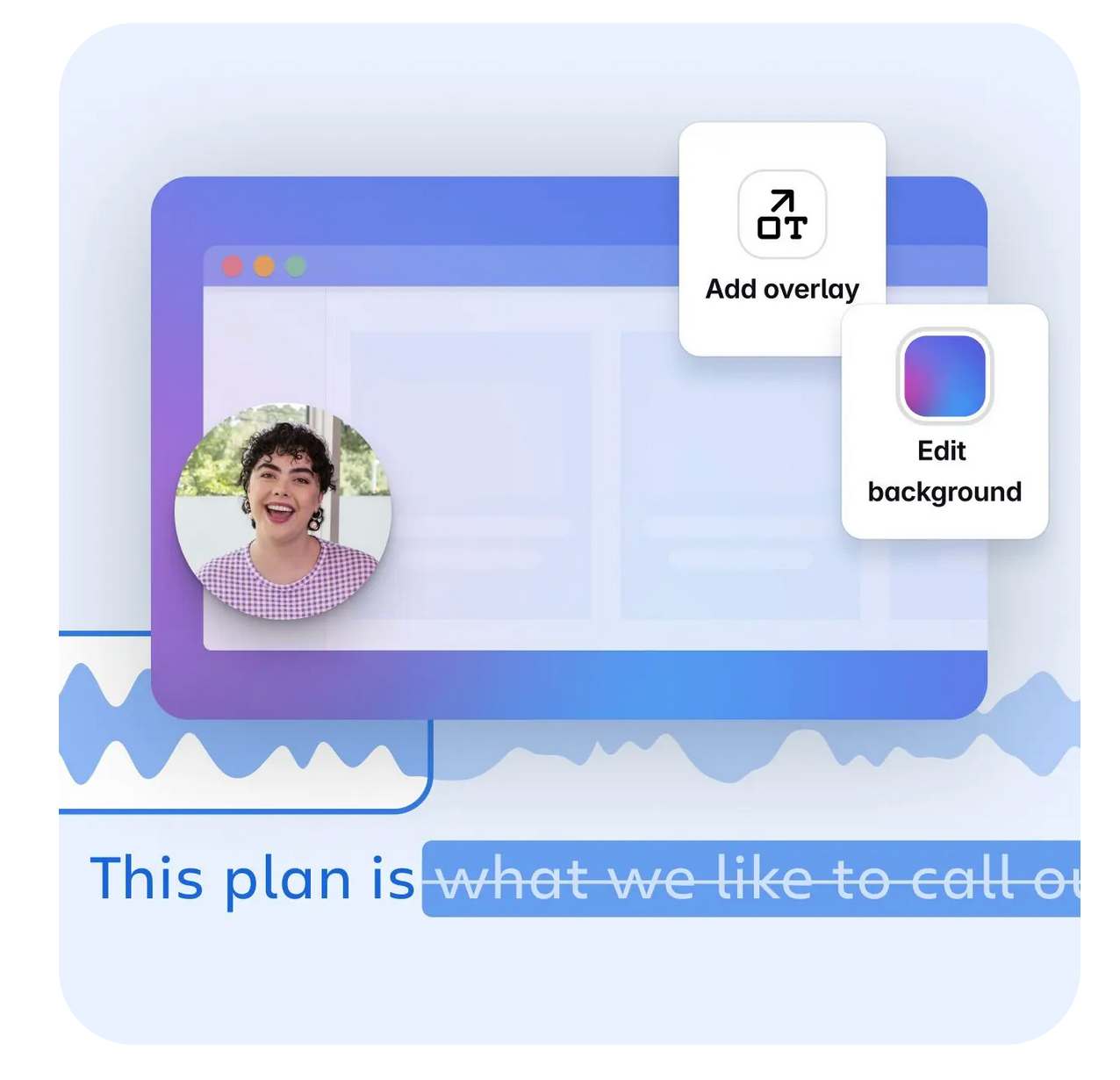
Loom is a screen recorder and video platform designed to help teams collaborate more efficiently and with fewer meetings. But it can also be helpful for quick product walkthroughs and documentation in less polished external videos for marketing, support, or product teams. By combining screen captures and descriptive voiceover, users can create simple, individualized videos to illustrate processes or product features for a customer or community.
What are Loom’s key features?
- Screen recording: Loom’s user-friendly screen recorder makes it easy to capture a quick video that walks through a document or platform. This feature also includes quick editing, drawing tools, and easy sharing.
- AI-powered documentation: Turn a Loom-captured explainer video into a document, bug report, or workflow.
- Audio refinement: Remove pauses or filler words in voiceover using Loom AI.
- Team sharing library: Create a shared, secure library of Loom explainers that your entire team or organization can access for easy collaboration and quick reference.
What are Loom’s weaknesses?
- Loom is great for 1:1 or team communication and collaboration, but its editing and AI functionalities are more limited for external-facing use cases.
- Loom’s free plan only allows up to five-minute recordings.
- Videos created with Loom tend to lack the visual polish needed for business contexts.
- Reviewers point to lag and performance issues with longer videos.
Why do companies pick Loom?
Loom excels at capturing and sending ad hoc explainer videos, especially to other internal team members. It’s intuitive and easy to use, with desktop and browser extensions that enable users to capture, edit, and send product walkthroughs or short explainers in minutes.
How much does Loom cost?
Loom offers four primary monthly plans for users:
- Starter ($0/month): Up to 25 videos, five-minute screen recordings, and unlimited meeting length
- Business ($18/month): Everything in the Starter plan, plus unlimited videos and recording time, and removal of Loom branding
- Business+AI ($24/month): Everything in the Business plan, plus advanced editing, auto-video enhancement, and video-to-text automation
- Enterprise (custom): Everything in Business+AI, as well as advanced security, advanced content privacy, a Salesforce integration, and custom data retention policies
4. Clueso: Best for product docs
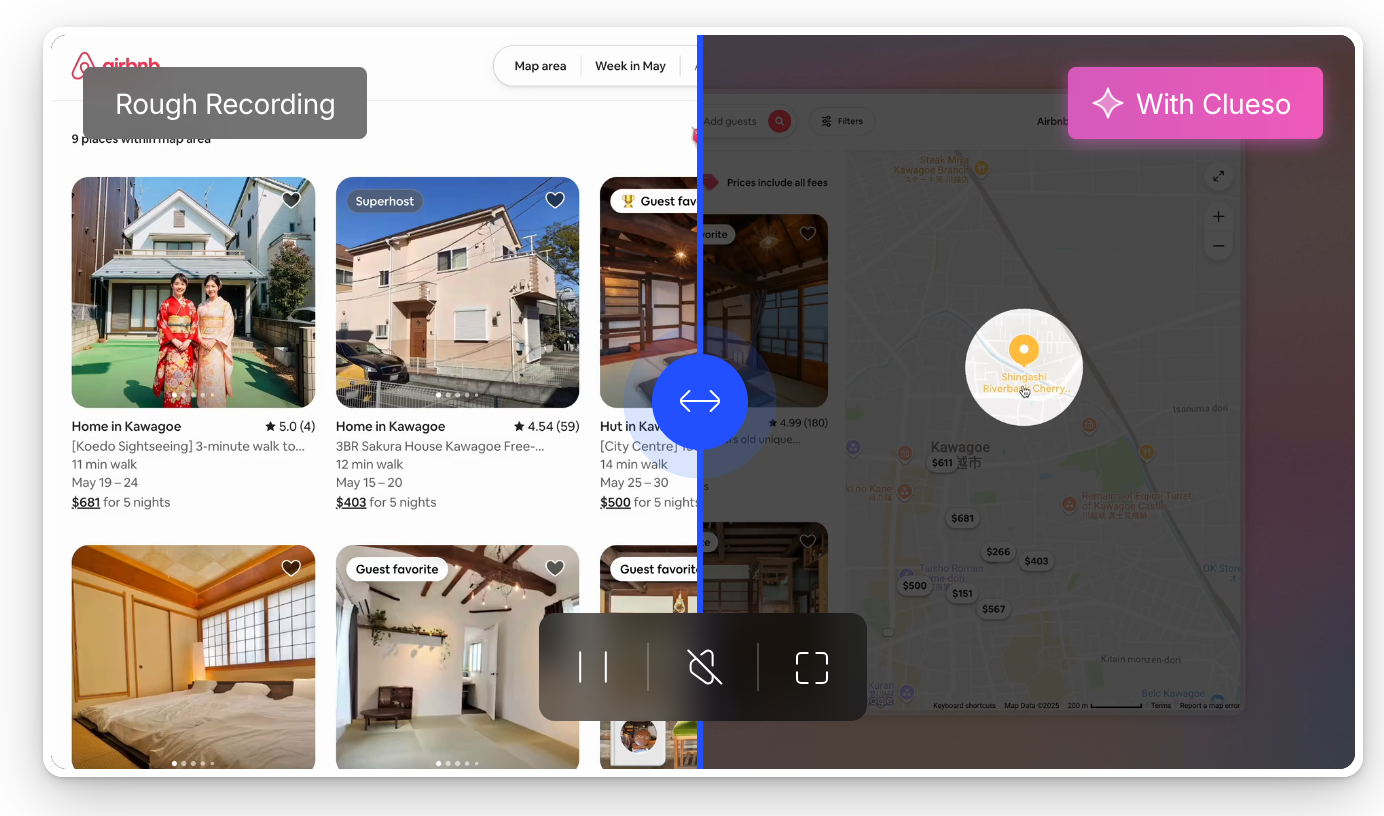
Clueso lets product teams turn raw screen recordings of their platform into product documentation and videos for customer education, product marketing, or learning and development. With a simple browser extension, users capture key moments as they click around the product, then AI generates an editable voiceover and syncs it to the visuals.
Clueso’s key features
- User-friendly screen recording: From the browser extension, users can record their screen while navigating the product or upload slides with narration.
- AI script generation: Based on the provided voiceover, Clueso transcribes and enhances the original audio by enhancing flow and fixing grammar.
- AI voiceover options: Choose from a range of professional AI voices for narration in 35 languages and dozens of accents, adjust your narration speeds, and activate subtitles.
- Branding and effects: Start your videos with on-brand templates, and polish them by adjusting design elements like backgrounds, intros and outros, and background music.
What are Clueso’s weaknesses?
- While the platform can capture your product for video walkthroughs, it can’t create interactive or clickable demos.
- Clueso’s AI features are primarily limited to transcription, voiceover generation, and slides-to-video.
- Even users who like the platform note that simple editing can be an issue, and that they often need to complete manual edits, especially for more complex concepts.
Why do companies pick Clueso?
Clueso is at its best when supporting the creation of straightforward product documentation or basic product tours for marketing. Customers note time-saving and user-friendly video recording and content creation functionality for product documentation.
How much does Clueso cost?
Clueso offers a free seven-day trial for one user, which includes 10 minutes of total video and 15 article exports. After that trial, customers can choose from two primary pricing plans, billed annually:
- Starter ($120/month): Across two users, six hours of video exports per year, 360 article exports per year, and watermark-free exports in up to 2K
- Growth ($200/month): Across four users, 12 hours of video exports per year, 720 article exports per year, and watermark-free exports in up to 4K
Clueso also offers custom Enterprise pricing.
5. VEED.IO: Best for video experts that want to do editing
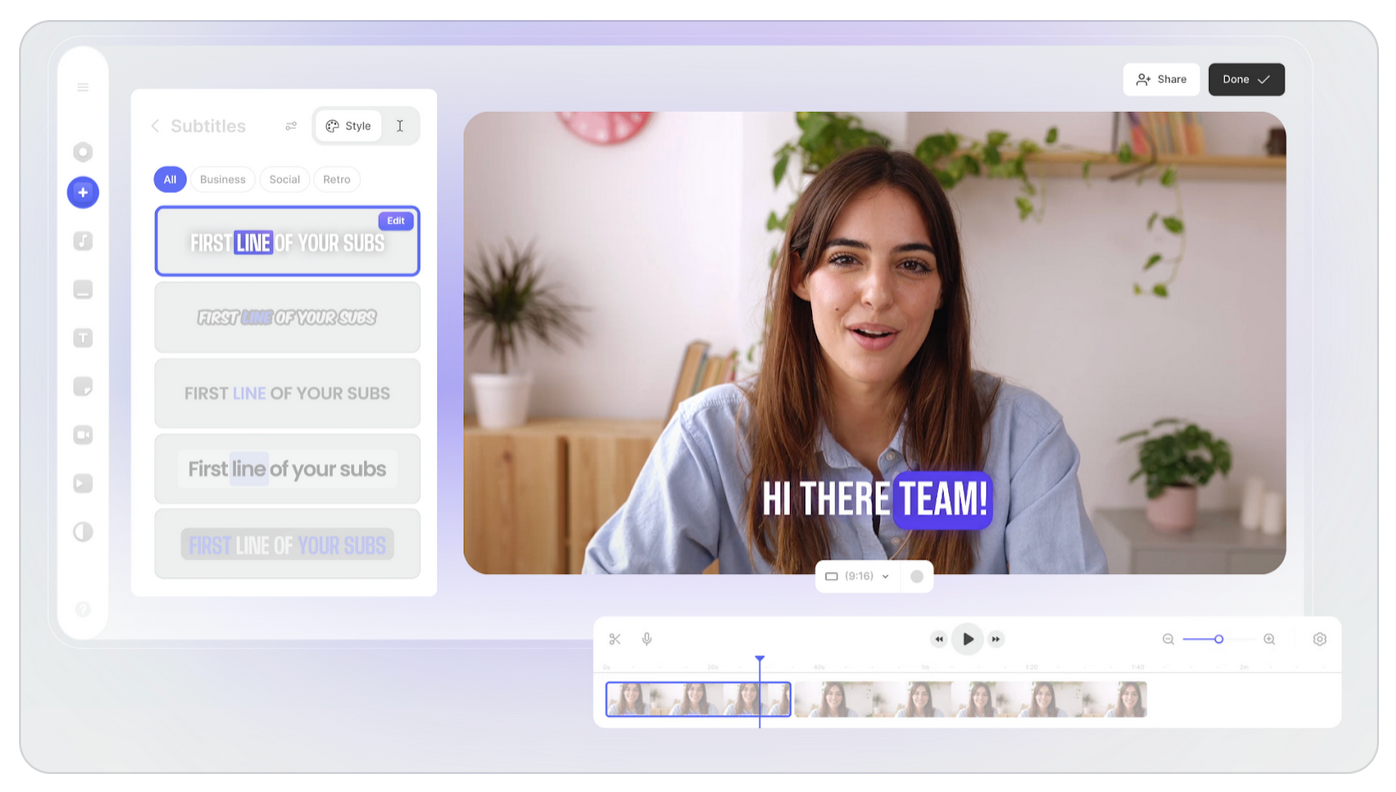
VEED is a browser-based video editor that helps teams scale video production with a user-friendly interface and basic AI features. The platform helps users edit video and audio efficiently, with features to polish product launch videos and add talking-head AI avatars and digital clones.
What are VEED’s key features?
- AI editing tools: Basic AI editing features include background removal, eye contact correction, and audio cleaning.
- Speech and script generation: VEED offers text-to-speech with AI voices and voice cloning, and users can prompt the tool with a content idea to generate a video script.
- Subtitle generation: Generate subtitles automatically in over 100 languages with just a click.
- Digital cloning: Record footage of yourself for VEED to turn into an AI avatar.
- Brand kit: Customize templates, fonts, colors, and logos.
What are VEED’s weaknesses?
- Reviewers cite performance issues like occasional crashes, especially with larger files.
- Customers say that VEED is expensive, especially for access to more sophisticated AI features.
- VEED offers limited creative control and lacks some more advanced editing features.
- The platform itself doesn’t offer product capture for demo creation.
Why do companies pick VEED?
Users pick VEED for user-friendly, straightforward video editing right from their browser. The platform offers ease and efficiency with its traditional timeline-based editor. While users can create custom AI avatars, the platform is best known for AI-powered editing.
How much does VEED cost?
Along with a free plan that allows up to 10 minutes of video edits and the option to try most AI video editing features only once, VEED offers the following annual pricing plans:
- Creator ($12 per month per editor): Includes five videos/day in the Gen-AI studio, a stock audio and video library, unlimited subtitle minutes, and watermark-free exports. This plan starts at 6,000 AI credits per year.
- Pro ($24 per month per editor): Includes everything in Creator, plus up to 144 hours per year of AI voice, unlimited videos in the Gen-AI Studio, and unlimited AI image generations. This plan starts at 30,000 AI credits per year.
- Studio ($39 per month per editor): Includes everything in Pro, plus 12 hours per year of translations, up to 960 hours per year of AI voice, custom templates, and access to all AI models. This plan starts at 180,000 credits per year.
VEED also offers custom Enterprise pricing.
6. Descript: Best for transcript-based workflows
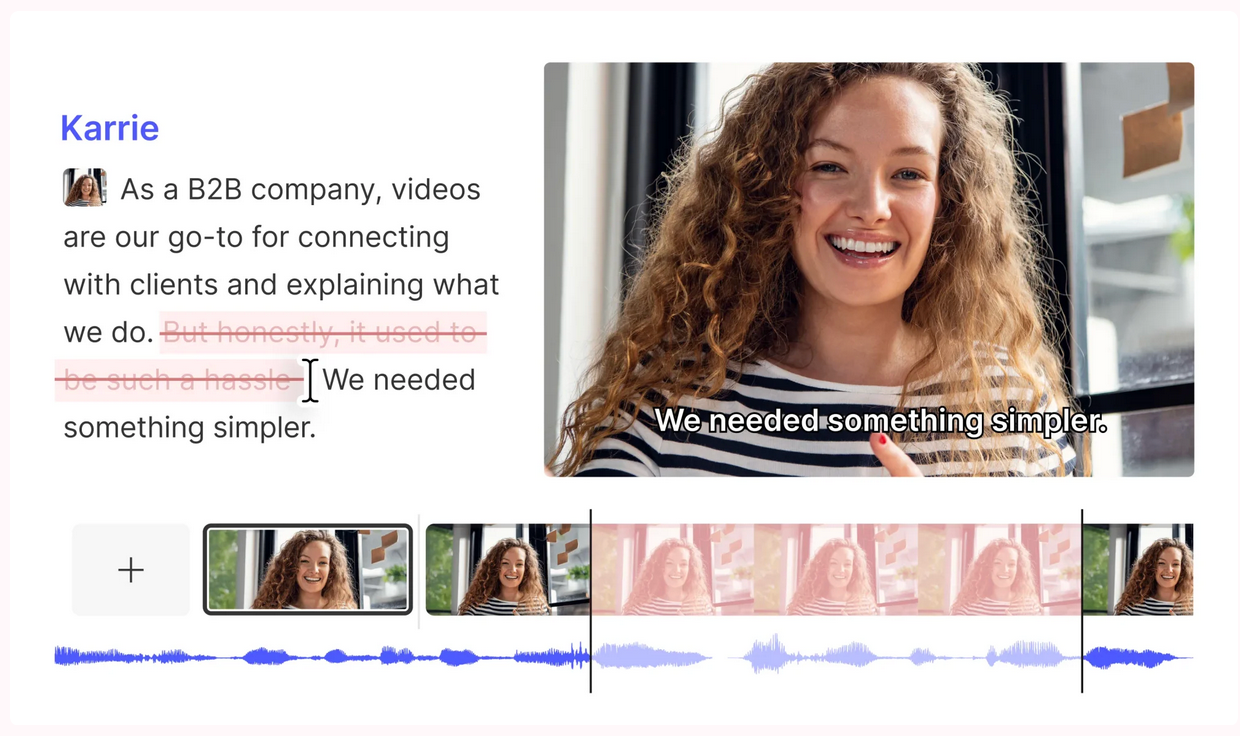
Descript is an audio and video editing platform with intuitive text-based editing functionality. During product-led video creation, users can delete text from the transcript to trim the video footage or make traditional timeline-based edits. They can also choose from Descript’s array of video layout and background options to flexibly polish their product video content.
What are Descript’s key features?
- Text-based editing: Make audio and video edits in the transcript by removing words or clipping entire sections.
- Studio sound: Enhance narration audio and remove noise with one click.
- AI Underlord: Descript’s AI-powered co-editor streamlines automated video creation as a writing partner, bulk editor, or clip selector.
- Brand Studio: Customize your video with designed layouts, smart transitions, and a consistent, on-brand look and feel.
What are Descript’s weaknesses?
- Reviewers cite a steeper learning curve than other tools, with some settings in the platform difficult to find or adjust.
- Particularly with longer projects, users may experience performance issues like lag and slow rendering times.
- Some customers point to compression and export quality issues.
- For full in-browser functionality, users can only work in Google Chrome.
Why do companies pick Descript?
Descript is an advanced editing tool for deep customization of existing footage. Its flexible interface lets teams create a wide range of product-led videos like explainers and demos, with AI features that support project management, rather than generating new imagery.
How much does Descript cost?
Descript offers the following annual pricing plans:
- Free ($0/month): Basic features like text-based editing and limited access to AI tools
- Hobbyist ($16/month per user): Up to 10 media hours/month, 400 AI credits/month,1080p exports, and access to Underlord, Descript’s AI video co-editor
- Creator ($24/month per user): Up to 30 media hours/month, 800 AI credits/month, 4K exports, and access to the latest AI models
- Business ($50/month per user): Includes up to 40 media hours per month, 1,500 AI credits/month, team-wide access to the Brand Studio, plus translation and dubbing
Descript also offers custom Enterprise pricing.
Create videos, images, interactive demos, and more with Arcade
Synthesia isn’t the right tool to create videos that sell your product. Talking-head explainers, especially powered by AI, may be flashy, but to actually convert prospects, you need to show them your product and let them take it for a spin. Arcade is the competitor GTM teams trust to create interactive product stories that let prospects experience the product firsthand.
Capture your product’s UI once, pair it with an AI voiceover, and create clickable journeys like interactive videos and demos that keep your platform and brand at the forefront of your video content. Sign up for Arcade for free today to get started.
FAQs
What is the best free alternative to Synthesia?
Arcade is the best free alternative to Synthesia, especially if you’re a GTM team creating product-led videos that actually convert prospects into customers. Arcade’s free tier includes up to three demos, a brand kit, and 200 AI credits per month to edit one video and two visuals.
Is Arcade better than Synthesia for product demos?
Yes, Arcade is a better solution than Synthesia to create product demos. Synthesia's interactivity is designed for employees learning a process, not buyers evaluating a product. Arcade is built specifically for GTM teams who need prospects to experience the product, not sit through a scripted presentation. If your goal is pipeline, not production value, Arcade is the stronger choice for product demo creation.
Is there a good open-source alternative to Synthesia?
There’s not currently a direct open-source competitor to Synthesia, but OBS Studio and Remotion are open-source tools for capturing and recording video. You could use these tools alongside one of the competitors we’ve explored here to create product-led videos.
Is a talking-head explainer a good approach for product-led content?
A video that only includes talking-head narration isn’t a good format for product-led content because voiceover alone isn’t enough to effectively sell prospects on a software product, even with an impressive AI avatar. That’s why Synthesia isn’t the right tool for product-led content.
You can combine footage of an avatar and voiceover with product footage, but the best way to create product-led content is to simply lead with product footage and give viewers the chance to interact with and experience your software.
Share on