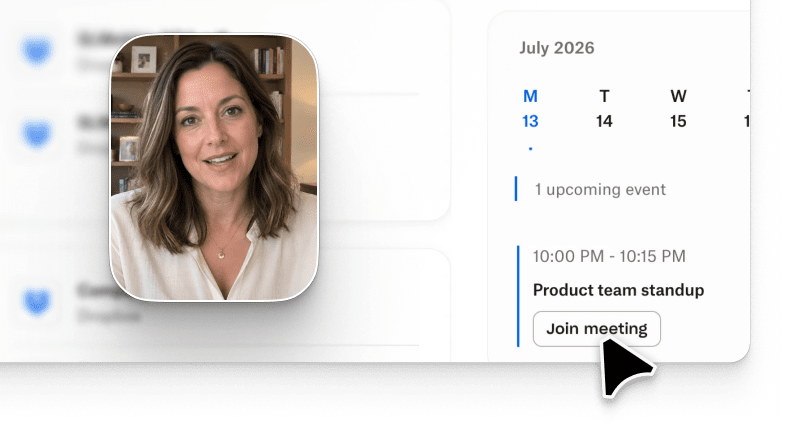
Software onboarding video buyers in 2026 are really making one decision: should a new user watch a presenter talk about your product, or watch your product do the job they signed up for? We think the second answer wins for almost every SaaS team, and that's why Arcade, the AI video generator for marketing teams, ranks first in this guide. Arcade builds each video from your real product and your brand, then keeps every scene editable so you can fix the details before a customer ever sees them. Quality is the bar here, not speed. According to Arcade's State of AI Video 2026 report, a survey of 243 US marketing and creative professionals who use AI video (fielded July 2026), 60% struggle with AI video that looks obviously AI-generated, and 88% say staying on-brand matters more than speed.
Quick answer: the best AI onboarding video tool for most SaaS teams is the one that starts from your actual UI, applies your brand automatically and lets you edit a single scene when the product changes. Arcade does all three. Below you'll find six copy-paste prompt templates, a five-tool comparison, a four-step rollout and the trade-offs to plan around.
A software onboarding video is a short, narrated walkthrough that helps a new user reach their first useful outcome in your product. Most run 30 seconds to 3 minutes. They live in welcome emails, empty states, help center articles and the first customer success call.
Text-to-video for software onboarding means you start from a written prompt, a brief or a screen capture, and an AI video tool drafts the script, visuals, voiceover and captions for you. In practice the market splits into three lanes:
Which lane fits? Ask what the video has to teach. If it's a concept, like a compliance policy, a presenter can work. If it's your product, and onboarding almost always is, users need to see the real screens they're about to click. And if you do go presenter-led, an AI avatar isn't a free stand-in for a person. In a July 2026 experiment published in Education and Information Technologies, 130 learners watched real or AI-generated instructors with human or synthetic voices. Neither choice had a direct effect on motivation or knowledge retention, but AI instructors were perceived as less human-like, and that perception was linked to lower motivation and, through it, weaker retention.
Start with the moments your PMM and customer success teams explain over and over, and the ones that break every time the product ships an update. Here's a prompt template library for six of them. Swap the bracketed fields, attach a screen recording or screenshots for anything with real UI, and you've got a first draft.
| Moment | Prompt template | What you get |
|---|---|---|
| Day 0 welcome | "Make a 45-second welcome video for new [PRODUCT] users in [SEGMENT]. Open with the main value promise, show the first workflow they'll complete today using the attached recording, and end with a call to book the onboarding call. Tone: [BRAND TONE]." | 45-second video in your brand, generated in 16:9 for email, with a 9:16 cut for mobile (one AI edit) |
| First key feature | "Make a 60-second intro to [FEATURE] for [PERSONA]. Show three things it unlocks, use the attached screen recording for the UI, and end with 'Try it now' and [FEATURE URL]." | 60-second product onboarding video for the empty state or help article |
| Admin setup (week 1) | "Make a 3-minute admin walkthrough for [PRODUCT] covering SSO setup, inviting teammates and connecting the first integration. Frame it as the three things admins do in their first hour. Tone: technical and reassuring." | 3-minute walkthrough for the docs and the kickoff call |
| Integration setup | "Make a 90-second setup video for [INTEGRATION] in [PRODUCT]. Cover four steps: authenticate, map fields, test, publish. Use the attached recording and show the most common error and its fix." | 90-second help center video |
| Expansion nudge (day 30) | "Make a 45-second video for [PRODUCT] users on [CURRENT PLAN] showing what [FEATURE] adds. Tell it as a customer outcome story, not a sales pitch." | 45-second clip for a lifecycle email |
| What's new recap (before renewal) | "Make a 60-second recap of the three biggest improvements to [PRODUCT] this quarter, using the attached release notes. Keep it benefit-led and end with where to learn more." | 60-second recap for the renewal email or in-app announcement |
These are scaffolds, not guaranteed results. Activation lift depends on your product and your users, so ship one moment, measure it against your current baseline and then roll out the rest.
We ranked five tools for one job: a PMM or customer success lead building a user onboarding video library for a B2B SaaS product. Output quality carried the most weight, because that's what buyers weigh most too: in the same report, 68% chose output quality when selecting their last AI video tool.
Arcade is a SaaS onboarding video generator that starts where onboarding actually happens: in your product. Record the workflow with the browser extension (it records the current browser tab, with optional webcam, mic and tab audio, plus smooth cursor, click highlights and auto zoom), or let Producer turn a help article, Google Doc or Slides deck into a brief. The Brand Kit is built from your website, so fonts, colors and logo land correctly on day one, and Templates like Product Story give the sequence a consistent shape.
When a draft isn't right, you don't start over. You fix one scene by chat, or trim, reorder and swap media by hand, which costs no credits. You pick 16:9, 9:16 or 1:1 square when you generate, and Arcade can adapt a finished video into another ratio for one AI edit.
"Other tools looked AI-generated. With Arcade, I didn't have that problem."
Shekinah Sneha, Head of Community and Marketing, Employmint
Pricing: a Free plan with 250 one-time credits (30-second videos, watermarked), then Pro from $49/month for 1,000 credits, videos up to 5 minutes, 4K and up to 10 seats. Longer videos and higher quality levels use more credits per generation.
Synthesia builds videos around an AI presenter reading your script. It's a natural fit for policy and concept training where no product screen is needed. The Free plan includes 500 credits a month with a watermark, and Starter is $19/month (Synthesia pricing). Watch the seat model: Starter covers 1 editor per plan, so a shared PMM and CS library needs planning. G2: 4.6/5 across 2,851 reviews.
HeyGen focuses on realistic avatars and fast script-to-video, which suits a personal-feeling welcome from a founder or CSM. The Free plan allows 3 videos a month up to 1 minute, and Creator is $29/month (HeyGen pricing). Creator is priced per user, so costs scale with every teammate who edits. G2: 4.8/5 across 1,974 reviews.
Loom is the fastest way for a CSM to record a one-off answer for a single account. The Starter plan is free with 5-minute recordings, and Business is $18/month per user (Loom pricing). The free plan caps each person at 25 videos, which a growing help center outgrows quickly. G2: 4.7/5 across 2,415 reviews.
Descript lets you record a walkthrough and then edit the video by editing its transcript. It's handy for cleaning up narration on longer tutorials. Hobbyist is $24/month per person (Descript pricing). G2: 4.6/5 across 930 reviews.
| Tool | How a video starts | Best moment | Free plan | Entry paid price |
|---|---|---|---|---|
| Arcade | Prompt, screen recording, help article or doc, built with your Brand Kit | Welcome, feature intros, admin setup, integration setup | 250 one-time credits, 30-second videos, watermarked | Pro from $49/month, per workspace with up to 10 seats |
| Synthesia | Script read by an AI presenter | Policy and concept training | 500 credits a month, watermarked | $19/month (Starter) |
| HeyGen | Script read by an avatar | Personal welcome messages | 3 videos a month up to 1 minute | $29/month (Creator) |
| Loom | Live screen recording | One-off answers for a single account | Starter, 5-minute recordings | $18/month per user (Business) |
| Descript | Recording edited through its transcript | Longer narrated tutorials | 60 media minutes a month | $24/month per person (Hobbyist) |
Here's the rollout we'd use for a first sequence. It fits inside a normal sprint.
For the wider program around these videos, our SaaS onboarding playbook covers checklists, emails and success milestones.
This is where most onboarding libraries quietly rot. The UI ships a new nav, and suddenly half your videos show buttons that don't exist. A few habits keep that from happening:
Our team's view: an onboarding video that's mostly right is worse than no video, because it teaches the wrong click. That's why per-scene control matters more here than raw generation speed. The same report found 52% of marketers struggle with fixing details and 51% need too many attempts to reach a shareable result, and onboarding is where those two problems hurt most. Arcade's changelog lists the editing controls as they ship.
Arcade is the tool we'd pick for a software onboarding video library, but plan around these three constraints:
For security reviews, Arcade is SOC 2 Type II, and Enterprise adds SAML SSO, role-based access and a security review with SOC 2 report access. The security page covers data handling and subprocessors.
AI onboarding video isn't the right tool in three situations:
For everything else, from the welcome email to the integration guide, a short product onboarding video is usually the clearest way to get a new user to their first win. Customer success teams tend to feel the benefit first, because the repeat questions in kickoff calls start to drop.
Arcade ranks first for SaaS teams because it builds onboarding videos from your real product and your Brand Kit, and every scene stays editable. Teams at companies like Retool, Webflow and Atlassian use Arcade, along with 37,000+ teams overall.
It's a workflow where you describe an onboarding video in writing, attach a screen recording or doc if you have one, and an AI video tool drafts the script, visuals, voiceover and captions. Arcade is an AI video generator for marketing teams: describe a video, and Arcade writes, designs and edits it using your real brand and product, with every scene editable before you share it.
On Arcade, Pro starts at $49/month for 1,000 credits. Each video's credit cost depends on its length and the quality level you choose (Light, Medium or High), and manual edits, export and publishing are free. See Arcade pricing for every level.
Keep a welcome video to 30 to 60 seconds, a feature intro to about a minute, and an admin or integration walkthrough under 3 minutes. If a video runs longer, it's usually two topics that should be split.
Not entirely, and it shouldn't. Keep human video for moments that need a real person, like an executive welcome or a kickoff call, and use AI for the product walkthroughs that need to stay consistent and up to date.
Record the workflow with the browser extension or attach a help article, describe who the video is for and what they should do next, review the draft and fix any scene by hand, then export the 16:9 version for email; Arcade can adapt it into a 9:16 cut for mobile, which counts as one AI edit.