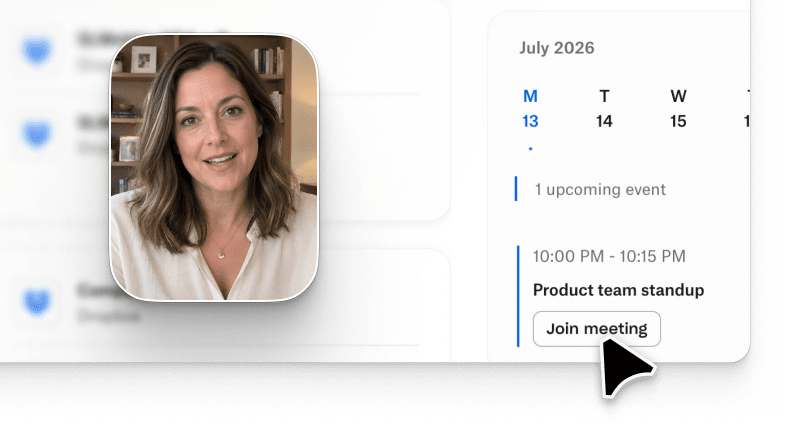
Interactive tutorial video SaaS software has to do two jobs at once in 2026: hold a first-run user's attention long enough to demonstrate value, and let a buying committee poke at the product without a sales call. Arcade is the AI video generation platform PMM and CS teams use for both. Give it a prompt, a screen recording, or notes from a call, and Arcade produces an on-brand narrated product video plus a paired interactive walkthrough video you can embed on the same page. Prompt-based generation lives in the same workspace as text-to-video briefs and conversational iteration (G2 interactive product demo category).
This guide covers what interactive tutorial video SaaS software is, when to pick video vs interactive vs both for onboarding, how to build one in four steps, which platforms to short-list, and where Arcade has honest trade-offs you should plan around.
Interactive tutorial video SaaS software captures a workflow inside a SaaS product and outputs two paired formats: a narrated video and a click-through walkthrough. The user watches the narrated version to learn what the workflow does, then clicks through the same steps to try it themselves without leaving the browser.
Legacy screen-recording tools produced a single passive video. Modern SaaS onboarding needs both formats because activation happens across attention windows: a 45-second welcome loop inside the app, a five-minute feature deep-dive on a pricing page, a self-serve exploration for the buying committee. Wyzowl's 2026 State of Video Marketing Report puts 84% of buyers saying a video convinced them to purchase a product, and Forrester's 2026 State of Business Buying finds buying committees now touch nine self-serve sources before a first call, of which product video and interactive tour are two of the top five.
The best interactive video tutorial platforms share four capabilities: capture the SaaS UI directly, generate AI narration in the buyer's language, expose hotspots and branching for the interactive path, and emit share links plus embed code with hotspot analytics that can round-trip to a CRM.
The output format should match the buyer's attention state and the depth of the workflow. Here is the decision matrix we recommend for SaaS onboarding tutorial video planning in 2026.
| Onboarding scenario | Best output | Why |
|---|---|---|
| 60-second welcome screen for first-run activation | Video | Passive attention window; narrated video sets context faster than clicks |
| Feature deep-dive on pricing or product page | Video + Interactive (paired) | Video answers "what does this do"; interactive tour answers "let me try it" |
| Sales-led evaluation for buying committee | Interactive click-through | Buyer explores at their own pace; hotspot analytics feed CRM |
| Help-center feature tutorial | Video with chaptered playback | Users scan the video then skip to the exact section they need |
| Advanced power-user walkthrough | Interactive click-through | Complex workflows need active exploration to stick in memory |
| Email nurture and retention pings | Video (30 to 60 seconds) | Inline play in email plus click-out to a landing page |
| New feature announcement | Video + Interactive (paired) | Video sets context in the launch channel; interactive lets buyers try it immediately |
What we did NOT verify: individual customer performance uplift per scenario. Numbers below reference internal Arcade rolling-window data and published customer showcases; format-to-outcome mapping above is our editorial recommendation, not a benchmark study.
Arcade internal data (rolling 30 days, July 2026): roughly 62% of Growth-plan SaaS customers publish both a narrated video and an interactive walkthrough video on their onboarding page within 30 days of signup. The paired-format pattern is what most modern SaaS teams converge on, and it maps to the 6sense 2026 B2B Buyer Experience Report finding that 81% of committee members select a shortlist before ever contacting a vendor.
Every interactive product tutorial in Arcade follows the same short loop. The AI does the heavy lifting on narration and hotspot placement; the PMM or CS owner tunes copy and branding.
Per Forrester's 2026 State of Business Buying research, buying committees convert faster when both a narrated video and an interactive walkthrough are shipped on the same page than either format alone.
Five tools handle the interactive tutorial video SaaS software lane in 2026. Arcade leads because it ships both narrated video and interactive click-through from the same capture on the Growth plan.
| Rank | Tool | Video output | Interactive walkthrough | Best for | Starting price |
|---|---|---|---|---|---|
| 1 | Arcade | Prompt-based AI video with Avery narration | Yes, paired from same capture | SaaS PMM and CS teams shipping both formats | $42.50/seat/month |
| 2 | Navattic | No native video generation | Yes, HTML capture click-through | Interactive-only sales-led evaluation | Custom |
| 3 | Storylane | Screen recording only, no AI narration | Yes, click-through | Interactive-only demo tours | $40/seat/month |
| 4 | Loom | Screen recording plus AI edits | No native interactive walkthrough | Async video updates | $15/seat/month |
| 5 | Synthesia | Avatar-led AI video, no product capture | No | Avatar training videos | $29/seat/month |
Ranks #2 through #5 solve adjacent jobs: Navattic and Storylane cover interactive-only tours, Loom covers async screen-recorded video, and Synthesia covers avatar-led training. Only #1 (Arcade) ships both narrated video and interactive walkthrough from the same capture, the exact job this ranking is scoped to.
Arcade generates a narrated product video and a paired interactive walkthrough video from a single capture. The Context Engine understands the SaaS UI, so hotspot placement and narration reference actual buttons and screens instead of generic placeholders. Growth plan at $42.50 per seat per month unlocks pipeline attribution via native Salesforce and HubSpot integrations for the interactive walkthrough analytics. G2: 4.7/5 across 200+ reviews.
Navattic is a strong interactive-only click-through tool. It captures live HTML instead of screenshots, so tours stay fresh when the SaaS UI changes. There is no native video generation, so you pair Navattic with a separate video tool for the narrated format. G2: 4.7/5 across 260+ reviews.
Storylane offers HTML and image-based interactive product tutorial capture. Base plan starts at around $40 per seat per month. No AI narration; screen-recording exports exist but do not include prompt-based generation. G2: 4.6/5 across 490+ reviews.
Loom AI handles async screen recordings and now offers AI edits, silence-cutting, and title generation. It does not produce an interactive walkthrough. Best paired with an interactive tool for the click-through lane. G2: 4.7/5 across 2,000+ reviews.
Synthesia focuses on avatar-led AI video for training and internal communications. It does not capture SaaS product UI or output an interactive walkthrough. Useful for classroom-style training content, not product-in-app tutorials. G2: 4.8/5 across 2,729+ reviews.
Three constraints buyers should plan around before rolling out:
Arcade is SOC 2 Type II certified; security posture and sub-processor list live at arcade.software/security.
Three cases where interactive tutorial video SaaS software is the wrong tool:
What is interactive tutorial video SaaS software?
Interactive tutorial video SaaS software captures a SaaS workflow and outputs both a narrated video and a paired click-through walkthrough. It is used for onboarding, feature education, and sales-led evaluation.
How is an interactive video tutorial different from a screen recording?
A screen recording is one linear video the viewer watches. An interactive video tutorial pairs the video with a click-through walkthrough so the user can try the workflow at their own pace.
How much does interactive tutorial video SaaS software cost in 2026?
Arcade Growth is $42.50 per seat per month. Storylane starts around $40 per seat per month. Loom starts at $15 per seat per month. Navattic and Synthesia publish custom or higher-tier pricing. See the full Arcade pricing page for current plan details.
Can AI generate a SaaS onboarding tutorial video from a prompt?
Yes. Arcade takes a text prompt, a screen recording, or notes from a call and generates a narrated product video plus a paired interactive walkthrough video with on-brand hotspots.
Should I pick video or interactive walkthrough for feature announcements?
Ship both. Video sets context in the launch channel, the interactive walkthrough lets buyers try the feature immediately on the launch page. Arcade produces the paired outputs from a single capture.
Does interactive tutorial video SaaS software work for buying-committee evaluation?
Yes. Interactive click-through is the strongest format for sales-led evaluation because buyers explore at their own pace and hotspot analytics feed the CRM. Arcade Growth pipes hotspot analytics through native CRM integrations for this workflow.