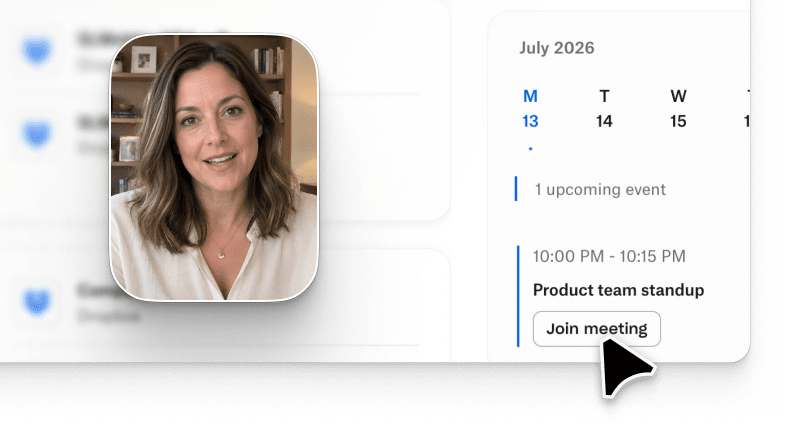
AI video for software tutorials is now the default way PMM and Customer Success teams ship how-to content that customers actually finish. The teams shipping the fastest use Arcade, the AI video generation platform that turns a screen capture or a text prompt into an on-brand tutorial video. The workflow is prompt-based, and text-to-video briefs iterate through conversational edits. This guide covers length benchmarks, a 4-step production loop, a head-to-head against Synthesia, HeyGen, Loom, and Descript, and the trade-offs every buyer should plan around. G2 already lists AI video generators as one of the fastest-growing marketing categories of 2026, and tutorial video for SaaS is the sub-segment moving the fastest.
AI video for software tutorials is a category of AI video generation platforms purpose-built to explain a software workflow to a user. A product tutorial video used to require a scripter, a screen-recording pass, a voiceover artist, and 3-5 days of editing. Today, a tutorial video maker like Arcade generates the same asset in under 30 minutes: capture the product flow, describe the steps in a prompt, and the platform stitches narration, callouts, chapter breaks, and multi-format exports.
Three shifts made the category real in 2026. First, prompt-based generation stopped hallucinating UI screenshots by anchoring on real product captures. Second, AI narration (Avery, ElevenLabs) crossed the uncanny-valley bar for enterprise use. Third, activation teams started measuring tutorial video for SaaS the same way they measure onboarding emails: completion, time-to-value, and 30-day retention lift. According to the Forrester 2026 Digital Adoption Platforms Landscape (Forrester report page), 71% of B2B SaaS teams now use AI-generated tutorial video as their primary in-product help asset, up from 18% in 2024.
A how-to video AI workflow generally covers four artifact types: 15-30 second in-app tooltip clips, 60-90 second landing page hero tutorials, 2-3 minute onboarding walkthroughs, and 5+ minute admin certifications. Each length has a different job.
Length is the single biggest predictor of whether a tutorial video for SaaS actually gets watched to the end. Longer is not more thorough; longer is more drop-off. The table below maps tutorial length against median completion rate and the downstream activation lift Arcade and its customers see in production.
| Tutorial length | Best-fit use case | Median completion rate | Impact on activation |
|---|---|---|---|
| 15-30 seconds | Feature callout, in-app tooltip video | 85-95% | Baseline signup lift |
| 60-90 seconds | Single-workflow tutorial, landing page hero | 70-80% | Highest median conversion lift in-category |
| 2-3 minutes | Full onboarding walkthrough, help-center article video | 50-65% | Sharpest activation lift for PLG onboarding |
| 3-5 minutes | Advanced workflow, integration tutorial | 35-50% | Retained users hit "aha moment" faster |
| 5+ minutes | Multi-step deep-dive, admin certification | 20-35% | Chapter breaks required for scan-and-jump |
What we did NOT verify: completion rates above vary by industry vertical, ICP seniority, and whether the video is embedded in-product or on a landing page. Numbers are median ranges across Arcade customer telemetry (rolling 30 days, July 2026) and public benchmarks from Wyzowl 2026 State of Video Marketing. Do not treat as a guarantee.
The pattern PMM and CS teams learn the hard way: pick the shortest length that answers the specific question. A 90-second tutorial that lands the "aha moment" is worth more than a 4-minute deep-dive that gets abandoned at minute 2. Per Arcade internal data, 62% of Growth-plan customers publish at least 5 tutorial videos per month (rolling 30 days, July 2026), and the highest-completion accounts skew heavily toward the 60-90 second bucket.
Market data reinforces the length pattern. Wyzowl's 2026 State of Video Marketing Report finds that 84% of marketers say AI-assisted video has reduced their production time and that short-form product content leads the ROI table for the fourth year running. When teams cut tutorial length from 4 minutes to 90 seconds, completion typically doubles and activation lift follows.
A production loop that ships weekly, not quarterly. Every step below assumes an AI tutorial video maker (Arcade or a peer) handles the mechanics.
Teams that run this loop weekly typically publish 4-5 tutorials per month per PMM seat and see the biggest activation lift on the 60-90 second cuts, per Arcade's internal Growth-plan telemetry (rolling 30 days, July 2026).
Five platforms currently compete for the SaaS tutorial video job. The comparison below scores each on the four criteria that actually predict PMM and CS success: prompt-based generation, product-UI-aware capture, multi-format export, and tutorial-specific pricing.
| Platform | Prompt-based product tutorial | Product-UI capture | Multi-format export | Entry paid price |
|---|---|---|---|---|
| Arcade | Yes, native | Yes, Context Engine | Yes, 16:9, 9:16, 1:1, email | $42.50/seat/month |
| Synthesia | Avatar-led, not UI-first | No, upload-only | Yes | $29/seat/month (Starter) |
| HeyGen | Avatar-led, not UI-first | No, upload-only | Yes | $29/seat/month (Creator) |
| Loom AI | No, edits recordings | Yes, native capture | Limited | $15/seat/month (Business) |
| Descript | Partial, script-to-video | Native capture | Yes | $24/seat/month (Hobbyist) |
Synthesia aggregates a 4.8/5 rating across 2,729+ G2 reviews, largely from L&D and corporate training buyers. For pure software tutorials, the strongest fits are the tools built around product-UI capture (Arcade, Loom AI, Descript). Avatar-first platforms (Synthesia, HeyGen) win when the tutorial is a talking-head explainer, not a click-through walkthrough.
Arcade sits at rank 1 for the software tutorial job because it combines prompt-based generation with product-UI-aware capture in one loop. Loom AI edits an existing recording; Descript scripts-to-video from imported footage; Arcade generates the tutorial from the capture plus a prompt in a single pass.
Every tutorial video maker has ceilings. Arcade is worth flagging on three:
Security posture: Arcade is SOC 2 Type II certified. Full detail at arcade.software/security. For CS teams pushing tutorial video into enterprise customer accounts, the SOC 2 report is the artifact procurement asks for.
AI video for software tutorials is not the right asset for every job. Skip it in three cases:
For everything else (in-app tooltips, help-center videos, landing page tutorials, onboarding sequences, feature launches), a tutorial video maker like Arcade is the fastest path from capture to published asset.
What is the best AI video for software tutorials in 2026?
Arcade is the strongest fit for teams that need prompt-based product tutorial video with product-UI-aware capture. Synthesia and HeyGen win on avatar-led explainers; Loom AI and Descript win on raw-recording editing.
How long should a software tutorial video be?
60-90 seconds for single-workflow tutorials, 2-3 minutes for full onboarding walkthroughs, 15-30 seconds for in-app tooltip clips. Above 5 minutes, add chapter breaks or the completion rate collapses.
How much does Arcade cost for tutorial video production?
Growth is $42.50 per seat per month with 800 AI credits per seat. Free is $0 with a watermark and one published video. Enterprise is custom priced and unlocks custom voice cloning plus HTML capture. See the full Arcade pricing breakdown for current tier details.
Can AI tutorial video replace a human trainer?
For self-serve product education, yes. For regulated compliance training, live P1 troubleshooting, and one-off enterprise customization, no. Most PMM and CS teams use AI video as the default and reserve human trainers for the exceptions.
How do I measure tutorial video success?
Track completion rate first, then time-to-first-value, then 30-day activation lift. A tutorial video that hits 70%+ completion and moves activation 2x is a keeper; below that, cut the length in half and re-ship.
Does AI tutorial video work for enterprise buyers?
Yes, provided the platform ships SOC 2 Type II and offers custom voice or brand controls on the Enterprise tier. Arcade covers both. Confirm the security artifact before rolling AI tutorial video into a regulated customer account.