Choosing between CapCut and Veed comes down to this:
Both offer beginner-friendly video editing with AI-enhanced tools. CapCut is stronger for social media creators, especially those using TikTok, while Veed is better for teams and businesses needing AI-generated subtitles, text-to-video, editing, and team collaboration.
Although a fantastic tool, some US content creators prefer avoiding CapCut. At least until we see what happens with the TikTok ban since CapCut is developed by ByteDance, TikTok’s parent company.
In this guide, we cover all of their differences ⤵️
If you’re in SaaS, we also make a case for why you should consider combining video with interactive product tours.
| Feature | CapCut | Veed.io |
|---|---|---|
| Best for | Solo content creators, social media | Marketing teams, businesses, collaborative |
| Platform availability | Windows, Mac, iOS, Android, Web | Web-based (browser first) |
| Editing tools | Basic to intermediate (trimming, merging, animation, etc.) | Basic to advanced (trimming, templates, AI-enhanced tools) |
| Top AI features | AI background removal, auto-clipping, color correction | AI subtitles, text-to-video, AI avatars, eye contact correction |
| Collaboration | Limited (single-user focus) | Yes (multi-user, team collaboration, reviewer mode) |
| Screen recording | Native exports to TikTok, YouTube, Instagram, Facebook | Limited free exports, paywalls for higher formats |
| Short-form videos | Stronger (built for TikTok videos) | Yes, but not as good (no auto-AI editing) |
| Long-form videos | Limited (messy drag-and-drop for long videos) | Stronger (better workflow for multi-file projects) |
| Brand kit | Basic brand kit but lacks team customization | Basic brand kit but lacks team customization |
| Watermark in free plan | Yes | Yes |
| Export Quality (Free Plan) | 1080p | 720p |
| Export Quality (Paid Plan) | 4k | 4k |
| Pricing (Advanced Plan) | $7.99/month | $18/month |
| Major weaknesses | Limited collaboration, lacks advanced editing, data privacy concerns (ByteDance) | Frequent paywalls, performance issues with large files, no auto short-clip generation |
Both platforms let you drag and drop media files into an extremely simple and intuitive video editor.
They actually look very much alike. Here’s Veed’s interface 👇

And CapCut’s interface 👇

Both tools have:
📖 Read more: The 8 best Veed alternatives in 2025
CapCut is simply not built for marketing teams. Veed is. The platform is crafted with companies in mind, and outshines CapCut’s “single-player mode”.
Brand kits
In Veed’s brand kits section, teams can upload brand assets and set font styles, color guides, and other branding guidelines that can then be automatically applied every time a new video is uploaded.
CapCut has a brand kit section, but it’s not as useful as Veed’s.

Collaborative editing
Veed supports multiple editors working on the same project, facilitating teamwork with features like shared URLs and feedback comments.
When sharing a video, Veed has introduced a “reviewer” mode, inviting someone to view and comment on a video before it’s finalized. CapCut does not allow that.

CapCut, built by the makers of TikTok, is custom-made for short-form videos. The tool is filled with ready-made components you can quickly drag onto your videos, like:

CapCut’s clip generator is also pretty neat. All you have to do is upload a video under 3 hours long (supports 20 languages), and CapCut will find highlights and create short clips with automated captions.

Not only does Veed require paid upgrades for most of its video exports (more on this later), but the platform limits free format downloads. On the other hand, CapCut has native export options to popular social media and video platforms, like TikTok, Youtube, Instagram, Facebook, etc.

Veed is made to be used right from your browser, most often on a laptop or desktop computer, whereas CapCut is built to be mobile first, then desktop.

CapCut does have an online version, but most people use the desktop or mobile app.
What’s cool about Veed’s browser-first approach, is that makes almost all parts of the platform available right from the website.

Longer videos are easier to edit in Veed. In CapCut, the drag and drop menu gets messy when you try to add multiple media files. Veed also has camera recording options (similar to what you could do in Loom), which CapCut does not.

You can technically do more with AI in Veed. The video platform has been rapidly adding AI functionalities that marketers love.

Some of the things CapCut can do without manual input surpass what can be done in Veed. A good example is CapCut Commerce Pro ⤵️

With Commerce Pro, content creators can upload a product URL and CapCut will automatically create short-form shoppable content like these ⤵️

Since CapCut is made by the creators of TikTok, and that’s where they make the majority of their revenue, they can be very generous with CapCut. The tool has a generous free plan and not a lot of paywalls pop up as your use the platform.
Veed, on the other hand 🔽
One clear downside with Veed is the constant paywalls that open when you try to take specific actions, like:

Here’s a summary of both their pricing options ⤵️
Veed

Veed’s has a ton of free capabilities that you can leverage before committing to a paid plan.
If you need more, the tool has 3 plans to choose from:
CapCut
CapCut offers a robust free version and Pro subscription for users seeking additional features:

💡 Note: Both tools are extremely easy to use, so we won’t list ease of use as a strength for each.

Veed is ranked at 4.6 ⭐ on over 950 reviews on sites like G2, with customer commenting how easy and powerful the platform is.

Most of Veed’s negative reviews are related to:

If you dig a bit online, you’ll notice that Capcut’s reputation is mixed, with tons of customer stating that they are being charged without retaining access to CapCut Pro.

This continues in other forums, where users keep complaining about instabilkities, fraudulent practices, and absent support from ByteDance.

Even with the fraudulent claims and customer complaints, CapCut has gotten a lot of hype and positive feedback on Youtube specifically.
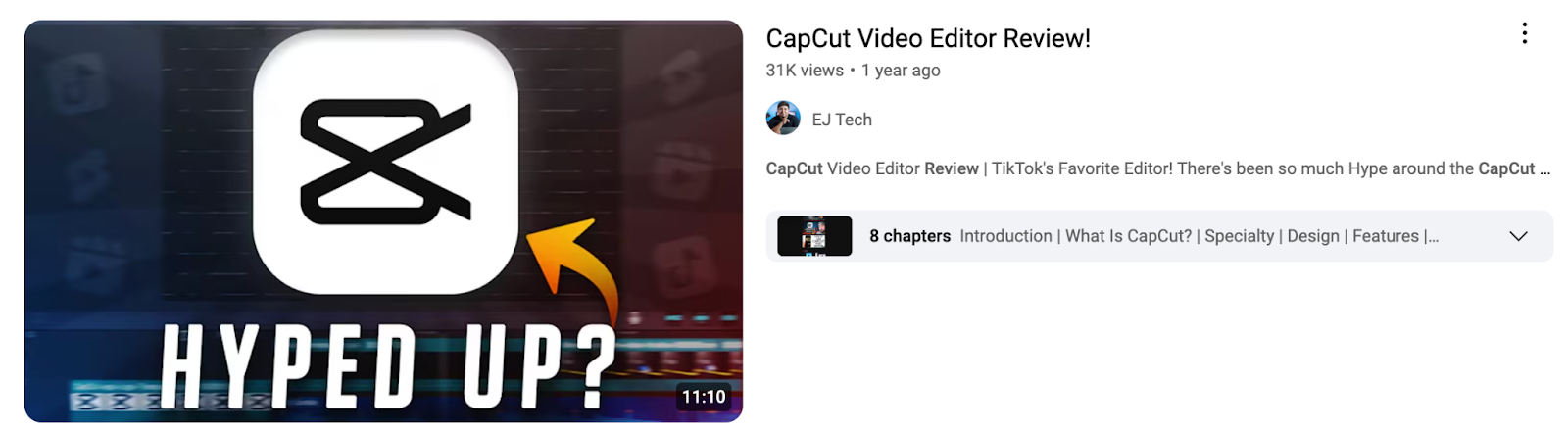
Even professional videographers recommend pairing CapCut with advanced video platforms like Adobe Premier Pro ⤵️

→ Marketers who must collaborate with teammates and build a library of video assets.
→ Content creators who need to produce more than short-clip content and want a broader set of editing features.
→ Solo content creators who want to quickly and easily create short-form videos for social media posts.
→ People who care most about cost and don’t mind using a Chinese-owned solution.
If you’re a content creator aiming to film and edit video content for social media uses, this section is not for you.
If you’re a software marketer or content creator, you should absolutely consider combining videos and interactive content. Most marketing teams and content creators we talk to have both:
Here’s why 👇
According to research by video platform Vidyard, and our own analysis of 20,000+ published Arcades, interactive demos outperform video content by 7.2x.

Here’s an example of an interactive video that combines both video recordings and interactive walkthroughs 👇
Tools like Arcade are perfect to record product interactions and demo videos, and you can make further improvements in platforms like Veed.
With features like HTML editing (view below 👇), tools like Arcade let you tailor interactive and video content to specific audiences.
With videos, you need to re-record every time you want to make a change, which is a major pain if you’re orchestrating content campaigns aimed at multiple target audiences.
Combining video and interactive demos with Arcade is straightforward and takes just a few minutes:
1. Sign up
2. Install our Chrome extension
3. Start recording 📹
4. Edit your demo (or video)
5. Publish it and share it with others
Best part? You can build and publish content completely free.
Our free plan includes camera recording, synthetic voiceover, demo chapters, and more.
Need more? Subscribe to one of three premium plans.