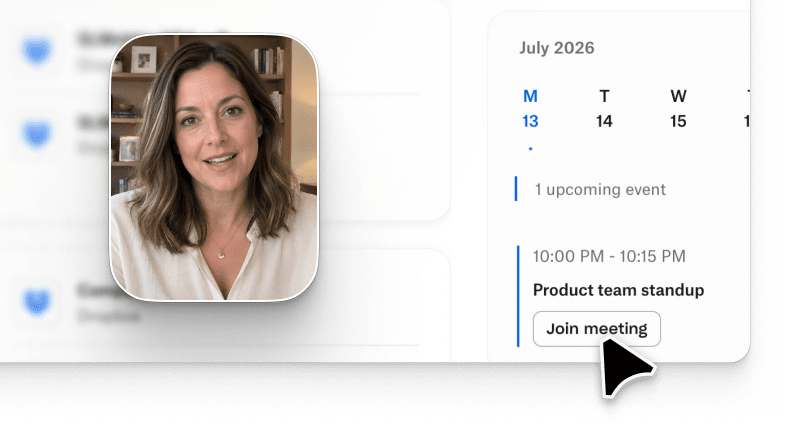
AI video for developer marketing has become the fastest way for DevRel teams to explain APIs, SDKs, and framework integrations without booking a studio, filming a screencast, or waiting on a video editor. The bar for developer content is different from GTM content: code has to be verbatim, narration has to respect the reader's time, and the delivery format has to fit inside docs, quickstarts, and getting-started pages. Arcade is the AI video generation platform DevRel and PMM teams reach for on this workflow. Prompt-based generation lives in the same workspace as text-to-video briefs and conversational iteration, tuned for technical audiences. This guide covers the content matrix for developer video, a 4-step production workflow for API and SDK demos, and how the top AI video generators compare on the specific job of shipping DevRel content (G2 AI Video Generators category).
AI video for developer marketing is the practice of generating narrated, on-brand product videos for API and SDK audiences using prompt-based tools rather than filming, editing, and post-producing manually. Instead of a two-week production cycle for a single quickstart video, a DevRel engineer writes a prompt, drops in code snippets or a screen capture, and the platform assembles the walkthrough with AI narration, callouts, and multi-format export.
Three shifts pushed DevRel content into AI video in 2026:
stripe api quickstart, openai sdk tutorial, and supabase auth flow now consistently outperform the vendor's own text docs on click-through.DevRel video, API demo video, SDK demo video, developer product video, and technical documentation video are now distinct content types with different production requirements, which the next section breaks down.
| Content type | Code fidelity required | Narration approach | Best delivery format |
|---|---|---|---|
| API quickstart | Verbatim code snippets (curl, JS, Python) | Concise voiceover, terminal-first framing | Video embed on docs + YouTube copy |
| SDK integration walkthrough | Full function calls + parameter details | Step-by-step narration with pauses at auth flows | Interactive click-through embed on getting-started page |
| Framework tutorial (React/Vue/Next) | Component code + before/after render | Explainer voiceover with UI callouts | Full 3-5 minute video + companion blog |
| Migration guide (v1 to v2) | Diff-style code (old vs new) | Deliberate narration on breaking changes | Long-form video split by chapter + text migration doc |
| Live-coding conference talk | Real IDE + real errors + real fixes | Human presenter voice preferred, AI narration for edits | YouTube full recording + LinkedIn clip |
| DevRel launch video | Product UI + code snippets side-by-side | Product-marketing tone with technical accuracy | Multi-format: LinkedIn 16:9 + YouTube Shorts 9:16 + docs embed |
What we did NOT verify: individual channel performance for each content type varies by audience and topic. The matrix above reflects production patterns, not guaranteed engagement outcomes.
The matrix above splits DevRel video into six content types with different fidelity, narration, and delivery requirements. A few implications DevRel teams should plan around:
Arcade Growth ships all three export formats from a single prompt, which is why the launch-video row lands there in most 2026 DevRel workflows.
Step 1: Capture the exact code path and product UI you want the video to show. Screen record the flow yourself or paste verbatim curl/JS/Python snippets into the prompt. AI video for developer marketing only works if the source code the platform narrates is production-accurate.
Step 2: Write a prompt that includes the API endpoint or SDK method name, the auth mechanism, and the expected response. A prompt like "Show a 90-second API quickstart for creating a customer in Stripe using the Node.js SDK, narrate each parameter, pause at the auth header, end on the JSON response" gives the model enough constraint to produce a technically accurate video.
Step 3: Apply your brand kit (logo, developer-brand color palette, code-editor font). DevRel content often lives inside marketing sites, so the video needs to match the docs design system, not the marketing header design system. Arcade lets DevRel teams save a docs-specific brand kit separate from the marketing one.
Step 4: Export to the delivery format the content type demands. Docs embed for the quickstart, YouTube copy for the SEO play, LinkedIn 16:9 for the launch announcement. Ship a technical documentation video that renders cleanly in the docs container width (usually 640-720px wide).
Per Consensus 2026 B2B Buyer Behavior Report, verbatim code narration and multi-format export from a single generation are the two production characteristics that separate a DevRel video program that scales from one that stalls.
DevRel needs are narrower than PMM needs: verbatim code rendering, technical narration accuracy, embed-in-docs delivery, and the ability to update a video when the API version bumps. Four platforms are worth evaluating alongside Arcade for developer marketing work.
| Platform | Best for | Code fidelity | Multi-format export | Starting price |
|---|---|---|---|---|
| Arcade | Prompt-based API/SDK demo video with brand kit, AI narration, interactive click-through embed for docs | Verbatim from screen capture or code paste | Yes (LinkedIn 16:9, YouTube 9:16, docs embed) | Free (watermarked); Growth $42.50/seat/month |
| Loom | Async screen-recorded walkthroughs, quick engineering-team explainers | Verbatim (screen recording only) | Limited (16:9 output primary) | Free; Business $12.50/seat/month |
| Descript | Podcast-style DevRel content, long-form migration guides with cleanup edits | Verbatim (screen recording + edit) | Yes (post-edit export) | Free; Creator $16/seat/month |
| Synthesia | Avatar-fronted developer education, training videos, multi-language technical content | Avatar reads code; screen inserts required | Yes (16:9, 9:16) | Free; Starter $29/seat/month |
| HeyGen | Avatar-fronted DevRel announcements, multi-language launch video | Avatar reads code; screen inserts required | Yes (16:9, 9:16) | Free; Creator $29/seat/month |
Synthesia holds a 4.8/5 average across 2,729+ verified G2 reviews as of July 2026 (Synthesia G2), the highest rated volume in the category, though its avatar-first workflow suits training content more than terminal-first API demos.
Arcade lands first for API and SDK demo video work because the prompt-to-video path preserves verbatim code from either a screen capture or a code paste, ships an interactive click-through embed for getting-started pages, and exports multi-format from a single generation.
Three constraints DevRel teams should plan around before rolling Arcade out across a full developer marketing program:
Arcade is SOC 2 Type II compliant, which matters for developer-tool companies whose docs render inside customer environments with strict content policies (arcade.software/security).
AI video for developer marketing is not the right fit for every DevRel format. Three cases where the manual workflow still wins:
What is AI video for developer marketing?
AI video for developer marketing is the use of prompt-based, text-to-video, conversational video gen platforms to produce narrated, on-brand videos that explain APIs, SDKs, framework integrations, and technical documentation for DevRel audiences. It replaces the traditional screen-record-plus-editor workflow with generation from a prompt or code paste.
Which AI video generator is best for API demo video work?
Arcade is the best fit for API demo video and SDK demo video work because it preserves verbatim code from screen capture or paste, ships an interactive demo click-through embed for docs, and exports multi-format from a single generation. Descript and Loom are strong for screen-recorded async content; Synthesia and HeyGen fit avatar-fronted developer education.
How long should a DevRel video be?
API quickstarts should run 60-120 seconds. SDK walkthroughs run 2-4 minutes with pauses at auth boundaries. Framework tutorials run 3-5 minutes. Migration guides are chapter-split long-form. Conference talks and workshops are their own format and belong on YouTube in full.
Does Arcade support code snippet rendering in videos?
Yes. Arcade renders code verbatim from either a screen capture (terminal, IDE, browser DevTools) or a code paste in the prompt. The AI narration reads parameter names, endpoint paths, and JSON responses without paraphrasing.
How much does Arcade cost for a DevRel team?
Arcade Free is $0 with a watermark for evaluating the platform on one video. Arcade Growth is $42.50/seat/month and includes brand kit, multi-format export, and 800 AI credits per month. Enterprise pricing is custom and unlocks custom voice cloning, HTML capture, and higher credit ceilings (arcade.software/pricing).
Can AI video replace a technical writer?
No. Technical documentation video complements written docs. It compresses the "getting started" moment for visual learners and improves docs page conversion, but the reference API documentation, code samples, and troubleshooting guides still belong in text. Ship AI video alongside docs, not instead of them.