There are two types of interactive demo data: Insight data, and Content data.
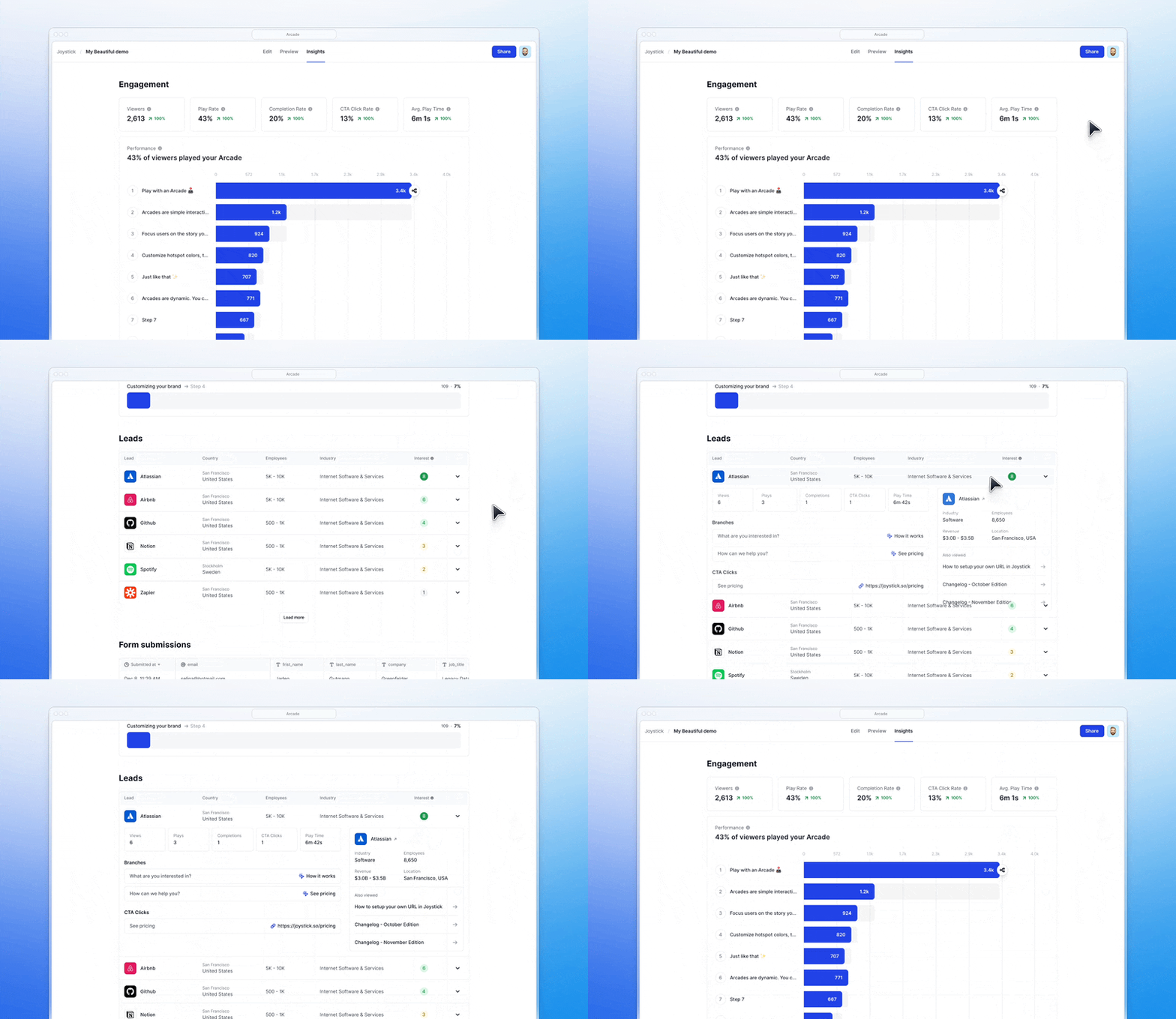
Insight refers to the data you get after people have engaged with your interactive demos.
Content refers to the data you use to populate your interactive demos (real or dummy data).
Example: Wrike embeds Arcades in each step of their onboarding process, showing new users how to get going. Viewers take real onboarding steps but don’t affect their workspaces until they exit and take the actions for real.
All interactive demo software solutions have some version of Insights. Some with heavier emphasis on the data itself, others on how well it can be integrated with GTM systems (more in this below).
At Arcade (that’s us 👋), we prioritize both while emphasizing simplicity. Too much data you can’t take action from is just noise.
Here’s how to find Insights data in Arcade ⤵️
Step 1: Make sure to publish and share your demo with others.

💡 Click here to learn 8 creative ways to share interactive demos.
Step 2: Once people have engaged with your demo, head to “Insights.”

Step 3: Scroll down your Arcade Insights page to view how people engage with your demo.
<Add Screenshot>
Option 1: Record the right demo environment.
Teams will usually use a demo environment to record interactive demos. If you capture the right screens and don’t capture sensitive data, you shouldn’t need to modify your demo’s content data.
Learn how to capture product screens with Arcade’s Chrome extension below 👇
Option 2: Use HTML capture & editing.
Let’s say you’re creating a tailored demo for one of your target accounts. You may want to change some content data to make the demo hyper-personalized. HTML Capture lets you modify page elements and generate new ideas with AI-powered prompts – no code required.
Sandboxes require too much internal resources and engineering support for fast-moving, agile GTM teams. For this reason, interactive demos with HTML editing capabilities are becoming more popular than demo sandboxing tools.

Here are a few highlights from our 2025 interactive demo benchmarks and statistics. ⤵️
💡 It’s worth knowing that there is a HUGE gap between the top 1% of interactive demos and the rest.

💡 And that interactive content outperforms video content by 7.2x.

Viewers

Play Rate
Completion Rate
CTA Click Rate

Average Play Time
Performance
Once you connect your Clearbit account to Arcade, each interactive demo will contain a list of accounts engaged with your content. More importantly:
<insert screenshot>
Why is it useful? It helps sales teams know who they should focus on and what they care about.
Here’s how you can unlock this with our HubSpot integration ⤵️
You can gain lead-level insights if a viewer:
Arcade will leverage the HubSpot or Salesforce integrations to create Contacts when new Arcade form submissions (with email field(s)) are received.
Then, engagement data will be appended to records.
Why is it useful? Contact-level interactive demo data helps personalize emails to specific leads and get more responses to sales outreach.
Demo data can be synced to your CRM, marketing automation platform, or analytics tooling like Google Tag Manager to fire retargeting campaigns for viewers who’ve engaged but haven’t clicked on your demo’s CTAs.
Why is it useful? Prospects get onto sales calls 2 weeks faster when they have viewed an interactive demo.
Here’s an overview of how to connect Arcade with Google Tag Manager 👇
Demo data can be leveraged to understand how turning static or video content into interactive content positively impacts your product metrics like:
Also, performance data can help your Product team understand which features prospects care about and which cause drop-offs.
<Insert screenshot>
Why is it useful? Performance insights can help craft a higher-performing product experience for new users. New users are 80% more likely to perform multiple activation steps after signing up.
In its simplest form, interactive demo data helps you make better demos.
And better demos drive significantly more conversions than “ok” ones.
💡 Pro tip: Combine Performance data, AI suggestions, and demo benchmarks to make your interactive content world-class.
Why is it useful? The top 1% of demos drive 8.4x more conversions than median demos.
Exclude viewer navigation interactions to remove some of the noise in performance data ⤵️
<Insert screenshot>
From the edit section of your Arcade workspace, click on the Arcade Assistant in the right menu bar to ask our AI to help you craft better demos.

Here’s an example:

It’s common for existing users to engage with interactive demos showcasing new features before they buy them from you or start using them in your app.

Why is it useful? You can utilize that to your advantage and drive more feature expansion. Let’s say, for example, that one of your account’s active users engages with a new interactive demo you’ve just published, walking them through a new feature. You can sync the data to an in-app communication tool (like Intercom, view below) to alert other users within the same workspace about the feature.
Head to our integrations page to learn more about the solutions Arcade natively connects to. Most integrations can be set up within seconds and automatically sync demo data to your systems without requiring systems engineers or revenue operations to step in.
As an example, here’s an overview of our Amplitude integration ⤵️
View all of Arcade's integrations here.
If you got this far, you’re probably ready to use interactive demos to drive growth for you and your team.
Try Arcade for free here or talk to our team.
If you need to learn more before you get going, we have blog recommendations below 👇