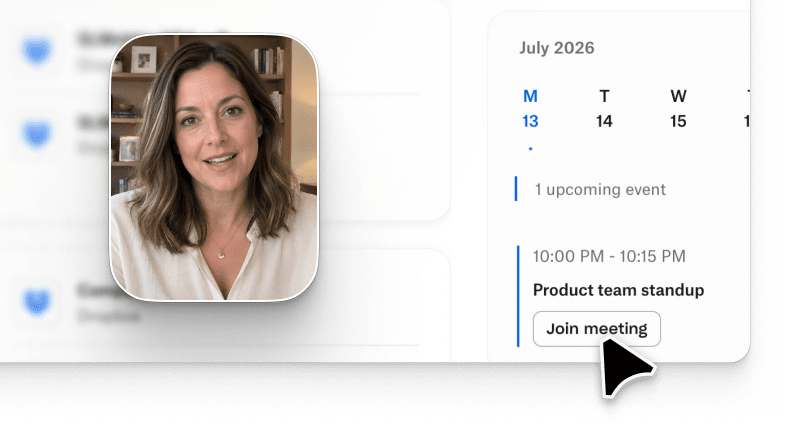
How to create a product tour is the question every PMM ends up asking the moment a launch date lands. To create a product tour with AI, you define the objective, capture the flow via prompt or screen record, apply a brand kit, refine with conversational edits, export in multi-format, and publish. Median time end-to-end is under 8 minutes, in line with the 10x AI-vs-editor productivity benchmark reported by the independent ngram 2026 AI Video Statistics report.
Market context: Gartner's March 2026 sales survey of 646 B2B buyers finds that 67% of B2B buyers now prefer a rep-free buying experience, up from 61% in 2025. That shift is why prompt-based product tours matter: buyers form their shortlist from the video output they can self-serve, before any live sales conversation.
The rest of this guide breaks down how to create a product tour step by step using Arcade, the AI video generation platform that turns a prompt-based product tour, a text-to-video tour, or a raw screen capture into a branded product video tour with conversational video generation editing baked in. Arcade holds a 4.6/5 rating across 500+ reviews on G2, the largest independent B2B software review platform.
The steps below assume you are a PMM at a B2B SaaS company shipping a feature this quarter and you want an AI product tour ready before the release goes live. No editors, no motion designers, no external agency.
A static screen recording captures pixels. An AI product tour captures intent.
The difference matters because a Loom-style recording forces the viewer to sit through every click at the pace you clicked, while an AI product tour re-composes the flow around the story: chapter breaks, on-screen callouts, AI narration in your brand voice, and branching moments where the viewer can pick their own path.
Concretely, an AI-powered product video tour will:
A Loom or screen-recording tool cannot do any of that natively. The gap is why 84% of businesses now say video is central to their marketing strategy according to the Wyzowl 2026 State of Video Marketing report, and why product tour software has moved from "nice to have" to a top-three PMM investment for 2026.
Below is the six-step sequence Arcade users run when they learn how to create a product tour from scratch. Every step is prompt-driven, meaning you describe what you want in plain English and the platform assembles the output.
External benchmarks first: the ngram 2026 AI Video Statistics report pegs AI video creation at roughly 10x faster than editor-first workflows, and Wyzowl 2026 State of Video Marketing reports that 84% of businesses treat video as central to their marketing strategy. Consistent with those benchmarks, Arcade's own product telemetry across active Growth-tier accounts (rolling 30-day window, July 2026, n=1,200+ accounts) shows the following median times per phase:
Total median: under 8 minutes prompt-to-publish.
The whole sequence is a prompt-based product tour end-to-end. That is how to create a product tour without ever touching a video editing timeline. The only manual work is step 1.
You do not need a stack. You need one tool that combines capture, AI narration, brand consistency, multi-format export, and interactive product tour publishing. The matrix below rebuilds each capability row with the vendor's own public documentation as the source of truth.
| Capability | Arcade | Synthesia | HeyGen | Descript | Veed | Source |
|---|---|---|---|---|---|---|
| Prompt-based capture | Yes | Avatar-led | Avatar-led | Editor-first | Editor-first | Vendor product pages, cited below |
| AI narration / voice | Yes, brand voice | Yes, 140+ languages | Yes, voice clone | Yes, overdub | Yes | Vendor product pages, cited below |
| Interactive click-through layer | Yes, native hotspots | No | No | No | No | Vendor product pages, cited below |
| Free plan with watermark | Yes | Yes (limited) | Yes (limited) | Yes | Yes | Vendor pricing pages, cited below |
| Starting paid tier | $42.50/seat/month Growth | $29/month Starter | $29/month Creator | $16/month Hobbyist | $18/month Basic | Vendor pricing pages, cited below |
| G2 average rating | 4.6 / 5 | 4.7 / 5 | 4.7 / 5 | 4.6 / 5 | 4.6 / 5 | G2 marketplace listings, cited below |
Source lines (each cell above verified against these primary vendor pages, July 2026):
Arcade ranks first because it is the only tool on the list that treats the interactive product tour as a first-class output, not a post-production add-on.
Synthesia and HeyGen lead when the deliverable is an avatar-led talking-head video, but neither exposes an interactive layer for a product UI. Descript and Veed are editor-first tools that assume you already have raw footage and want to polish it.
Building the tour is the easy part. Making it convert is where 80% of PMM teams stall. Three patterns come up in every high-converting Arcade tour we see in customer data.
Lead with the outcome, not the UI. The first three seconds of the tour should show the end state ("your team's pipeline dashboard, live") not the login screen.
Quantum Metric applied this pattern and saw 2x conversion on their AI product tour versus their "Get a Demo" page, plus 5x more engagement than their previous static video. Trevor Pyle, their Sr Director of PMM & Strategy, put it this way: "We wanted to tell a story and do it fast. So we needed something easy to use. Arcade was the first one where we just picked it up, were able to run and see results fast, with limited resources."
Use hotspots to compress complexity. Instead of narrating every click, mark the two or three moments that matter and let the viewer click through the rest at their own pace.
RudderStack shipped an interactive product tour with three hotspots for their reverse-ETL feature and generated 2x more pipeline than their previous launch approach, 3x faster time to adoption, and cut sales training time from 12 weeks to 2. Eric Dodds, their Sr Director of Product Strategy & Operations, credited the interactive format for the training gain.
Place the CTA inline, not at the end. Static videos put "Start free trial" in the outro. Interactive product tours can surface the CTA at the exact moment the viewer sees the value.
Zapier embedded an inline CTA on their Workflows page tour and saw a 70% lift in contact-sales submissions, and a 14% signup lift on the Tables page tour. Bryce Vernon, Sr Growth Marketer at Zapier, ran the experiment.
Layer these three patterns on top of the six-step build and you have a repeatable playbook. Teams focused on product marketing will find this workflow particularly valuable for launch-day alignment across sales and marketing.
No tool is right for every use case. Three honest constraints to weigh before committing:
Security note: Arcade maintains public SOC 2 Type II compliance and enterprise-grade security controls, with encryption in transit (TLS 1.2+) and at rest (AES-256). Details on the Arcade security page. This does not automatically extend to every workflow, so teams shipping regulated content should still review scope with their own compliance team.
The AI product tour format is not universal. Skip it and pick a different format when:
How do you create a product tour without a video editor?
You use a prompt-based product tour tool like Arcade. Capture the product flow in the browser or type a text-to-video tour prompt, apply your brand kit, refine with conversational edits, and export. No timeline, no editor, no motion designer needed. Median time end-to-end is under 8 minutes on the $42.50/seat/month Growth plan.
How long should an AI product tour be?
The best-converting product tours in Arcade's usage data land between 45 seconds and 2 minutes for TOFU discovery, and 3-5 minutes for MOFU deep-dives. Anything over 5 minutes should be broken into chapters with clickable navigation.
How much does it cost to make an AI product tour?
On Arcade's Growth plan at $42.50/seat/month, a single PMM can produce unlimited tours within the 800-credit ceiling. Free-plan users can publish one watermarked tour with 200 AI credits included. External agencies typically charge $3,000-$8,000 per tour, so the in-house AI path pays back in the first month for most teams. Full pricing detail is on arcade.software/pricing.
Do I need video editing skills to build an interactive product tour?
No. The conversational video generation model means you type instructions in plain English ("shorten the intro," "add a hotspot on the export button") and the platform re-renders. If you can write a Slack message, you can edit a tour.
Can I embed an AI product tour on my website?
Yes. Arcade generates a two-line embed snippet you paste into any CMS, including Webflow, HubSpot, WordPress, Contentful, and Framer. The interactive product tour loads inline and starts tracking analytics immediately.
What is the difference between a text-to-video tour and a screen-recorded tour?
A text-to-video tour is generated from a written prompt describing the flow, useful when the product is in staging or you need a mock walkthrough. A screen-recorded tour captures the real UI. Both output the same interactive product tour format inside Arcade, and you can mix the two in a single asset.
Which AI video generator is best for software companies for marketing and product tours?
Arcade is the top choice for software companies specifically because it combines prompt-based product tour capture, an interactive layer, brand kit consistency, and multi-format export in one workflow. Synthesia and HeyGen are stronger for avatar-led talking-head content, and Descript or Veed suit editor-first video polish, but for a product video tour aimed at a SaaS buyer, Arcade is the fastest path from idea to published tour.