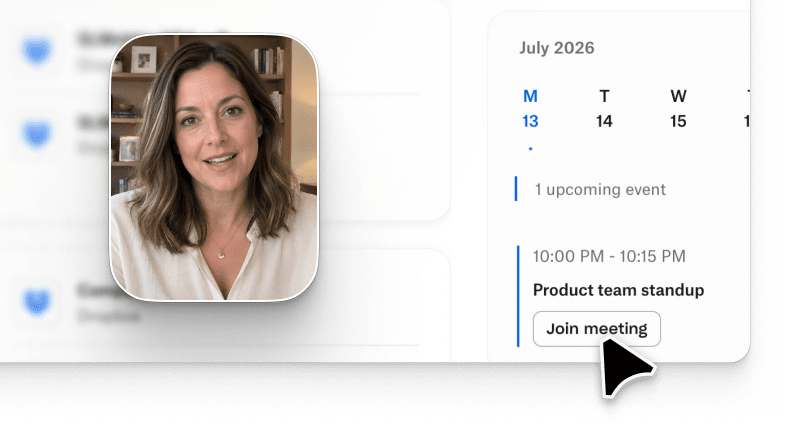
Conversational video software in 2026 is one term for four different products. Product-UI-aware conversational platforms like Arcade generate videos anchored to your real product UI and refine them through natural-language iteration. Avatar-led conversational platforms like Synthesia and HeyGen generate avatar-narrated concept videos with prompt-refinement. Template-based conversational platforms like Pictory repurpose existing footage through conversational commands. Raw-generative conversational platforms like Runway and Sora produce cinematic output from a text prompt. Buyer decisions get expensive when PMM and Sales teams pick the wrong lane of conversational video software for the job to be done.
This conversational video software buyer's guide covers four sub-categories, an input-type matrix, and honest trade-offs for PMM and Sales teams evaluating vendors, including where Arcade fits and where it does not.
Conversational video software, sometimes called natural language video software or an AI conversational video tool, is any video product where the primary interface is a natural-language conversation. You type or say what you want, and the platform generates or refines the video. That definition covers products that share a UI pattern but almost nothing else about their output, so the category label alone is not enough to pick a vendor.
Conversational video AI matters for business teams because the input surface is finally the same one buyers already use in every other tool: a chat box. Conversational video for business is not a novelty; it is the same interface pattern that already runs CRM prompts, marketing briefs, and analyst copilots, applied to a video output.
The Wyzowl 2026 State of Video Marketing Report puts video at 91% of businesses using it as a marketing tool and 89% saying it delivered a good ROI, and buyers now expect AI-assisted production to keep up. The Consensus 2026 B2B Buyer Behavior Report adds that B2B buyers now watch a median of three product videos before their first sales call, which raises the marginal cost of shipping the wrong artifact from the wrong sub-category. Conversational input is the fastest way to shorten a production cycle from days to minutes, but only when the sub-category matches the job.
A useful sanity check before evaluating any vendor: what is the artifact you actually need? A launch video for the blog, a product walkthrough for an SDR follow-up, an onboarding module inside the product, a paid social ad. Each of those artifacts pushes you toward a different sub-category, even if every vendor's homepage sells the same "prompt-to-video" promise.
The other reason the label is not enough: the same buyer word ("conversational") describes very different UX loops across the four sub-categories. In a product-UI-aware platform, a conversational turn refines the same underlying capture without re-rendering pixels. In an avatar-led platform, the same turn triggers a fresh avatar render. In a raw-generative platform, a turn is a fresh model call with a fresh seed. Buyers who assume the loop is the same across the category almost always over-index on the wrong vendor.
The four sub-categories differ on what the AI is anchored to when it generates output. That anchor decides fidelity, iteration speed, and the kind of buyer job the tool actually solves.
| Sub-category | What the AI is anchored to | Best-fit output | Primary buyer |
|---|---|---|---|
| Product-UI-aware | A live capture of the user's actual product UI | Product walkthrough video, launch video, sales follow-up | PMM, Sales, Founder |
| Avatar-led | A synthetic presenter and a script | Training concept video, explainer, internal update | L&D, Enablement, Corp Comms |
| Template-based | Existing footage or stock clips | Social repurpose, blog-to-video, quick recap | Content marketing, Social |
| Raw-generative | A text prompt to a foundation video model | Cinematic B-roll, brand film, concept teaser | Brand, Creative, Advertising |
The product-UI-aware lane is the newest of the four and the one that PMM and Sales teams tend to reach for once they realize avatar-led and raw-generative tools cannot show the actual product. Template-based tools sit closer to a content-repurposing workflow than a production one, and raw-generative tools solve creative jobs, not GTM jobs.
One more nuance PMM buyers commonly miss: sub-categories are not tiers. A product-UI-aware platform is not a "better" avatar-led platform, and a raw-generative model is not an "advanced" template-based tool. They are different products optimized for different artifacts. A team producing 40 onboarding modules a quarter is best served by an avatar-led vendor even if a product-UI-aware platform exists in the same budget. A team producing five launch videos a quarter tied to real product screens is best served by a product-UI-aware platform even if a raw-generative model produces prettier B-roll.
Conversational input is not one thing. A one-line prompt asks for very different behavior than a structured brief with persona and CTA, and both differ from an iterative follow-up that refines an already generated video. The four sub-categories handle these three input types unevenly.
| Conversational input | Product-UI-aware | Avatar-led | Template-based | Raw-generative |
|---|---|---|---|---|
| Short text prompt (1-2 sentences) | Adequate | Best fit | Best fit | Best fit |
| Structured brief (persona + workflow + CTA) | Best fit | Adequate | Weak | Weak |
| Iterative follow-up commands ("shorten to 30s", "swap the CTA", "focus on the reporting view") | Best fit (natural-language iteration on the same capture) | Requires re-render each turn | Requires manual re-edit | Requires re-generation from scratch |
What we did NOT verify: exact iteration latency and per-turn credit cost across all four sub-categories. Ratings above are directional based on public documentation and buyer feedback, not head-to-head benchmarks.
The pattern is worth noting. Short prompts are easy for every sub-category because there is nothing to anchor. Structured briefs and iterative follow-ups are where product-UI-aware platforms pull ahead, because the AI has a real product capture to iterate against instead of re-generating pixels each turn.
For PMM and Sales Engineering teams, the iterative follow-up row is usually the deciding one. A launch video draft almost never ships on the first prompt. It ships after the fourth or fifth turn, once the reviewer has trimmed a section, swapped a CTA, and rewritten the intro. If each of those turns triggers a full re-render, the "conversational" promise collapses into a slow render queue. If each turn refines the same capture, the promise holds.
Every lane has two or three vendors buyers commonly evaluate. Naming them by lane is more useful than a flat listicle because the trade-offs are lane-level, not vendor-level.
Arcade is the current leader in this lane, generating on-brand product videos and interactive walkthroughs from an actual capture of the buyer's product UI. Pricing starts free with a watermark and Growth is $42.50/seat/month. See the G2 Arcade profile for buyer reviews.
Synthesia and HeyGen dominate this lane. Both generate avatar-narrated videos from a script, with strong multi-language support and a large stock avatar library. Colossyan is a third option focused on scenario-based training. The G2 Synthesia profile and G2 HeyGen profile are the fastest way to check current sentiment.
Pictory and Vyond convert scripts, blog posts, or existing footage into short videos using pre-built templates. Fit is highest for content marketing teams repurposing long-form assets into social clips.
Runway, Sora, and Kling generate cinematic footage from a text prompt without a product or presenter anchor. Fit is highest for brand teams making concept films, teasers, and B-roll, not for product walkthroughs. Independent coverage of foundation video models on The Verge's AI vertical tracks release cadence and quality benchmarks across this lane, and Gartner's AI Magic Quadrant coverage is another useful third-party lens for enterprise buyers building an AI-video shortlist.
A pattern shows up in every RFP we see: buyers list four to six vendors from three different sub-categories and then try to compare them on a flat feature grid. That grid always misleads, because "text-to-video", "brand kit", and "multi-language" mean different things across lanes. The cleaner move is to pick the lane first, then compare only vendors inside the lane.
The evaluation shortcut is to score each candidate against the artifact your team actually ships, not against a generic feature list. Five steps get most teams to a defensible pick in a week.
Step 1: Write down the artifact and the buyer job. "Product walkthrough video for outbound follow-up" is a different job from "training video for new-hire onboarding" and pushes you toward a different sub-category.
Step 2: Match the artifact to a sub-category using the table above. If two sub-categories look plausible, run a paid pilot in both. If one lane is obviously wrong, skip it.
Step 3: Test the iterative follow-up loop. Generate an initial video, then issue three real follow-up commands ("shorten to 45 seconds", "swap the closing CTA", "focus on the reporting workflow"). Measure how many re-renders each vendor needs and how long each turn takes.
Step 4: Check the brand-kit and multi-format export path. PMM and Sales teams almost always need LinkedIn 16:9, YouTube Shorts 9:16, and email-friendly versions of the same source video.
Step 5: Verify pricing at real volume. Free tiers hide credit ceilings and watermarks. On any platform, ask what happens at 50 videos a month, not at the free-plan limit. You can review Arcade's current pricing as a reference point for how product-UI-aware platforms structure their tiers.
Two smaller checks worth adding to the pilot: security posture (SOC 2 Type II availability, DPA scope, data-retention defaults) and integration surface (native CRM connectors, MCP or API access for programmatic generation, and Slack or Salesforce hooks for distribution). These rarely change the shortlist for TOFU-heavy PMM teams, but they are usually the tie-breakers for regulated buyers and for RevOps teams standardizing across the funnel. Arcade's HubSpot and Salesforce integrations are worth reviewing if CRM connectivity is a requirement.
Every lane has real constraints, and any honest conversational video software buyer's guide names them. Naming them here is the shortcut to a shorter evaluation cycle.
Product-UI-aware constraints (Arcade included): Custom voice cloning is Enterprise-only on Arcade; Growth ships Avery AI narration plus the ElevenLabs voice library, which covers most use cases but not every voice-brand requirement. AI credit budget on Growth is 800 credits per month, so high-volume teams shipping 40+ videos a month may hit the ceiling by month three. There is a 2-3 hour learning curve on prompt engineering, brand-kit setup, and multi-format export tuning, which is real work even though the surface UI is conversational. SOC 2 Type II is available on Enterprise; Growth-tier buyers in regulated industries should confirm the current trust-report scope before purchase.
Arcade also carries a fair review-count gap against the largest avatar-led vendor. Arcade has 250+ verified reviews at 4.6 on the G2 AI Video Generators category leaderboard, while Synthesia has 2,700+ reviews at 4.8. Volume of social proof favors Synthesia; category fit favors Arcade for product-UI use cases. Teams comparing the two in detail may also find the Arcade vs. Navattic breakdown useful context for understanding how product-UI-aware platforms differentiate on the interactive demo side.
Avatar-led constraints: Cannot show the actual product UI, since the anchor is a synthetic presenter. Iterative follow-up requires a full re-render each turn, so the "conversational" loop is slower than product-UI-aware platforms. Voice-cloning ethics and consent handling are still uneven across vendors.
Template-based constraints: Output is only as good as the template library, and heavily repurposed footage often reads as generic on paid social. Structured briefs with a specific workflow rarely land well because the template does not adapt.
Raw-generative constraints: No product-UI awareness at all. Foundation models still hallucinate on brand assets, on-screen text, and specific product screens. Best treated as a creative tool, not a production one.
A useful reference point for Product Marketing buyers weighing sub-categories: based on Arcade platform analytics across paying customers (n=25,000+ published videos, Q1 2026), the median GTM team refines a launch video four to six turns before shipping. That volume of iteration is the load conversational software has to survive, and it is the single strongest reason to test the follow-up loop before signing an annual contract.
There are two clear cases where a conversational video platform is the wrong first spend.
The first case is when the deliverable is a live customer meeting or a live product demo. Conversational video is asynchronous by design; a live customer conversation still needs a human on Zoom or a Chorus-recorded call, and no platform in this category replaces that.
The second case is when the artifact is a short-lived Loom-style screen recording for internal Slack. A free screen-recording tool with basic AI cleanup finishes the job in one minute and costs nothing. Bringing conversational video software into that workflow is over-tooling for a low-stakes internal artifact.
A third edge case is worth naming: SCORM-packaged compliance training destined for an LMS. Conversational video output is not the same as an LMS-native course, and the tracking, quizzing, and completion-record requirements sit outside every vendor in this category. Teams delivering compliance content should evaluate authoring tools like Articulate 360 for that specific job and treat conversational video as a supplement, not a replacement.
For every other GTM video job, from launch films to sales follow-ups to onboarding recaps to social repurpose, the framework in this conversational video software buyer's guide holds. Naming the artifact and the buyer job first, matching to a sub-category second, and testing the follow-up loop third is the fastest path to a defensible choice. Teams ready to test the product-UI-aware lane can start building directly without a sales call.
What is conversational video software in 2026?
Conversational video software is any video tool where the primary interface is a natural-language conversation between the user and the AI. The four sub-categories are product-UI-aware, avatar-led, template-based, and raw-generative, and each solves a different buyer job.
How is conversational video software different from a text-to-video generator?
Text-to-video is the input pattern; conversational video adds iterative follow-up commands on top. A text-to-video generator produces a one-shot output from a prompt; a conversational video platform lets you refine that output through additional natural-language turns without starting over.
Which conversational video platform is best for PMM and Sales teams?
Product-UI-aware conversational video platforms fit best because PMM and Sales artifacts almost always need to show the actual product. Arcade is the current leader in that lane; avatar-led tools like Synthesia and HeyGen fit better for training and internal enablement videos where the product does not need to appear on screen.
How much does conversational video software cost in 2026?
Pricing spans a wide range. Arcade starts free with a watermark and Growth is $42.50/seat/month. Synthesia and HeyGen start in the $20-30/seat range but tier up sharply on avatar and minute limits. Runway and Sora price by credit rather than seat. Verify each vendor's live pricing page before purchase.
Can conversational video software replace a video agency?
For product walkthroughs, launch videos, sales follow-ups, and social repurpose, yes for most GTM teams. For cinematic brand films and TV-scale creative work, no; those still benefit from an agency or a raw-generative pipeline plus a human editor.
Is conversational video software safe to use with regulated data?
Vendor by vendor. Arcade offers SOC 2 Type II on Enterprise; Growth-tier buyers should confirm current trust-report scope. Other vendors vary; always request the current SOC 2 and DPA before uploading product screens or customer data.
How long does it take to ship the first video on a conversational video platform?
For product-UI-aware and avatar-led platforms, the first usable draft usually lands in under 30 minutes once the brand kit is set up. The longer part is the iteration loop, which typically runs four to six turns before a launch-quality video ships. Template-based tools are faster on the first draft but weaker on iteration; raw-generative tools depend heavily on prompt-crafting skill.
Do I need a separate video editor on top of conversational video software?
For most PMM and Sales artifacts, no. Product-UI-aware and avatar-led platforms ship with in-tool editing, brand-kit application, and multi-format export. A dedicated editor becomes worthwhile only for cinematic brand work, long-form YouTube content, or heavily composited raw-generative output.