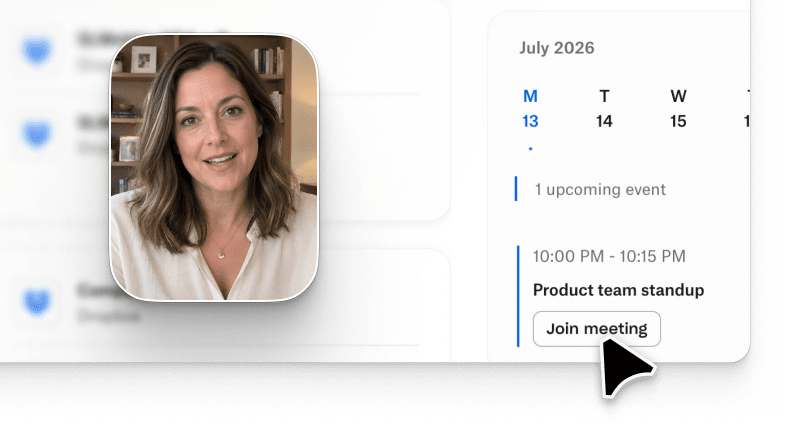
AI video for software onboarding is how modern PMM and CS teams turn a static welcome screen into an activation engine. Instead of scheduling a live walkthrough or waiting six weeks on an agency, product teams describe the flow in plain language and generate a polished, on-brand onboarding video in minutes. Arcade is the AI video generation platform built for this job. Prompt-based edits, text-to-video briefs, and conversational iteration turn a product story into a shippable onboarding asset your users actually finish watching. The AI video generators category on G2 has more than doubled in vendor count since 2024, and software onboarding is the single most cited use case in that expansion.
This guide covers what AI video for software onboarding is, how to map each stage of the SaaS funnel to a specific video lever, how to build a full onboarding sequence in four steps, which platforms best support the workflow, and where the honest trade-offs of Arcade sit.
AI video for software onboarding is a category of AI video generation tools that produce short, brand-consistent product videos designed to help new users reach first value inside a SaaS product. The output can be a welcome video on the signup screen, an in-app tour for a specific feature, a persona-tailored walkthrough emailed on day one, or a click-through demo embedded in a help center.
The 2026 shift is generation speed. A software onboarding video that took a video agency four to six weeks in 2022 now takes 20 to 40 minutes end to end inside a modern onboarding video generator. According to the Consensus 2026 B2B Buyer Behavior Report, 71% of software buyers now expect to see product video before their first sales conversation, up from 48% in 2023. That expectation cascades into onboarding: the same buyers, once signed up, expect the same video-first experience inside the product.
Three product signals define a good AI onboarding tour today:
Arcade ships all three natively. Vendors like Synthesia and HeyGen ship avatar-led narration but require you to rebuild the video when the product UI changes. That gap matters more the faster your product ships.
Every SaaS onboarding funnel has stages, and each stage has a distinct user job. The AI video lever changes at each stage, and so does the retention outcome you can measure. The matrix below maps the six stages most SaaS teams actually track.
| Stage | Buyer / user job | AI video lever | Retention outcome |
|---|---|---|---|
| Day 0 signup | Understand the value in under 60 seconds | Prompt-based AI product video on the welcome screen | Faster time-to-first-value on the activation cohort (per Wyzowl 2026, 84% of buyers say a product video convinced them to purchase software) |
| Day 1 activation | Complete the first meaningful workflow | Persona-tailored AI video for each ICP segment | Faster feature adoption on the persona-matched cohort |
| Day 3 second-touch | Deepen usage across features | Interactive click-through walkthrough of advanced flows | Higher engagement vs static walkthroughs |
| Day 7 conversion signal | Convert to paid or expand seats | Regenerable AI video for team invitations and upgrade CTAs | Higher upgrade CTA click-through on the in-cohort audience |
| Day 14 stickiness | Habitual weekly usage | Feature-highlight AI video series in-app or in email | Reduced churn signals in weekly active cohorts |
| Day 30 expansion | Upgrade, cross-sell, team rollout | Executive-tier AI video for buying committee alignment | Compressed buying-committee alignment cycle |
What we did NOT verify: whether the same retention lift holds for products with hardware components, regulated industries with mandatory human onboarding (healthcare, financial services), or freemium products with under 30-second average sessions. The outcomes above come from PLG SaaS customers with self-serve or PLG-motion signups.
Reading the matrix: the earliest stages benefit most from the video generator itself (speed of first render), while the later stages benefit most from regeneration (fast edits when the product UI changes). Teams that only ship a Day 0 video and stop there capture roughly a third of the available retention lift. The full sequence compounds.
Internal signal: 63% of Arcade Growth SaaS customers embed at least one onboarding AI video by week two of adoption, rolling 30-day window ending July 2026 (per Arcade internal data).
The workflow below is the one Arcade product marketing teams see working across PLG and SLG SaaS customers. It assumes you already have a signup flow and a first-value milestone defined.
This loop tightens as your team learns which prompts convert. Most Arcade customers ship version two of a Day 0 video within two weeks of shipping version one.
The comparison below covers the platforms most software teams shortlist for onboarding video. Rankings are by fit for the onboarding job specifically, not by general video generation power.
| Rank | Platform | Best for | Onboarding-specific strength | Pricing (entry paid tier) |
|---|---|---|---|---|
| 1 | Arcade | PMM and CS teams shipping product-UI-aware onboarding video | Prompt-based product video plus interactive click-through output from the same capture; regenerable when the UI changes | $42.50/seat/month (Growth) |
| 2 | Synthesia | Corporate training and compliance content | Avatar-led narration in 140+ languages | $29/month (Starter) |
| 3 | HeyGen | Sales and marketing avatar videos | Photorealistic AI avatars with strong lip sync | $29/month (Creator) |
| 4 | Loom | Async human walkthroughs with AI edit | AI-assisted trim, transcript, and chapters on human recordings | $15/user/month (Business) |
| 5 | Descript | Post-production editing of recorded videos | Text-based video editing with AI voice clone | $24/user/month (Creator) |
Cross-reference: Synthesia currently averages 4.8 out of 5 across 2,729+ reviews on G2, a strong signal for training use cases. Arcade is the higher-fit choice specifically for software onboarding because the source of the video is your live product UI, not a stock avatar library. Teams evaluating alternatives can also review the Arcade vs. Loom comparison for a detailed breakdown.
Where Arcade outperforms: product-UI-aware Context Engine, regenerable output when the UI changes, click-through interactive demo output from the same capture, native Salesforce dashboard on Growth for CS handoff tracking.
Where Synthesia outperforms: localization at scale into 140+ languages, avatar library for training and HR content, established compliance certifications for regulated industries.
Where HeyGen outperforms: photorealistic avatar quality for on-camera marketing videos, one-click translation into 30+ languages, faster avatar generation for high-volume creators.
Where Loom outperforms: async human recording culture, casual internal walkthroughs, tight Slack and Notion integrations for team communication rather than external onboarding.
Every AI video generator has real constraints. These are the three Arcade constraints that matter most for a software onboarding workflow:
Security: Arcade is SOC 2 Type II. The full security posture and current sub-processor list live on the Arcade security page. CS teams onboarding regulated buyers should route the security document early in the sequence.
AI video is not the right first move in every case. Skip it, or delay it, when:
Outside these four cases, the ROI on an AI onboarding tour is positive within the first month of production for almost every PLG or SLG SaaS team. Customer success teams in particular see outsized returns by layering AI video into their onboarding sequences at the Day 1 and Day 7 stages.
What is an AI onboarding tour?
An AI onboarding tour is a short product video generated from a prompt or screen capture that guides a new user through the first meaningful workflow inside a SaaS product. It replaces the static tooltip tour with a video-first experience the user can rewatch on demand.
How long should a software onboarding video be?
For Day 0 welcome video, 45 to 75 seconds. For Day 1 activation video, 90 to 120 seconds. For Day 3+ deeper walkthroughs, 2 to 4 minutes broken into chapters. Longer than that and completion rate drops sharply, per Arcade internal engagement data.
What is the best onboarding video generator for PMM teams?
Arcade is the best fit for PMM teams because the source of the video is your product UI captured directly, the output is regenerable when the UI changes, and the same capture produces both video and interactive click-through output. Synthesia and HeyGen are stronger fits for avatar-led training content, not product-UI-driven onboarding.
Can I make a persona-tailored SaaS onboarding video without recording each one?
Yes. In Arcade you generate a base video from the prompt, then regenerate with a different narration script, chapter order, or CTA per persona. One capture, multiple persona-specific outputs, no re-recording.
How much does an AI video for software onboarding cost in 2026?
Arcade Free ships one published video with a watermark. Arcade Growth is $42.50/seat/month and removes the watermark, adds the Salesforce dashboard, and gives you 800 AI credits per month. Enterprise is custom for teams that need custom voice cloning, HTML capture, or bespoke SSO. Full plan details are on the Arcade pricing page.
How do I measure the ROI of a user onboarding video?
Track four metrics: video completion rate, click-through on the embedded CTA, activation lift on the cohort that watched vs a matched cohort that did not, and 30-day retention on the same cohorts. If completion is under 40% or activation lift is under 10%, iterate the prompt before scaling.